Unblock Medical Alert Calls on Android and iPhone
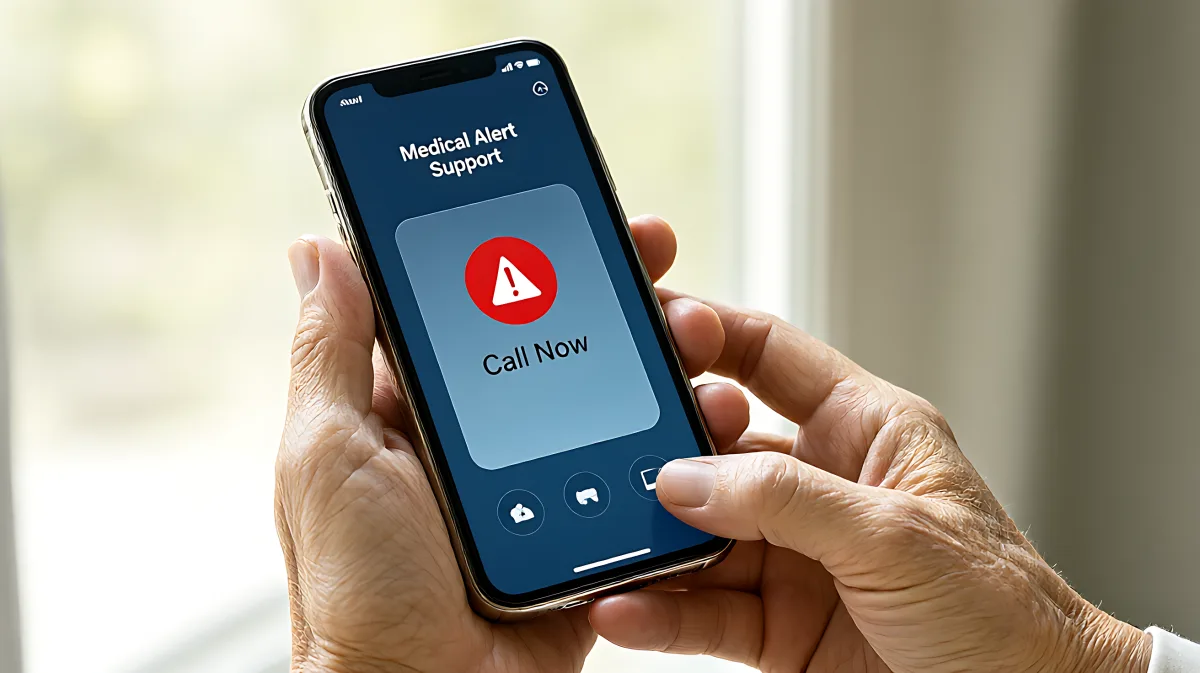
Aggressive call blocking settings can stop life-saving medical alert vendor calls. This guide helps you identify the two specific settings to reverse on Android and iPhone so legitimate emergency numbers come through.
If you accidentally enabled aggressive caller ID blocking, your phone may now reject calls from legitimate medical alert vendors. To reverse this, you must locate and disable the "Block unknown callers" toggle and ensure specific vendor numbers are not on your "Blocked numbers" list. According to Samsung support, these settings live in the Phone app's configuration menu. Acting now ensures your emergency service can reach you when it matters most.
Why do medical alert calls get blocked?
Many families assume that blocking spam calls only stops strangers. In fact, these filters often block any number not previously saved in your contact book. Medical alert services, such as Mayo Clinic fall prevention programs, recommend ensuring your emergency contact list includes your service provider's number. If the vendor dials from a different line or a temporary number, the "Block unknown" setting will silently reject the call. The caller hears a busy tone or goes to voicemail, but you never see the ring.
Which two settings are the main culprits?
On most smartphones, two settings work together to stop unsaved numbers. The first is the global toggle that rejects any call with a hidden or unrecognized ID. The second is the specific block list, which may contain the vendor's number if it was accidentally blocked after a previous spam incident. You need to check both to guarantee connectivity.
How to fix these settings on Android
Android phones from Samsung and Google handle call blocking differently. Here is how to reverse the damage on both major ecosystems.
Steps for Samsung Galaxy users
- Open the Phone app from your home screen.
- Tap the three vertical dots (More options) in the top right corner.
- Select Settings and then tap Block numbers.
- Look for the switch labeled Block calls from unknown numbers. If it is blue (on), tap it to turn it off. This allows all unsaved numbers to ring.
- Scroll down the same screen to review the list of manually blocked numbers. If you see your medical alert vendor's number, tap the red minus icon (-) next to it to remove it from the list.
Samsung’s official guide confirms that the "Block calls from unknown numbers" toggle is the primary gatekeeper for unsaved IDs. Disabling it means your phone will ring for every number, including spam. Many users prefer this trade-off for peace of mind regarding their safety devices.
Steps for Google Pixel and other Android phones
- Open the Phone app.
- Tap the three vertical dots or the Home tab depending on your version.
- Go to Settings and then Blocked numbers.
- Turn off the switch for Block unknown numbers. On some Pixels, this is labeled Unknown.
- Check the list below for your medical vendor. If it is there, tap the Clear (X) icon to unblock it.
How to fix these settings on iPhone
iPhones use a similar logic. If you are not using an Android device, follow these steps to ensure your emergency line stays open.
- Open the Settings app.
- Tap Phone and then Blocked Contacts.
- Review the list. If your medical alert vendor is there, swipe left on their name and tap Unblock.
- Return to the main Phone settings menu.
- Ensure Silent Unknown Callers is turned off, or add the vendor's number to your contacts so they are no longer "unknown."
Is "Silent Unknown Callers" the same as blocking?
Not exactly. On an iPhone, this setting sends calls to voicemail instead of silencing the ring. However, if your medical device relies on you hearing the ring to respond, this setting is just as dangerous as a hard block. Turning it off or saving the vendor as a contact is the safest move.
Common mistakes that keep vendors from reaching you
Even after you unblock a number, other features can interfere. Here are the pitfalls to avoid.
Mistake 1: Relying on voicemail alone. Many medical alert systems do not leave voicemes; they send a silent alert to a monitoring center. If the call does not ring your phone, the alert may never trigger. You must allow the call to reach your handset.
Mistake 2: Using "Do Not Disturb" mode all day. If you have Do Not Disturb scheduled for daytime hours, it will block all non-favorite calls. Check your Do Not Disturb settings and add your medical vendor to the "Favorites" or "Allow Calls From" list. Healthline notes that configuring DND properly is key to balancing privacy and safety.
Mistake 3: Not saving the vendor number. The most robust fix is to save the medical alert vendor's phone number into your contacts as "Medical Alert." This ensures the number is recognized as known by your phone, bypassing "Block Unknown" filters entirely.
Comparison of blocking methods
Understanding which method you used helps you know what to undo. Here is a quick guide to the settings involved.
| Setting | Effect | Action to Reverse |
|---|---|---|
| Block Unknown Numbers | Rejects all numbers not in contacts | Toggle OFF in Phone Settings |
| Manual Blocked List | Rejects specific saved numbers | Delete vendor number from list |
| Silent Unknown Callers (iOs) | Sends unsaved calls to voicemail | Turn OFF or add vendor to Contacts |
| Do Not Disturb | Silences non-favorites during set hours | Disable or add vendor to Favorites |
How to verify the fix works
After changing your settings, do not wait for an emergency to test the line. You can verify connectivity in minutes.
- Call your medical alert vendor from your phone to confirm they can reach you.
- Ask the vendor to call you back while your phone is in your pocket.
- Ensure the phone rings audibly and that the voicemail message is accessible.
- Add the vendor's number to your contacts book under a clear name like "EMERGENCY MEDICAL."
This double-check step is vital. If the call still does not go through, contact your carrier. Sometimes network-level spam filters are active. You can ask them to ensure no carrier-side blocking is interfering with your specific safety numbers.
This article is for general information only and is not a substitute for professional medical advice, diagnosis, or treatment. Always consult a qualified clinician about your situation.
Frequently Asked Questions
Will turning off "Block Unknown Numbers" let all spam calls through?
Yes, it will. Your phone will ring for every number that is not in your contacts. While this increases noise, it guarantees that your emergency medical vendor can reach you. You can use the "Report Spam" button on each call to help carriers filter them over time.
Can I block spam but allow one specific unknown number?
On most smartphones, the "Block Unknown" filter is a blanket setting. The safest way to allow a specific number is to save it in your contacts. Once saved, it is no longer "unknown" to the phone, so the filter will let it through even if the global setting is on.
What should I name the contact for my medical alert service?
Use a clear, uppercase name such as "MEDICAL ALERT" or "LIFELINE SUPPORT." This makes it easy to find in your contacts list and ensures it stands out from regular friends and family.
Does this apply to landline phones connected to my service?
If your medical alert service connects via a landline, the blocking settings on your smartphone do not affect that line. However, if the service calls your mobile number as a backup, the mobile phone's blocking settings apply as described above.