Secure Family Cloud Album Setup Guide
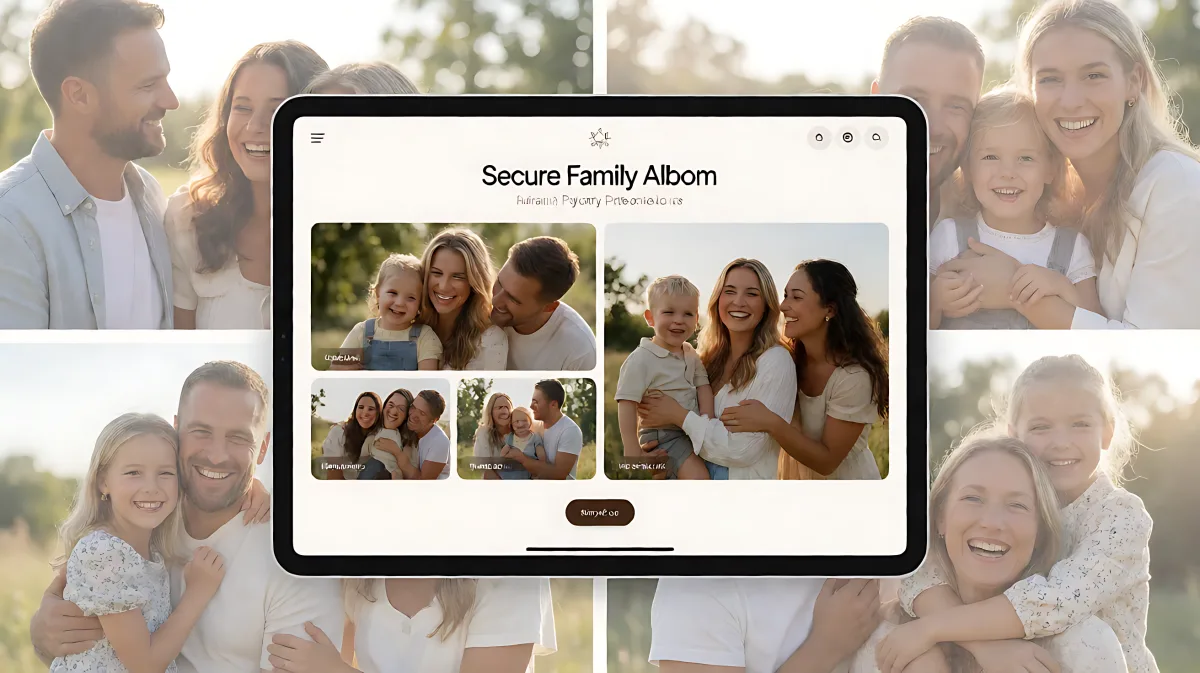
Sharing daily life with adult children does not require posting to public social media. Discover how to build a private, encrypted digital space that keeps your family's memories safe.
Sharing daily moments with adult children requires a secure, private space that excludes strangers and algorithms. The best approach is using an end-to-end encrypted family album where only invited members can view content. This method protects sensitive photos from public scraping while maintaining a strong family connection through dedicated communication features.
Why Private Albums Are Better Than Social Media
Many families assume that posting on mainstream social platforms is the easiest way to stay connected with grown children. However, this method exposes sensitive images to public risk. According to UK research cited by the University of Southampton, 45% of parents share photos or details about their children online. Furthermore, one in six parents reported a negative incident affecting their child, ranging from privacy breaches to unwanted contact from strangers. Once a photo is posted publicly, it can be copied, archived, and reused long after the original post is deleted.
The risks have escalated significantly with the rise of generative AI. The National Center for Missing & Exploited Children reported that reports involving generative AI tools rose by 1,325% in recent years. The Internet Watch Foundation logged 8,029 AI-generated child sexual abuse images in 2025 alone. Roughly one in ten minors now know of peers using AI to create synthetic images. To protect your family's digital footprint, a closed ecosystem is essential.
What Makes an Album End-to-End Encrypted?
End-to-end encryption means your photos and videos are scrambled on your device before they are uploaded to the cloud. The keys to unlock these files remain with your family, not the service provider. This ensures that even the platform's engineers cannot view your private moments. Leading platforms like Maple Album and Proton Drive utilize this zero-knowledge architecture, keeping files secure even as computing power advances. For families who want to share with adult children without exposing their location or daily routines, this technology is the gold standard.
Choosing the Right Platform for Your Family
Not all cloud storage is created equal. When setting up a shared space, you need a service that balances security with ease of use. Adult children may be tech-savvy, but grandparents or other relatives might find complex interfaces frustrating. The best services allow you to separate personal files from shared family content, ensuring everyone's privacy is respected.
Which Platforms Lead in Family Security?
Based on 2026 reviews from Cloudwards.net, several providers stand out for family use. pCloud offers a 2TB lifetime plan for a one-time payment, making it a cost-effective option for long-term storage. It is noted for its simple, intuitive design that is accessible to users of all skill levels. For those who prioritize absolute privacy, Proton Drive and Internxt offer zero-knowledge encryption, meaning the providers cannot read your data. Google Drive remains a popular choice for its integration with productivity tools, but users should be aware that it does not offer zero-knowledge encryption by default. If you want to keep personal and family lives strictly separate, look for services that allow granular permission settings and distinct storage pools.
Step-by-Step Setup Guide
Creating a secure space takes less than thirty minutes. Follow these steps to establish a safe environment for sharing daily moments with your adult children.
- Choose a Platform: Select a service that offers end-to-end encryption or zero-knowledge architecture. Avoid generic cloud drives that scan file contents for ads or data mining.
- Create a Master Account: Set up the primary account using a strong, unique password. Enable two-factor authentication immediately to prevent unauthorized access.
- Define the Circle: Identify who needs access. You might create a specific "Family" folder that includes your adult children and perhaps a few close relatives. Keep your private journal or work files in a separate, inaccessible area.
- Invite Members Securely: Send invite links via encrypted email or secure messaging. Avoid posting invite codes on social media. Ensure each member creates their own login credentials rather than sharing one account, which compromises audit trails.
- Set Permission Levels: Decide if your adult children can only view content or if they can also upload photos. Many families prefer a collaborative model where everyone contributes, while others prefer a parent-led curation style. Adjust the access rights accordingly.
- Upload and Organize: Transfer recent photos and videos. Use descriptive tags so the album remains searchable. Most advanced apps auto-organize by month, but adding context helps future generations understand the moments.
Common Mistake: Exposing Metadata
A frequent error is uploading files without scrubbing metadata. Photos often contain GPS coordinates, camera settings, and timestamps. While this can be helpful, it can also reveal your home address or travel habits. If privacy is your priority, consider using a tool that strips metadata upon upload or manually redacts sensitive information before sharing. This simple step prevents digital tracking without compromising the visual memory.
Maintaining the Digital Legacy
A cloud album is more than a storage drive; it is a living record of your family's life. Regularly review the album to ensure it reflects your current values and privacy needs. As your adult children form their own families, you may need to expand the circle or create sub-albums for specific groups. Remember that security settings can change. Periodically check that no one else has been added to the viewer list and that two-factor authentication remains active on all accounts.
How Do You Recover Files If a Device Is Lost?
One of the biggest advantages of cloud-based albums is redundancy. If your phone or computer is lost or stolen, your memories are safe in the cloud. However, you must log in from a new device to access them. This is why two-factor authentication is critical. If you lose your primary device and your security code is stored there, you may be locked out temporarily. Always keep a backup recovery code in a physical, secure location like a safe at home.
FAQ
Can I control who sees specific photos?
Yes. Most secure family platforms allow granular control. You can create different albums for different groups. For example, you can have a "Daily Life" album accessible to your adult children and a "Private" album that is visible only to you. This ensures that sensitive content remains protected while you share general updates.
Is free cloud storage safe for family photos?
Free tiers of major providers like Google Drive or Dropbox often come with the trade-off of data scanning. While they use encryption in transit, they may analyze file contents for advertising purposes. For sensitive family data, a paid plan from a privacy-focused provider with zero-knowledge encryption is recommended to ensure your files cannot be read by the service provider.
What happens if I stop paying for the service?
Always download your files to a local hard drive or external SSD as a backup. If you cancel a paid plan, you will typically lose access to the cloud copy after a grace period. Keep a local archive to ensure you retain ownership of your memories regardless of the service provider's business decisions.
How do I share with adult children who live far away?
Cloud albums are designed for remote access. Your adult children can view new uploads from anywhere in the world as long as they have an internet connection. Many apps offer push notifications, so they are alerted when new moments are added, creating a consistent touchpoint despite the distance.