Kitchen Safety Device Maintenance Guide
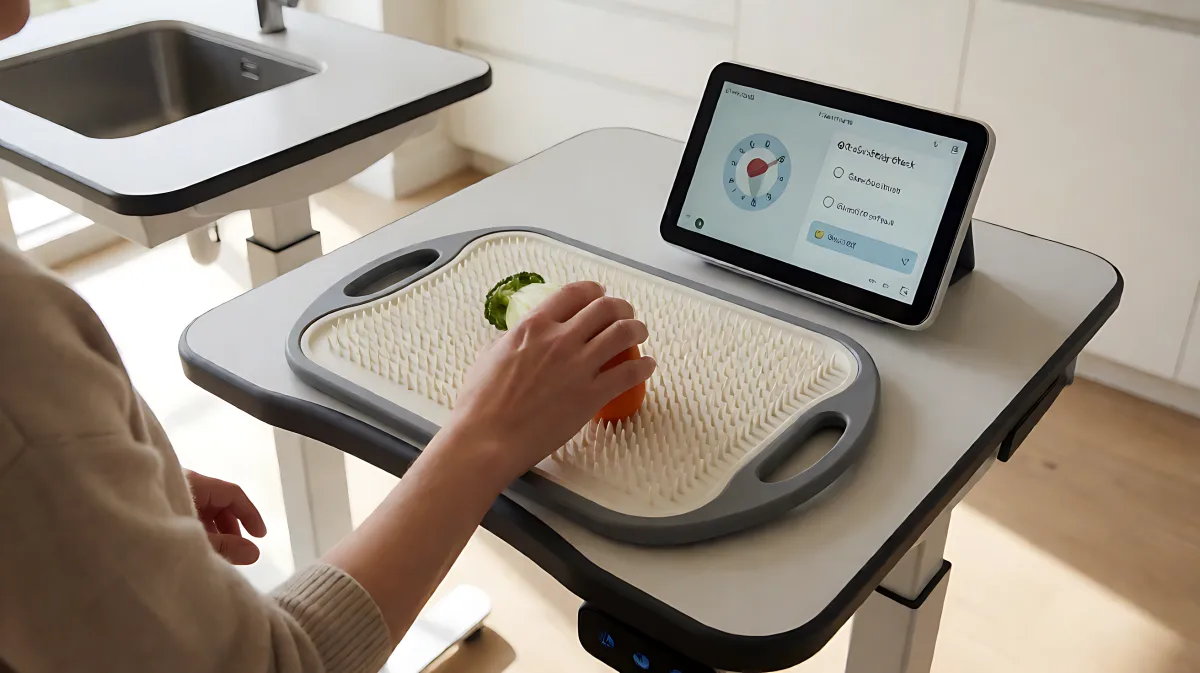
Ensure your adaptive kitchen tools remain safe and functional with this comprehensive guide on testing, cleaning, and documenting maintenance for assistive devices.
Regular testing and maintenance of adaptive kitchen devices is essential to prevent injuries and extend equipment life. Conduct a comprehensive safety inspection annually, supplemented by quarterly checks of critical components. Use manufacturer-approved cleaning agents and food-grade lubricants to ensure hygiene and mechanical integrity. Document all findings in a digital log to track device health and compliance with safety standards.
Why Regular Testing Matters for Adaptive Equipment
Many households assume that once an assistive device is installed, it requires no attention until it breaks. In fact, adaptive kitchen tools such as height-adjustable countertops, voice-controlled appliances, and automated stirring units integrate complex mechanical, electrical, and software systems. These components degrade over time due to heat, moisture, and frequent use. The Consumer Product Safety Commission (CPSC) and other regulatory bodies often mandate documented inspections for safety-critical equipment in assisted-living environments. A proactive maintenance schedule minimizes the risk of unexpected failures that could compromise a user’s independence.
How Do I Create a Complete Device Inventory?
The first step in any maintenance program is establishing a comprehensive inventory. Caregivers and facility managers should record the make, model, serial number, and installation date for every adaptive tool. This includes electrical appliances like induction cooktops, mechanical aids like rolling carts, and software-driven tools like IoT sensors. According to industry best practices, a structured inventory reduces the likelihood of overlooking critical items. For example, documenting the specific user needs associated with each device helps tailor inspection protocols. If a user relies on a specific jar opener for arthritic hands, its functional performance is a critical safety parameter.
Step-by-Step Safety Inspection Procedures
Before performing any checks, disconnect power to each device. Inspect electrical cords, plugs, and grounding mechanisms for visible wear or fraying. Mechanical parts such as hinges, sliders, and lift columns must be examined for cracks, excessive play, or corrosion. Verify that emergency stop functions and safety interlocks operate as intended. For devices with moving parts, apply a thin film of food-grade silicone grease to lubrication points identified in the user manual. This prevents contamination while maintaining smooth operation. Do not use petroleum-based lubricants, as they can contaminate food and damage seals.
- Disconnect power and inspect electrical connections for wear.
- Check mechanical joints for corrosion or excessive movement.
- Test emergency stops and safety interlocks manually.
- Apply food-grade silicone lubricant to moving parts as needed.
- Verify software responses and update firmware if available.
What Are the Correct Cleaning Methods?
Hygiene is paramount in food preparation areas. Use manufacturer-approved, non-abrasive cleaners to avoid damaging surface coatings on smart appliances. For hand-operated tools, such as adaptive cutting boards or specialized knives, wash them with warm, soapy water and dry them thoroughly with a microfiber cloth. Dampness trapped in rubber grips or wooden handles can lead to mold growth. Wipe down electric device housings with a damp cloth, avoiding direct water exposure to motor compartments. A clean device is a safe device; food residues can degrade sensors and motor housings, leading to malfunction.
Software and Firmware Maintenance
Modern adaptive devices rely on embedded software to interpret voice commands and adjust motor speeds. Manufacturers release firmware updates to patch security vulnerabilities and improve performance. Schedule a quarterly check for available updates from your vendor. After installing an update, perform a functional test to confirm the device responds correctly to user inputs. Record the version number and installation date in your maintenance log. Many users believe that firmware updates are automatic and require no attention. However, manual verification ensures that new code does not interfere with critical safety features or user settings.
How Should I Document Maintenance Records?
Accurate documentation transforms isolated tasks into a verifiable safety program. Use a digital spreadsheet or cloud-based system to store inspection results, repair actions, and parts replacements. Attach photos of worn components to provide visual evidence for future reference. A minimum retention period of three years is commonly recommended for safety-critical equipment. Ensure records are backed up regularly and that authorized personnel have read-only access to prevent accidental alteration. This record-keeping supports compliance audits and helps identify patterns of neglect before they result in costly repairs.
Common Mistakes and How to Avoid Them
One widespread misconception is that generic cleaning supplies are suitable for all adaptive devices. In reality, abrasive pads or harsh chemicals can strip protective coatings on non-stick surfaces or damage sensitive electronics. Always follow the manufacturer’s specific care instructions. Another error is neglecting lubrication schedules. Moving parts in height-adjustable workstations can seize if not lubricated every three months. Finally, many caregivers skip functional tests after cleaning. A device that looks clean may still have a slipping joint or a failing sensor. Perform a brief operational check after every cleaning session to ensure the tool performs as expected.
Training Caregivers for Device Maintenance
Effective maintenance requires trained staff. Caregivers should be instructed on basic troubleshooting steps, such as resetting a smart dispenser or clearing jammed sliders. This reduces the need for service calls and keeps devices operational for users who rely on them for daily meals. Provide simple checklists for users to report anomalies, such as unusual noises or slower response times. Schedule maintenance during low-usage periods to minimize disruption. When a device fails after inspection, document the failure immediately, isolate the unit to prevent further use, and contact the manufacturer or a qualified service provider.
Frequently Asked Questions
How often should adaptive kitchen devices be inspected?
A comprehensive inspection is recommended annually, with supplemental safety checks performed quarterly for high-use items. This schedule aligns with industry standards for maintaining safety-critical assistive technology.
Can I use a generic checklist for all devices?
While generic checklists provide a useful framework, device-specific sections are necessary. Unique safety features, such as specific interlocks on automated stirring units, must be verified. Customize your checklist to include model-specific items to ensure no critical component is overlooked.
Do firmware updates void warranties?
Typically, updates released by the manufacturer are covered under warranty. However, it is advisable to review the warranty terms before proceeding. If a third-party update is installed, check with the vendor to ensure compliance and maintain warranty validity.
What is the best way to store inspection records?
Digital storage with cloud backup offers accessibility and security. Many organizations also maintain paper logs for regulatory compliance. A hybrid approach ensures that records are accessible even if digital systems fail, providing a robust audit trail for safety inspections.