Set Up Automated Payment Reminders in 5 Steps
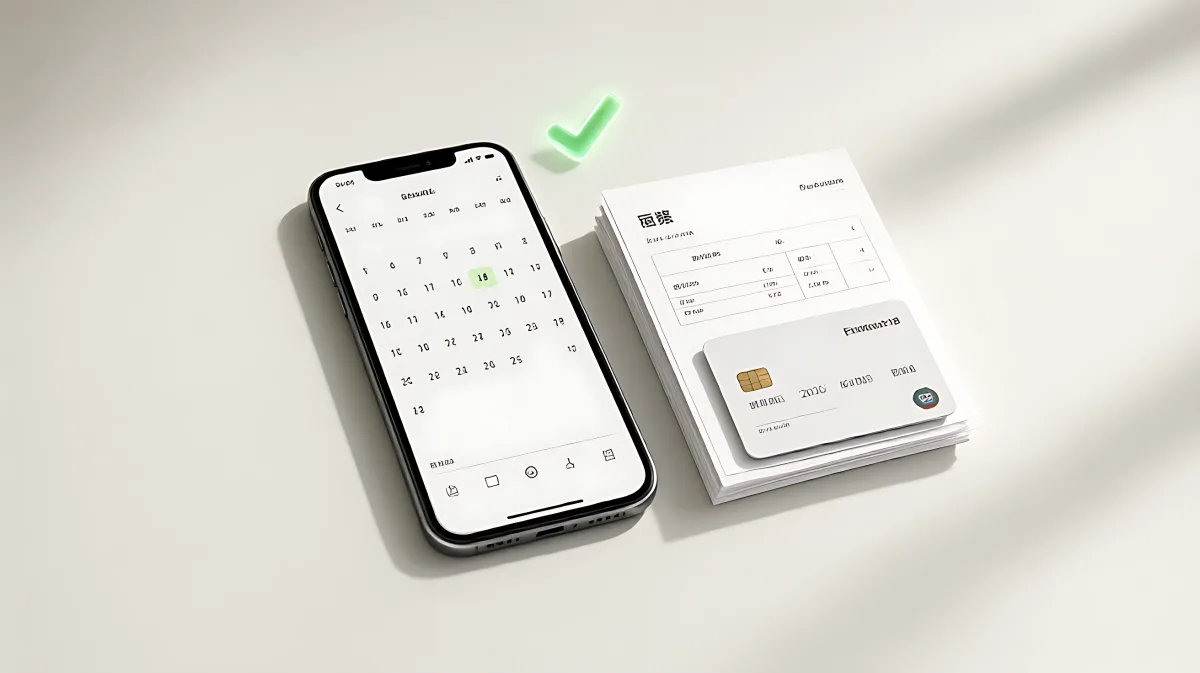
Manual follow-ups cost businesses up to 1.5 hours a week. This guide explains how to configure automated reminders to cut late payments by 30% and streamline your cash flow.
Setting up automated payment reminders involves configuring software to send scheduled notifications before and after invoice due dates, which reduces late payments by up to 30% and saves business owners an average of 1.5 hours per week in manual follow-ups.
Why Manual Payment Chasing Fails in 2026
For small business owners, cash flow is the lifeline of operations. However, relying on memory to send payment follow-ups is inefficient and often leads to strained client relationships. According to data from Xero, small businesses spend an average of 1.5 hours per week chasing overdue invoices, amounting to 78 hours a year lost to unpaid administrative work. Despite this effort, over 60% of invoices are still paid late when businesses rely on manual follow-ups.
Automated systems solve this by ensuring consistency. Unlike a human owner who might hesitate to ask for money or forget a specific client, software reminders are delivered identically to every account on a fixed schedule. This removes the emotional discomfort of the request and ensures that no invoice goes unaddressed, leading to faster average payment times of 11 to 14 days.
What Are Automated Payment Reminders?
Automated payment reminders are pre-scheduled digital prompts, typically via email or SMS, triggered by an invoice's status within accounting or invoicing software. These tools monitor your accounts receivable and send notifications at set intervals: days before the due date, on the due date, and at specific points after the deadline. The system stops sending messages automatically once the invoice is marked as paid.
How to Build Your Reminder Schedule
The effectiveness of your reminders depends less on the technology and more on the timing and tone of the messages. A well-structured schedule creates a natural escalation path that respects the client's workflow while protecting your revenue.
What Is the Ideal Timing for Pre-Due Reminders?
Many businesses assume that reminders should only be sent after a bill is late, but in fact, the most effective reminder is the one sent before the due date. Best practices from invoicing platforms like Invoicemonk suggest a specific timeline:
- 3 Days Before Due Date: Send a friendly, informational heads-up. This gives corporate clients time to process the invoice through their accounts payable departments. A simple note such as "Just a reminder that invoice #1047 is due on Friday" is highly effective.
- On Due Date: Send a professional, factual notice. This message should include a direct payment link to remove friction. Every click between reading the email and paying the bill delays your cash flow.
- 3 Days Overdue: Send a gentle follow-up. Assume oversight rather than malice. Include a clear payment link again.
- 7 Days Overdue: Send a firm reminder. Reference your payment terms and any applicable late fees. The tone should be direct but professional.
- 14 Days Overdue: Escalate. Indicate that you will need to discuss the matter directly via phone or email if payment is not received.
Step-by-Step Setup Guide for Business and Personal Use
Whether you are using an invoicing platform like QuickBooks or a personal finance tool, the logic remains the same. Here is how to configure your system for maximum efficiency.
How Do I Choose the Right Automation Tool?
Start by identifying where your billing data lives. If you use accounting software like QuickBooks or Xero, check the built-in automation features. For personal household bills, dedicated reminder apps or SMS services are ideal. When selecting a tool, look for:
- Integration Capabilities: Does it sync with your existing accounting system?
- Customization Options: Can you edit the text and timing for each stage?
- Multi-Channel Support: Can it send via email, SMS, or in-app notifications?
What Are the Configuration Steps?
Once your tool is selected, follow these steps to activate the system:
- List Every Recurring Bill: Spend five minutes writing down all invoices and personal bills, including amounts, due dates, and payment methods. Most users are surprised by the total number of obligations.
- Set Pre-Due Intervals: Configure your software to send the first reminder 3 to 5 days before the due date. For annual bills like car insurance, extend this lead time to 30 to 45 days to allow for rate shopping.
- Customize Message Tones: Write unique templates for pre-due, due-date, and overdue stages. Ensure the pre-due message is friendly, while the 7-day overdue message is firm.
- Add Payment Links: Ensure every automated email includes a secure, one-click payment link. This is the single biggest factor in improving same-day payment rates.
- Test the System: Send test reminders to yourself or a colleague. Verify that the emails render correctly, links work, and the timing aligns with your calendar.
Common Mistakes and Misconceptions
Many families and small business owners assume that enabling auto-pay means they no longer need to monitor their accounts, but in fact, auto-pay can fail silently. Cards expire, banks change account numbers, or utilities send variable bills that exceed the available balance.
Therefore, you must keep reminders active even when auto-pay is enabled. A reminder sent 5 days before a bill is due allows you to verify that sufficient funds are available and that the charge is expected. This oversight turns auto-pay from a risk into a reliable system. For annual bills, one reminder that fires early enough to compare rates can save hundreds of dollars; for example, drivers often save over $200 annually on car insurance when they actively shop for rates instead of letting policies auto-renew.
Best Practices for Maintaining Relationships
The goal of automated reminders is to get paid without damaging client relationships. To achieve this, focus on tone and segmentation.
How Do I Keep Reminders Professional?
Assume good faith in all messages. Phrases like "We understand things get busy" outperform aggressive language like "Your payment is overdue." For personal bills, the tone should be neutral and factual. Avoid sending more than five automated reminders in a 14-day window for a single invoice; beyond that, switch to a personal phone call to resolve the issue directly.
Should I Customize Reminders for Different Clients?
Yes. Segment your clients based on payment behavior. If you have corporate clients on 45-day payment cycles, adjust the schedule to match their workflow. For individual clients who pay promptly, a single pre-due reminder may be sufficient. Tracking which reminder stage triggers the most payments will help you refine your schedule over time.
How Do I Track the Effectiveness of My Reminders?
Monitor your accounts receivable aging report. Look for metrics such as the percentage of invoices paid after the first reminder versus the third. According to aggregate data from invoicing platforms, 60% of overdue invoices are paid after the first automated reminder, indicating that most late payments are simple oversights rather than deliberate non-payment. Use this data to adjust your pre-due timing; if you catch 40% of late payments with a 3-day lead, consider moving that reminder to 7 days out for better results.
FAQ
How far in advance should I set bill pay reminders?
For monthly bills, set reminders 3 to 5 days before the due date to allow time for verification. For annual bills, such as insurance premiums or property taxes, use a 30 to 45-day lead time to ensure you have enough opportunity to review charges and shop for competitive rates.
Can I still pay bills manually if I use automated reminders?
Yes. Automated reminders are not mandatory payment triggers; they are notifications. You can choose to pay manually when you see the reminder or set up auto-pay for convenience. The key is that the reminder ensures you are aware of the obligation regardless of your payment method.
What is the best tool for personal household bills?
For personal use, SMS-based reminder services or dedicated productivity apps are most effective because they reach your mobile device immediately. For business use, integrate reminders directly into your accounting software like QuickBooks or Xero to keep financial data synchronized and reduce manual entry errors.
Do automated reminders annoy clients?
When configured correctly, no. Most clients appreciate clear communication. Annoyance usually stems from excessive frequency or poor timing. Stick to the recommended schedule of pre-due, due-date, and two to three overdue stages to maintain a professional standard without becoming spammy.
How much money can I save by avoiding late fees?
The average late fee for consumer bills is between $30 and $40. If you have five bills per month that are currently paid late, avoiding those fees saves you approximately $1,800 per year. This amount often exceeds the cost of premium reminder software or services, making the system essentially self-funding.