How to Set Up Weather Alerts and Read Radar for Seniors
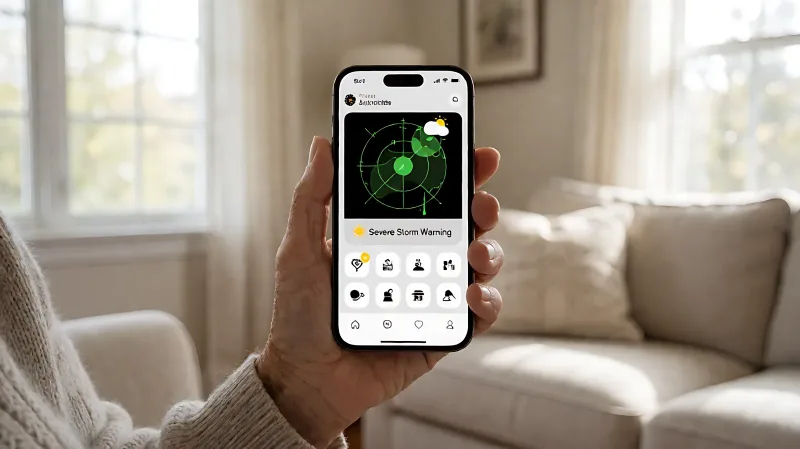
Severe weather can be dangerous. This guide helps seniors set up automatic alerts and understand radar colors to stay safe during storms.
To stay safe from severe weather, seniors should activate automatic notifications from the National Weather Service (NWS) on their mobile devices and learn to identify red and orange zones on radar maps. This guide explains how to set up these alerts in under five minutes and how to interpret visual data to protect your home and health.
For more information, see NIA health information for older adults from the National Institute on Aging.
Why Automated Alerts Matter for Older Adults
According to the National Weather Service, severe weather warnings are issued for events that may threaten life or property. For adults over 65, the risk of heat-related illness or injury from high winds is significantly higher due to physiological changes. Relying on manual checks can be risky, especially during power outages or when internet connectivity is poor. Automated alerts push this information directly to your phone, ensuring you know when to seek shelter or secure outdoor furniture. The CDC notes that heat strokes are a leading cause of heat-related deaths in older adults, making timely notification critical.
How to Enable Weather Notifications on Your Phone
Most modern smartphones, including iPhones and Android devices, have built-in support for NWS alerts. On an iPhone, open the Settings app, scroll to Notifications, and look for Weather. Ensure that Alerts are enabled. For Android, check your default weather app settings to allow notifications for severe weather. You can also download the dedicated NWS Weather app, which is free and provides alerts tailored to your specific ZIP code. The setup process usually requires enabling location services so the app knows which regional office covers your area. This step is crucial because weather patterns can vary greatly within a 50-mile radius.
Understanding Radar Colors and Intensity
Radar maps use a color scale to show precipitation intensity, measured in decibels of reflectivity, or dBZ. While numbers can be confusing, the colors provide a quick visual cue for safety. Light green indicates light rain, which is often safe for short walks. Dark green and yellow suggest moderate rain, which can reduce visibility. Red and orange indicate heavy rain, lightning, or hail. Purple represents the most intense storms, often associated with severe thunderstorms or tornado risk. If you see purple on the radar moving toward your home, you should follow your emergency plan immediately.
| Color | Precipitation Type | Action for Seniors |
|---|---|---|
| Light Green | Light Rain | Caution when walking; check ground for ice. |
| Dark Green | Moderate Rain | Stay indoors if mobility is limited; watch for flooding. |
| Yellow | Heavy Rain/Hail | Secure outdoor items; avoid driving. |
| Red/Orange | Severe Storms | Seek shelter; monitor news for evacuation orders. |
| Purple | Extreme Intensity | Immediate danger; follow all emergency instructions. |
It is important to remember that radar shows where rain is currently falling and where it is likely to fall in the next 30 to 60 minutes. It does not predict long-term weather patterns. Use radar for immediate safety decisions and forecasts for planning the week ahead.
Choosing the Right App for Your Needs
There are many weather apps available, but not all are designed for clarity. Major providers like The Weather Channel and AccuWeather offer robust features, but their interfaces can be cluttered. For seniors, simplicity is key. The NWS Weather app is government-backed and focuses on alerts rather than advertising. Private apps like RainViewer offer high-resolution radar data that updates every two to five minutes, which is faster than many standard apps that update hourly. If you have a family member or caregiver, you can share your alert status with them. Some apps allow you to share your location or status during a severe weather event, providing peace of mind for loved ones.
What to Do When a Severe Weather Alert Sounds
When your phone buzzes with a NWS alert, do not dismiss it as spam. A Weather Watch means conditions are favorable for a severe event, so you should stay alert. A Weather Warning means the event is imminent or occurring; you must take action. For tornado warnings, go to your designated safe room. For hurricane warnings, begin preparing your emergency kit if you have not done so. The American Red Cross recommends keeping a two-week supply of non-perishable food and water in your home, but checking this before a storm is difficult if you wait until the last minute.
Accessibility Features for Better Visibility
If you have visual impairments, you can adjust your phone’s display settings to increase font size and contrast. Most weather apps support large text. You can also use voice assistants like Siri or Alexa to ask for the current weather and any active alerts. For example, saying, “What is the weather like now?” will provide a summary. Asking, “Are there any weather alerts for my area?” will give you a specific answer without needing to navigate complex menus. This hands-free method is particularly useful if you are in a wheelchair or have limited hand mobility.
How to Create a Simple Emergency Plan
Technology is helpful, but it fails when the power goes out. Create a paper-based backup plan. Write down the phone numbers for local emergency services, your utility company, and two out-of-state contacts. Store this list in a waterproof folder in your kitchen. Keep a battery-powered NOAA radio for areas with poor cell service. These radios broadcast NWS alerts even when the power is off. The Federal Emergency Management Agency (FEMA) recommends testing your backup batteries every six months to ensure they will work when you need them.
Frequently Asked Questions
Do I need a paid app for severe weather alerts?
No. The National Weather Service provides free alerts to all mobile users. While paid apps offer more detailed radar and forecasting features, the essential safety information regarding life-threatening weather is available at no cost. Stick with free options to avoid unnecessary subscription fatigue.
How accurate are radar predictions for rain?
Radar is highly accurate for showing where rain is currently falling. Its ability to predict future rain is generally reliable for a 30 to 60-minute window. Beyond that time frame, the margin of error increases. Use radar for immediate safety and long-term forecasts for planning errands or appointments.
What should I do if I receive a flood warning?
A flood warning means flood conditions are occurring or imminent. Move to higher ground if you are in a low-lying area. Do not walk or drive through floodwaters. Six inches of moving water can knock an adult off their feet, and two feet can sweep a vehicle away. Follow local authority instructions to evacuate if necessary.
Can I set up alerts for specific weather types?
Yes. In most weather apps and the NWS system, you can select the types of alerts you wish to receive. You can choose to be notified for tornadoes, hurricanes, severe thunderstorms, floods, and extreme heat. This allows you to filter out lesser alerts that may not require immediate action, reducing notification fatigue.
Is it safe to use my phone during a storm?
Yes, using your phone to receive alerts and communicate with emergency services is safe. However, avoid using corded phones during a lightning strike, as they can conduct electricity. If you are at home, use wireless communication methods like cell phones or text messages to reach emergency contacts.