Emergency Document Organizer: Legal & Medical Guide
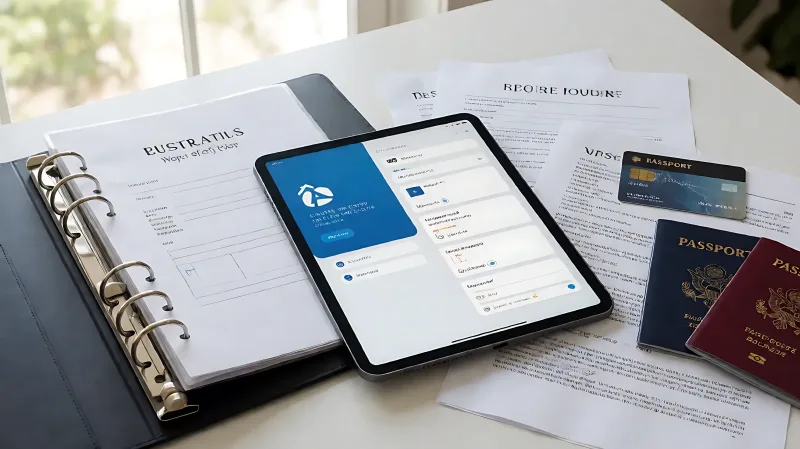
Crises do not wait for organized paperwork. This guide outlines a practical system for sorting wills, insurance, and medical records, ensuring your family can access critical information within minutes, not days.
When a crisis strikes, chaos is the enemy. To let your family act fast, you must centralize and index your legal and medical documents in a secure, accessible location. Create a dedicated physical binder and a encrypted digital folder that contain your will, powers of attorney, insurance policies, and medical directives. By sharing access credentials with a trusted family member, you eliminate the delay of finding information during a life-or-death moment. This systematic approach transforms scattered paperwork into a single source of truth, allowing your loved ones to make critical decisions without navigating a maze of files. The key is not just storing these items, but organizing them so that anyone can understand and use them within minutes of an emergency.
What documents must be in your family emergency binder?
A robust emergency binder is the backbone of your family's crisis response. It should not just be a box of random papers; it must be a logical, indexed system. Start with your legal identity and financial control documents. This includes your birth certificate, passport, and marriage certificate. More importantly, you need to include your current will and testament, as well as any living wills or advance directives that outline your medical wishes. Financially, keep the most recent tax returns, a list of bank and investment account numbers, and property deeds. For insurance, do not just keep the policy number; include the full policy details for health, life, and disability insurance, along with a list of beneficiaries. Finally, include a section for power of attorney documents. These legal instruments allow a designated person to manage your finances or make medical decisions on your behalf if you are incapacitated. Without these specific documents, your family may be legally barred from accessing your accounts or making medical choices on your behalf.
How should you organize medical records for quick access?
Medical documents are distinct because they require specific handling and updates. First, gather a master list of all your healthcare providers, including primary care physicians, specialists, and emergency contacts. Note down your insurance policy numbers and a list of all current medications, dosages, and allergies. This is critical for paramedics who may need to administer care without you present. Keep a copy of your advance care directives, which might include a DNR (Do Not Resuscitate) order or a POLST (Physician Orders for Life-Sustaining Treatment) form if applicable to your region. It is vital to keep these medical documents separate from general financial paperwork but within the same master binder. Use tabbed dividers to separate 'Emergency Contacts' from 'Insurance' and 'Medical Directives'. Update this section at least annually or after any change in health status, medication regimen, or provider. If you have children, include their immunization records and emergency contacts in a separate section so that a caregiver can quickly access their health history.
Why is a digital backup system necessary for modern estates?
Physical binders are excellent, but they cannot be accessed if you are in a different time zone or if the binder is in a location the family cannot reach immediately. A digital estate plan addresses this gap. You need to create a secure digital vault or cloud folder that mirrors your physical binder. This folder should contain high-resolution scans of all physical documents mentioned above. Additionally, it must include a digital asset inventory. This list should catalog your online bank accounts, social media profiles, domain names, and digital wallets. Many platforms now offer 'legacy tools' that allow you to designate a contact who can manage the account after your death. Include the passwords or a reference to a secure password manager for these accounts. The goal is to give your executor or family access to the digital side of your life without guessing. Without this digital map, your online assets, which may include significant financial value or personal history, become orphaned and difficult to manage.
How do you ensure your family can actually use these documents?
Storing documents is only half the battle; usability is the other. If your family cannot navigate the binder, the organization is futile. Create a one-page 'Quick Start' guide that sits at the very front of the binder. This page should list where to find the will, where the keys to the house are, and who to call first. It should also list the password to the digital folder if you are using a secure device. You must share the location of this binder with at least one trusted adult. Do not keep it in a safe whose code is written on a card inside the binder in a way that defeats the security, or better yet, provide that trusted person with the code and the physical key separately. If you have hired a lawyer or financial advisor, ensure they have a copy of the master index so they can locate the specific documents they need during probate or estate settlement. The less time they spend searching, the faster they can act on your behalf. This reduces the stress and potential legal errors that occur when people are operating under the high pressure of a crisis.
How often should you review and update this document system?
Life changes, and your document system must evolve with it. Establish a routine to review your binder and digital folder once a year, preferably at the start of the tax season. Check if any documents have expired, such as passports or insurance cards. Update your advance directives if your medical wishes have changed due to new treatments or personal reflection. If you have moved, update the addresses on your will and property deeds. If you have changed jobs, update your emergency contact information at work and with your employer. For families with minor children, review the guardianship section of your will to ensure it reflects your current wishes. This annual audit takes a few hours but can save months of administrative headaches later. It also serves as a reminder to tell your family where the binder is, ensuring that the knowledge of its location is not lost if the primary keeper passes away. Consistency in maintenance is what transforms a one-time project into a permanent safety net.
| Document Category | Specific Items to Include | Update Frequency |
|---|---|---|
| Legal | Will, Trusts, Powers of Attorney, Birth/Marriage Certificates | Annual or after major life events |
| Medical | Advance Directives, Medication List, Insurance Cards, Vaccination Records | Every 6-12 months |
| Financial | Bank Info, Tax Returns, Property Deeds, Investment Statements | Annual (Tax Season) |
| Digital | Password Manager Access, Social Media Legacy Contacts, Domain Names | Quarterly check |
Frequently Asked Questions
Where is the safest place to store the physical binder?
The safest place is a location that is secure from fire and water but accessible to your designated executor. A home safe that is bolted to the floor is a good option, provided you share the combination with your trusted family member. Avoid storing the primary binder in a bank safe deposit box only, as accessing it requires two signatures and can be difficult during emergencies. Keep the bank box for originals of irreplaceable items, but keep a working copy of the binder at home for immediate access.
What is a digital executor and why do I need one?
A digital executor is a person named in your will to manage your digital assets. They are responsible for closing accounts, managing social media, and ensuring your digital legacy is handled according to your wishes. As online assets become a larger part of personal wealth and identity, naming this specific role ensures that no one is guessing on how to handle your digital footprint.
How do I handle sensitive medical information securely?
Use a reputable encrypted cloud service for your digital backups. Do not send sensitive medical documents via standard email. For physical copies, keep them in a locked cabinet. If you have multiple family members who need access, create multiple identical binders if necessary, or ensure the primary binder is in a location they can physically reach. Balance security with accessibility; a document that is too hard to find is useless in a crisis.