Digitizing Family Records: High Res Guide
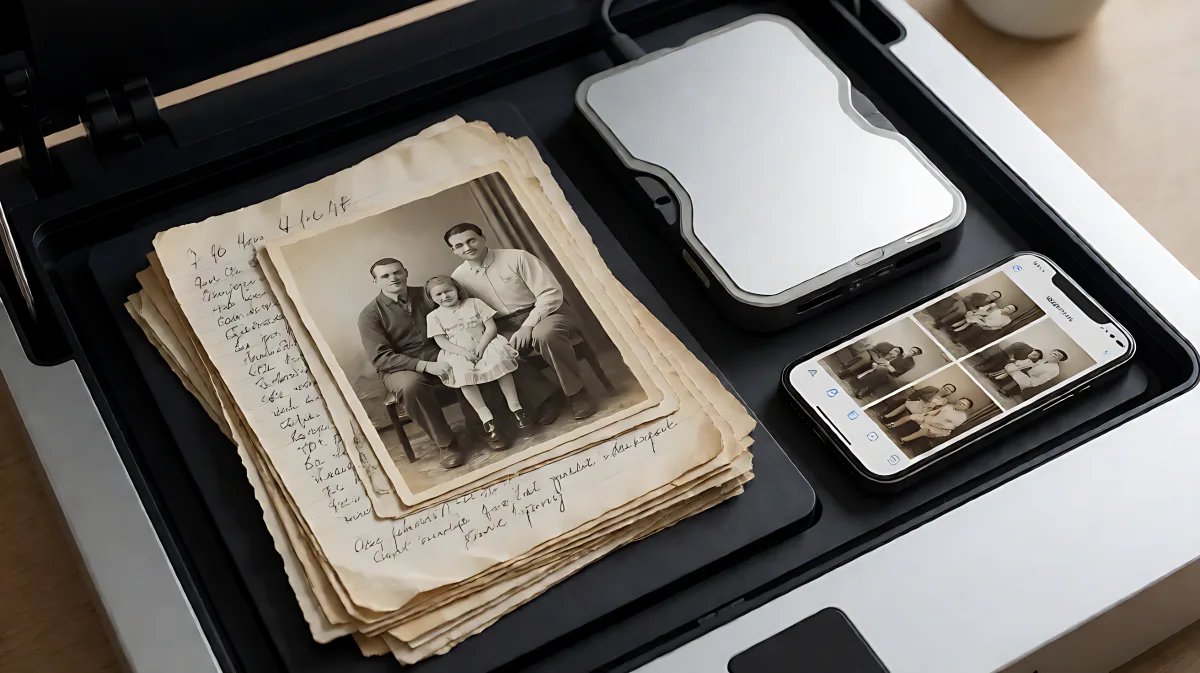
Protect your family legacy by converting physical items into durable digital files. This guide covers the technical standards for high-resolution scanning, the best equipment options, and a step-by-step workflow to manage large archives efficiently.
Digitizing physical family records involves converting fragile paper documents, photographs, and film into durable digital files using high-resolution scanners, often at 1,200 DPI or higher. This process protects memories from physical deterioration and allows for easy cloud storage, sharing, and backup. For optimal archival quality, professional-grade equipment and automated color correction are recommended to ensure long-term preservation of your family history.
Why High-Resolution Digitization Matters
Physical media such as printed photographs, VHS tapes, and paper documents are inherently temporary. Over time, prints fade, yellow, and crack, while magnetic tapes degrade and become unreadable. By converting these items into digital formats, you create stable copies that can be backed up to the cloud or external drives, safeguarding them against loss due to natural disasters, fire, or simple age.
The standard for archival digitization has moved toward high resolution. While consumer-grade scanners often operate at 300 or 600 DPI, professional services and advanced home equipment utilize up to 1,200 DPI. According to industry leader Capture Digitization Services, scanning at 1,200 DPI produces 12-megapixel JPEG files that capture fine details invisible to the naked eye. These files are sharp enough for large-scale reprints, such as 16-by-20 inch posters, without losing clarity.
What Equipment Do You Need?
Your choice of equipment depends on the volume and type of media you possess. For small collections of loose photos and documents, a flatbed scanner or a smartphone scanning app may suffice. However, for large archives or specialized media like film reels and slides, dedicated equipment or professional services are superior.
Scanner Types and Capabilities
- Flatbed Scanners: Suitable for individual documents and prints. Some models support slides and negatives with dedicated holders.
- Photo Scanners: Designed for high-volume photo processing, these are faster than flatbeds for large stacks of images.
- Overhead Scanners: These capture content on a large base and are excellent for scanning books, multi-page documents, and fragile items without flattening them.
- Portable Scanners: Handheld devices allow you to digitize materials in archives or relatives' homes, adding flexibility to your workflow.
Many families assume that the most expensive scanner is always the best choice, but in fact, the resolution and color pipeline matter more than the price tag. A scanner with a lower DPI can still produce archival quality if it uses accurate color calibration and infrared digital image correction to remove dust and scratches.
Choosing Professional vs. DIY Services
For complex media like 8mm film reels or VHS tapes, professional services are often necessary because they require specialized playback and digitization hardware. Companies like Heirloom and Legacybox offer end-to-end solutions that include handling, conversion, and digital delivery. When evaluating these services, look for transparent per-item pricing, direct communication with technicians, and guarantees for safe handling of originals.
DIY digitization is viable for photos and documents if you have the right tools. Apps such as Adobe Scan and Photomyne can help digitize photos and documents, automatically cropping and correcting skewed images. Adobe Scan is particularly useful for text recognition, allowing you to search within scanned documents, while Photomyne offers tools for colorizing black and white images.
Step-by-Step Workflow for Digitizing Records
Managing a large family archive can be overwhelming without a structured approach. Follow this checklist to ensure you capture everything accurately and efficiently.
- Conduct a Master Sort: Gather all materials from every location in your home into one central area. This helps you assess the total scope and find connections between items stored separately.
- Create a Digital Inventory: Use a spreadsheet to list items by year, description, media type, and physical location. Note where the digital files will be stored once scanned.
- Triage Priorities: Identify items that are oldest, in the worst condition, or irreplaceable. Prioritize these for digitization first. Remember that some records, like census pages, are already available online in high resolution and may not need to be scanned.
- Select Your Method: Decide whether to use home equipment or hire a professional service based on the complexity of your media.
- Execute and Backup: Scan the items using your chosen method. Immediately upload the files to at least two different locations, such as a cloud storage service and a physical external hard drive.
Best Practices for Storage and Naming
Once digitized, organization becomes critical. Use a consistent naming convention that includes dates, people, and locations to make files searchable. For example, name a file "2012_Summary_Wedding_Lastname.jpg" rather than "IMG_0021.jpg". Regularly check your cloud storage subscriptions and ensure your physical backups are not corrupted.
Digitization is not just about saving files; it is about creating a shareable legacy. By organizing and digitizing your records, you make it easier for future generations to understand and preserve their family history, preventing it from getting lost in messy boxes or becoming obsolete formats.
Frequently Asked Questions
What is the best resolution for family photos?
For archival quality, a minimum of 600 DPI is recommended, but 1,200 DPI is preferred for large prints and detailed preservation. This resolution creates files that are sharp enough for reproductions up to 16-by-20 inches without pixelation.
Should I scan documents at 300 DPI or higher?
For text-based documents like letters and notes, 300 DPI is often sufficient for readability. However, if the document has fine handwriting or stamps that need to be legible in detail, scan at 600 DPI or higher to ensure clarity.
How do I digitize film reels at home?
Digitizing film reels at home is difficult without specialized equipment. You typically need a film scanner or a digital video camera with a film gate adapter to capture the moving image. For most families, sending reels to a professional service is the safest and highest-quality option.
What file format is best for preserving photos?
JPEG is widely supported and suitable for most uses, but for long-term archival storage, consider TIFF or PNG formats if your storage space allows. These formats are lossless, meaning they do not degrade in quality when edited or saved repeatedly.