Choosing and Verifying Your Fall Detection Wearable
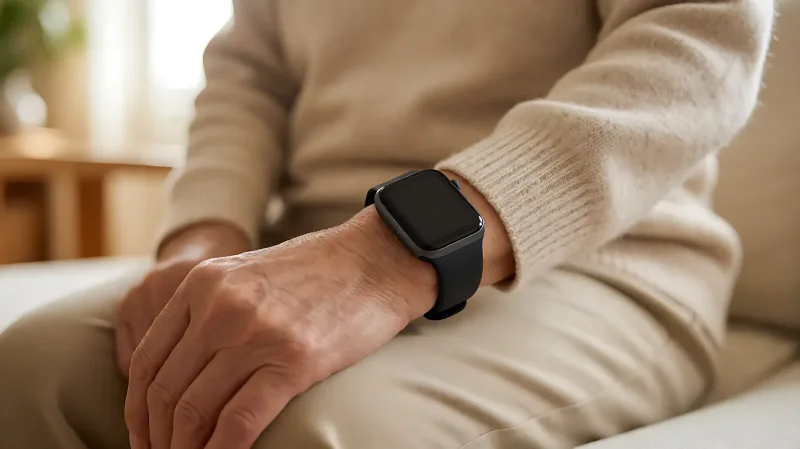
A practical guide to selecting a fall detection wearable that balances comfort with reliability, including steps to test and verify the system's accuracy before you rely on it.
When choosing a fall detection wearable, prioritize a dedicated device with proven 24/7 monitoring over multi-function smartwatches to ensure reliable emergency response. Verify the system by checking its sensor accuracy against real-world movement patterns, ensuring it connects to a staffed monitoring service rather than just dialing 911, and running a physical test by sitting on the floor to confirm the alert triggers correctly. This approach guarantees the device actually works when you need it most.
Why a Dedicated Fall Detector Beats a Smartwatch
Many consumers gravitate toward familiar brands like Apple or Samsung for fall detection because the devices are already in their lives. However, these consumer electronics are designed as "all-in-one" tools that handle messages, calls, and fitness tracking. As noted by industry experts at UnaliWear, these multi-purpose devices often sacrifice primary safety performance for versatility. A dedicated fall detection wearable is built for a single purpose: keeping you safe. It is typically set up out of the box, requiring no complex configuration, and is designed to be worn 24/7 without the distraction of other apps.
How Fall Detection Sensors Actually Work
To understand which device to buy, you need to know how the technology identifies a fall. A standard wearable uses an accelerometer and a gyroscope, which act somewhat like an inner ear to track your motion, speed, and body orientation. The device is not looking for a single loud thump. Instead, it analyzes a specific sequence of events described by fall detection specialists as a "motion story." A true fall usually involves a period of free-fall where acceleration drops near zero, followed immediately by a high-impact spike that often registers between 3 and 8 G-force. Finally, the gyroscope detects a rapid shift from a vertical posture to a horizontal one. If your device does not detect this specific pattern, it will not trigger an alert. This is why dropping a piece of laundry or sitting down hard on a sofa should not confuse the system.
What to Look for in a Reliable Device
When shopping for a wearable, you must look beyond the marketing copy. A reliable device ensures that an alert is not just detected, but responded to by a human being.
- 24/7 Staffed Monitoring: According to Guardian, a leading provider of home care systems, the value of a wearable is realized when it connects to a dedicated monitoring service. While consumer watches may call 911, dedicated medical alert services offer trained agents who can verify your location, access your medical history, and dispatch emergency medical technicians (EMTs) with specific details about your conditions.
- Connectivity Redundancy: Some devices, such as the Kanega Watch from UnaliWear, utilize both Wi-Fi and cellular data. This is crucial for elderly users who may not have reliable mobile coverage in their homes. A device that only works on cellular networks may fail in "dead zones" within a house, whereas Wi-Fi connectivity ensures the alert is sent even if you are inside.
- Compliance and Comfort: A device that looks "medical" or "frail" is often taken off and left charging. The most effective safety tool is the one you actually wear. Look for devices that resemble a standard analog watch, like those from medical alert specialists, to encourage consistent use.
How to Verify Your Device Works Before You Need It
Never assume your wearable is functioning correctly. You should perform a physical verification test within the first week of setup. Step 1: The Floor Test. Put the device on your wrist. Sit down on the floor, then lie back flat on your back or stomach for at least 30 to 60 seconds. This simulates the "immobility" pattern that confirms a fall. If you are using an Apple Watch, the device will typically tap your wrist, sound an alarm, and start a countdown. If you are using a medical alert watch, it should automatically call the monitoring center. Step 2: The False Positive Check. Simulate daily activities, such as sitting quickly on a chair, bending to pick up something heavy, or swinging your arms. A good device should not trigger an alarm. If it does, you have a setting to adjust or a device that is not well-calibrated for your movement style. Step 3: Check the App or Dashboard. Log in to the companion application. Ensure that your location coordinates are updating in real-time. For Apple users, you can verify this in the Health app under "Other Data" to see if falls are being recorded correctly.
Accuracy Rates and Limitations
No fall detection device is perfect. A controlled study referenced by Guardian tested 15 people across 525 simulated falls and daily activities. The results showed that systems using accelerometers alone achieved an accuracy range of 82% to 96%, while systems using combined sensor features reached up to 98%. This means that in roughly 2 to 4 out of every 100 true falls, the device may miss the event. For this reason, your wearable should be part of a broader safety plan, not your only one.
| Feature | Consumer Smartwatch | Dedicated Medical Alert Watch |
|---|---|---|
| Primary Goal | Entertainment and Fitness | Emergency Response |
| Alert Path | Dials 911 | Staffed Monitoring Center |
| Setup Complexity | High (Multiple settings) | Low (Plug-and-play) |
| Connectivity | Mobile/Wi-Fi | Cellular + Wi-Fi Backup |
| Wearing Habits | Often removed for sleep | Designed for 24/7 wear |
The Importance of Environmental Safety
Wearables are a reactive tool; they only help after a fall occurs. You must also address the causes of falls. The CDC estimates that one in four adults over age 65 falls each year in the United States, leading to over 2.8 million emergency department injuries. Removing loose rugs, installing nightlights, and reviewing medications with a clinician significantly reduces the risk. A wearable adds a layer of reassurance, but it cannot substitute for a safe home environment. As emphasized by fall prevention experts, the best safety strategy combines environmental fixes with wearable backup.
FAQ
How often should I test my fall detection wearable?
You should perform a physical test, such as lying on the floor, immediately after unboxing the device and then once a month to ensure the alert system is still functioning. Check the companion app weekly to verify that location data is updating correctly.
Do fall detection watches work in the shower?
Yes, most modern dedicated fall detection watches are water-resistant or waterproof (often rated IP67 or IP68). This is a critical feature because bathrooms are a common location for falls among seniors, and the device should not need to be removed for hygiene.
What happens if the device battery dies?
If a dedicated medical alert device's battery dies, the device will not function. This is why choosing a model with a long battery life (e.g., Kanega Watch or Apple Watch Ultra series) is essential. For dedicated medical alerts, the manufacturer usually ships a backup battery that is ready to insert, allowing you to swap it out without losing your configuration settings.
Can a smartwatch replace a medical alert system?
For many healthy individuals, a smartwatch can be sufficient because it dials 911. However, for those who live alone or have complex medical conditions, a dedicated medical alert system is superior because it connects to human operators who can provide specific medical context to responders and dispatch help directly.