Voice-Controlled Lights for Seniors: Simple Setup Guide
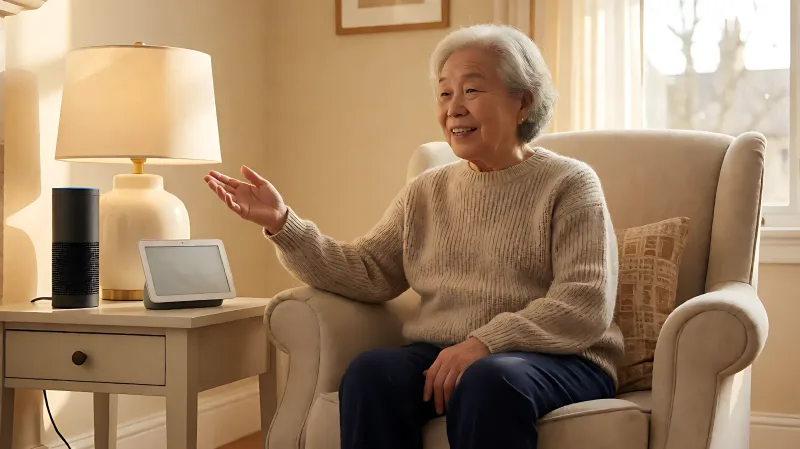
Smart lighting can reduce falls and increase independence for seniors. This guide covers how to link voice assistants like Alexa and Google with smart bulbs, focusing on simplicity, safety, and accessibility.
You can set up voice-controlled lights for elderly users in under 15 minutes using compatible smart bulbs and a smart speaker like Amazon Echo or Google Nest. This setup allows seniors to adjust lighting hands-free, reducing the risk of trips and falls in the dark while promoting independence.
For more information, see NIA aging in place resources from the National Institute on Aging.
For many older adults, managing multiple light switches or reaching for dimmers in dimly lit hallways can be physically difficult or unsafe. Voice assistants bridge this gap by allowing users to simply say a phrase to turn on, dim, or change the color of lights. According to the Centers for Disease Control and Prevention (CDC), fall prevention is a top public health priority for adults over 65, and improved home lighting is a key environmental strategy to reduce those risks.
Why Voice-Controlled Lights Benefit Seniors?
Smart lighting systems offer more than just convenience; they provide tangible health and safety benefits for older adults. The primary advantage is independence. Seniors with limited mobility, arthritis, or visual impairments can control their environment without needing to physically reach for switches.
Furthermore, smart bulbs can be programmed to mimic natural daylight cycles. The National Institutes of Health (NIH) has noted that exposure to bright light during the day helps regulate circadian rhythms, which can improve sleep quality and mood in elderly populations. By using a voice command to brighten living spaces in the morning and dim them to a warm tone at night, users can support better sleep hygiene without waking a partner or needing to fumble with switches.
Finally, these systems provide peace of mind for caregivers. Many smart home hubs allow remote monitoring and control. If a senior forgets to turn off lights, a family member can do so remotely. This layer of support is crucial for those living alone, providing a subtle safety net that respects the individual's autonomy.
Choosing the Right Smart Bulbs for Accessibility
Not all smart bulbs are created equal, especially when accessibility is the priority. You should look for specific features that cater to the needs of older users. The Consumer Product Safety Commission (CPSC) generally advises consumers to look for UL or ETL certified products to ensure electrical safety, which is a significant factor when replacing older fixtures with smart components.
- Threaded Bases (E26/E27): Most smart bulbs use a standard screw base. For seniors with limited hand strength, replacing a traditional bulb with a smart one is easy because it fits into existing fixtures without rewiring. There is no need for electricians or complex installation.
- Wi-Fi Compatibility: Some bulbs require a separate Zigbee hub, which adds cost and complexity. For a simple setup, choose bulbs that connect directly to your home Wi-Fi network. Brands like Philips Hue, Sengled, and Govee offer Wi-Fi-only options that work with both Alexa and Google Assistant.
- Color Temperature: Look for bulbs that offer adjustable color temperature, ranging from 2700 Kelvin (warm white) to 6500 Kelvin (cool white). Warm light is more soothing for the eyes and less disruptive before sleep, which is vital for senior comfort.
- Brightness Range: Ensure the bulb can dim very low, down to 1% or 2%, for nighttime navigation without blinding the user. This is particularly helpful for bathroom visits during the night.
How to Link Alexa with Smart Lights?
Amazon’s Alexa platform is widely considered the user-friendly standard for senior-friendly smart home setups. The process involves three main steps: account creation, device linking, and voice customization.
First, install the Alexa app on a smartphone or tablet and pair your smart speaker. Next, open the app and go to the “Devices” tab, then select “Add Device.” Choose “Light” from the list and select your bulb brand. The app will guide you through scanning for the new device on your Wi-Fi network. Once found, the light will appear as a switch in the app. At this point, you can physically turn the light on and off to test the connection.
To make it easier for an elderly user, you can rename the lights to descriptive terms like “Living Room” or “Bedside” rather than generic “Bulb 1.” You can also set up “Routines.” For example, create a routine called “Goodnight” that turns off all lights and sets the thermostat to a warmer temperature when the user says, “Alexa, goodnight.” This combines multiple actions into a single, easy phrase.
How to Set Up Google Assistant for Lighting?
Google Home offers a similar, streamlined experience, particularly strong for users who already have Android phones or Google Nest devices. The setup is nearly identical: open the Google Home app, tap the plus icon, select “Set up device,” and follow the prompts to link the smart bulb to your Wi-Fi.
A distinct advantage of the Google ecosystem is the integration with the Google Nest Hub, which displays camera feeds and lighting controls on a large touchscreen. For seniors who prefer visual cues over just audio, the Nest Hub provides a dashboard where lights can be controlled with a simple tap, serving as a backup if voice recognition fails due to background noise or voice changes.
Google’s voice recognition is also highly accurate, and you can teach the system specific phrases. If a user has a unique accent or slurred speech, the system can learn from repeated commands. For best results, ensure the smart speaker is placed in a central location with few obstructions, as microphones need a clear line of sight to the user for optimal response times.
Tips for Making the System User-Friendly
Technology should never become a source of frustration. To ensure a smooth experience for elderly users, consider these practical adjustments:
- Label Your Speakers: If you have multiple Echo or Nest devices, use the app to name them by room (e.g., “Kitchen,” “Bedroom”). This helps the user know which device they are talking to, especially if they move from room to room.
- Use Simple Routines: Instead of asking for specific brightness levels like “Set living room light to 45%,” create a routine called “Reading Light” that sets the light to a specific warm tone and brightness. The user only says, “Alexa, start Reading Light.”
- Physical Backup: Do not remove the original light switch. Keep the traditional switch as a primary backup. If the Wi-Fi goes down, the user can still turn the light on manually. This safety net is critical for peace of mind.
- Start with One Room: Do not overhaul the entire house at once. Begin with the bedroom or living room, where the user spends the most time. Once they are comfortable with the commands, expand to the kitchen and hallway.
What Are the Best Smart Speakers for Seniors?
The ideal speaker depends on the user’s existing tech ecosystem and hearing ability. The Amazon Echo (4th Gen) is often recommended for seniors because of its clear voice response and large fabric grille that looks less like a gadget and more like a piece of furniture. It costs approximately $100. The Echo Dot is a budget-friendly option at $50 but has a smaller sound output.
Google Nest Audio is a strong competitor at $99, known for slightly better sound quality and seamless integration with Android phones. For users who prefer a visual interface, the Echo Show or Nest Hub Max are excellent, providing on-screen text for commands and video calling capabilities, which helps maintain social connections for elderly users living alone.
FAQs About Voice-Controlled Lights for Elderly
Do smart lights require a Wi-Fi connection to work?
Yes, most consumer smart bulbs require a Wi-Fi connection to communicate with the voice assistant. While they can be controlled manually by the wall switch, voice commands will not function if the home internet goes down. For critical areas like hallways, it is wise to keep manual switches as a backup.
Can I use my current light fixtures with smart bulbs?
In most cases, yes. Smart bulbs usually come in standard E26 (US) or B22 (UK) screw bases. You simply unscrew your old incandescent or LED bulb and screw in the smart one. No electrical wiring changes are needed, making it a very easy, do-it-yourself upgrade for seniors or their caregivers.
Is it safe to use voice assistants if I have cognitive decline?
Yes, many seniors with early-stage dementia find voice assistants helpful for maintaining independence and reducing anxiety. The assistant can answer repeated questions without frustration, provide reminders, and play calming music. However, a human caregiver should still be the primary point of contact for complex needs, and the technology should be introduced gradually.
How much does a basic voice-controlled light setup cost?
A basic setup typically costs between $150 and $250. This includes a smart speaker (like an Echo Dot at $50) and a pack of two to four smart bulbs (ranging from $15 to $30 each). Prices vary by brand, with premium brands like Philips Hue costing more but offering better color rendering and reliability.