Understanding Modern Software: Operating Systems & Office Suites
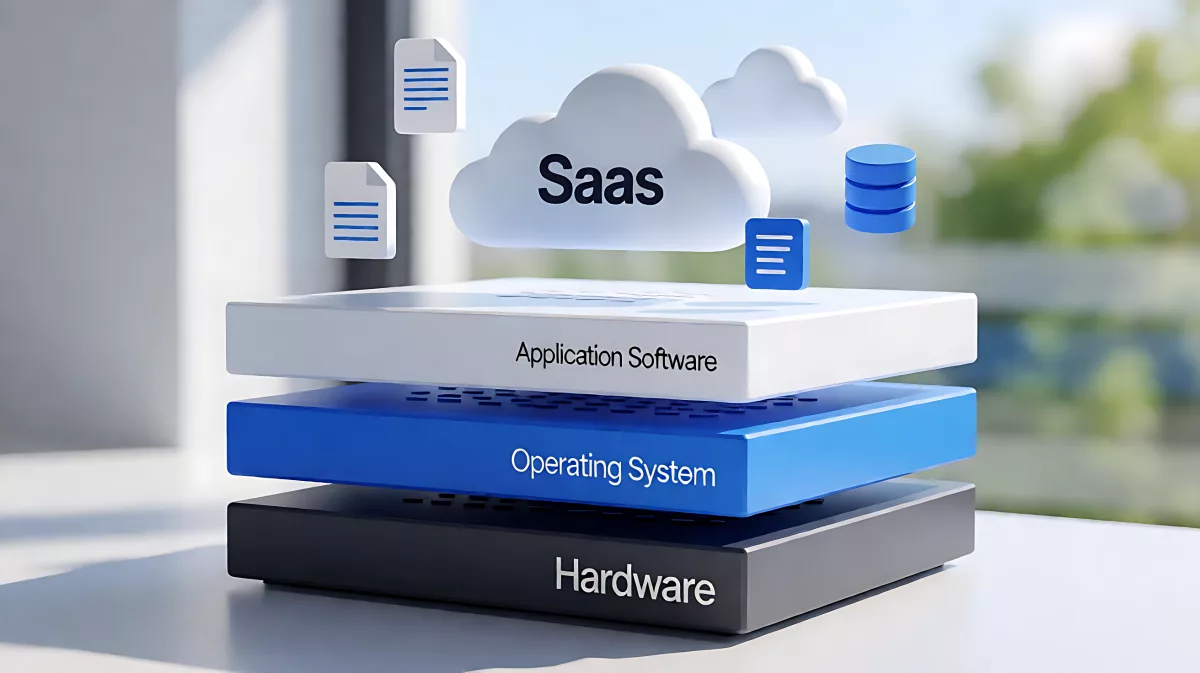
Discover how software has transformed from raw machine instructions to user-friendly cloud applications. This guide covers the core types of software, the rise of SaaS, and the impact of open-source communities.
Modern software is the digital engine driving personal and professional productivity, evolving from raw machine code into intelligent cloud-based systems. It spans two core layers: operating systems that manage hardware resources and application software that executes specific tasks for users. Today, the landscape is defined by the dominance of Software as a Service (SaaS) models and powerful open-source suites like LibreOffice 26.8, which provide free, private alternatives to proprietary tools.
What Is the Core Structure of Modern Software?
At its fundamental level, software consists of programs that instruct a computer on how to execute tasks, along with the design documents that guide their creation. In the early days of computing, developers worked directly with machine language, which was difficult to debug and not portable across different hardware architectures. This changed with the introduction of high-level programming languages in the late 1950s, which allowed developers to write human-readable code that could be translated for different systems via compilers or interpreters.
Today, this structure is standardized into two primary categories. The first is the operating system, which acts as the essential interface between user applications and the physical hardware. It manages critical resources such as the central processing unit, memory, and storage, ensuring that multiple programs can run simultaneously without conflict. The second category is application software, which is built on top of the operating system to perform specific duties for the end user, such as editing documents, browsing the web, or managing databases.
How Has Software Delivery Changed Over Time?
The shift toward cloud computing has fundamentally altered how we access and use software. Instead of installing complex programs on local hard drives, users now rely on Software as a Service (SaaS) models. In this framework, applications are hosted by providers and accessed via the internet, eliminating the need for local hardware upgrades and enabling real-time collaboration across devices. This model has become the standard for enterprise tools, allowing for seamless data synchronization and centralized security management.
How Do Open-Source Communities Impact Productivity?
While commercial suites dominate the market, open-source initiatives have created powerful alternatives that prioritize user privacy and community-driven development. A prime example is LibreOffice, an office suite that rivals proprietary competitors without the subscription fees or data collection often associated with cloud-first services. Developed by a global community of hundreds of contributors, LibreOffice offers a comprehensive set of tools that handle everything from basic word processing to complex database management.
As of 2026, the latest release, LibreOffice 26.8, continues to push the boundaries of what free software can achieve. It features a modular design that includes six distinct tools tailored for different productivity needs. This approach ensures that users can access high-end features without the cost barriers of proprietary licenses, making it a vital resource for educators, small businesses, and privacy-conscious individuals.
What Tools Are Included in Modern Office Suites?
Comprehensive office suites have evolved to offer specialized applications that work seamlessly together. Here is a breakdown of the core components found in leading open-source suites like LibreOffice:
| Component | Primary Function |
|---|---|
| Writer | Handles document creation, from quick notes to full-length publications. |
| Calc | Provides advanced spreadsheet functionality for data analysis and visualization. |
| Impress | Allows for the creation of multimedia presentations with a visual editor. |
| Draw | Supports diagramming and vector graphics, including 3D illustrations. |
| Base | Manages databases, enabling users to build tables, forms, and reports. |
| Math | Offers a visual editor for writing and rendering complex mathematical formulas. |
These tools are designed to be interoperable, meaning a user can embed a spreadsheet from Calc into a presentation created in Impress without losing formatting or functionality. This integration is crucial for maintaining workflow efficiency in a digital environment.
Why Are Quality and Security Critical in Development?
The complexity of modern software has increased significantly due to advancements in networking and database integration. This complexity makes software quality assurance and security a top priority for any organization. Bugs in code can lead to system failures, while security vulnerabilities can result in data breaches and significant financial loss. The development lifecycle now involves rigorous stages of design, programming, testing, and maintenance to mitigate these risks.
Legal considerations also play a significant role in software distribution. Intellectual property rights and licensing models determine how software can be shared, modified, and sold. For open-source projects, these licenses are typically permissive, allowing for community contributions and transparency. This open approach not only improves code quality through collective review but also builds a trusted ecosystem for users who value control over their digital lives.
How Do Developers Maintain Software Reliability?
Maintenance is not just about fixing bugs; it is about adapting software to new hardware and security standards. In the case of open-source communities, this is driven by volunteer contributors and corporate sponsors who commit to regular updates. These updates ensure that software remains compatible with the latest operating systems and web standards, providing a stable foundation for users to build their workflows upon.
What Should Consumers Look For in Software?
When choosing software, users should consider the balance between cost, functionality, and privacy. Proprietary solutions often offer polished interfaces and dedicated support, but they may come with high subscription fees and data tracking. Open-source alternatives provide comparable functionality with full transparency, allowing users to audit the code if desired. For many, the peace of mind of knowing that their documents are not being used for AI training or data monetization is worth the switch.
Ultimately, the goal of software is to empower the user. Whether through the structured layers of an operating system or the flexible tools of an office suite, the technology should serve your needs without imposing unnecessary restrictions. By understanding the types of software available and the communities that build them, you can make informed decisions that enhance your productivity and protect your digital rights.
FAQ
What is the difference between operating systems and application software?
Operating systems manage the computer's hardware resources and provide a platform for other programs to run, while application software performs specific tasks for the user, such as writing documents or editing images.
Is LibreOffice better than Microsoft Office for private users?
For users who prioritize privacy and low cost, LibreOffice is an excellent choice as it is free, open-source, and does not require mandatory cloud connectivity, whereas Microsoft Office often relies on cloud services for its full functionality.
How does SaaS change software maintenance?
Software as a Service shifts maintenance to the provider, who handles updates and security patches centrally. Users access the latest version via a browser or client, eliminating the need to manually download and install updates on local devices.
Why is open-source software important?
Open-source software allows anyone to inspect, modify, and distribute the code. This transparency often leads to higher security standards, more rapid innovation through community collaboration, and the avoidance of vendor lock-in.
Can I use LibreOffice for complex data analysis?
Yes, the Calc component of LibreOffice is designed for feature-rich spreadsheet work, capable of handling large datasets, complex formulas, and data visualization similar to professional commercial spreadsheets.