Top Large Print Calculators for Seniors
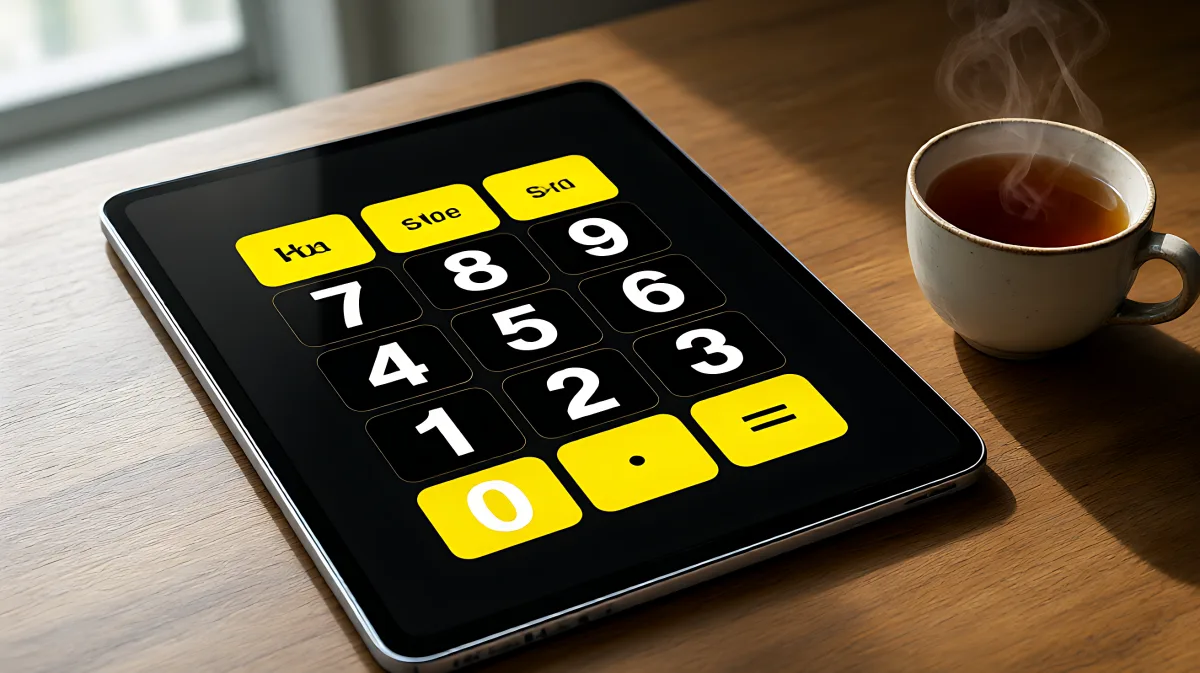
Struggling with tiny buttons on your phone? These 2026 large print calculator options feature jumbo keys, loud voice feedback, and high-contrast displays designed specifically for seniors and low-vision users.
For seniors aged 60 and older, standard calculator apps often fail due to tiny buttons and low-contrast text, making daily math tasks frustrating. In 2026, the best solutions are specialized large print calculator software and physical devices that offer extra-large keys, loud voice feedback, and high-visibility displays to ensure accurate and stress-free calculations without squinting.
Why Do Standard Calculators Fail Aging Eyes?
Many families assume that zooming in on a standard phone calculator is enough, but in fact, this often leads to pixelated, blurry text and mis-tapped keys. As eyesight changes with age, conditions like macular degeneration or presbyopia make standard 30-pixel buttons nearly impossible to press accurately. Specialized software addresses this by using buttons that are significantly larger, typically ranging from 75 to 100 pixels in height, which is more than double the size of standard interface elements. This design reduction in required precision helps users with arthritis or tremors, such as those from Parkinson’s disease, complete basic tasks like budgeting or grocery totals with confidence.
What Makes a Large Print Calculator Truly Senior-Friendly?
Not all "large" calculators are created equal. The most effective tools in 2026 combine three key elements: high-contrast visuals, audio confirmation, and memory functions. Ophthalmologists generally recommend yellow-on-black color schemes for maximum visibility in low-vision patients. Additionally, voice feedback that speaks every button press aloud allows users to verify their input without relying solely on sight. For example, pressing the number one should audibly say "One," and pressing the plus sign should say "Plus." This dual-sensory approach prevents errors and reduces cognitive load.
Best Online and App-Based Options for 2026
If you prefer digital tools, several software options stand out for their accessibility features in the current year.
- Web-Based Big Button Calculators: Tools hosted on dedicated accessibility sites offer instant access without installation. These typically feature 75-85 pixel tall buttons, memory keys (MC, M+, M-, MR), and toggleable loud voice settings. They work on any device, including desktops, tablets, and phones, making them ideal for caregivers helping parents with bills.
- Native App Options: Apps like "Senior Calc" on iOS and Android platforms offer adjustable text sizes and high-contrast modes. While some versions include ads or tracking, premium or newer releases in 2026 focus on privacy and simplicity. These apps often include calculation history, allowing users to review past entries easily.
When choosing between these, consider whether the user needs a physical device for desk use or a mobile tool for on-the-go access. Physical calculators with tilted displays and jumbo keys remain popular for those who prefer a tactile experience, often priced between $15 and $50.
How to Set Up a Calculator for a Senior User
Setting up the right tool is the first step to independent use. Follow this checklist to ensure the calculator meets the specific needs of the user.
- Enable Voice Feedback: Turn on the "Loud Voice" or "Speak Keys" setting. Test it by pressing a number and listening for a clear, audible response.
- Adjust Brightness and Contrast: If using a web or app-based tool, ensure the high-contrast mode (often yellow on black) is active. On physical devices, check if the display has a backlight and set it to maximum brightness.
- Test Memory Functions: Have the user perform a simple running total, such as adding two grocery items. This ensures they understand how to use the M+ and MR buttons for storing and recalling numbers.
- Secure the Device: For physical calculators, use a non-slip pad to keep it stable on the desk. For mobile apps, place the tablet in a stand at a comfortable angle to reduce neck strain.
Common Mistakes When Choosing a Calculator
One frequent error is selecting a scientific calculator with dozens of functions. For seniors, a simple four-function tool (add, subtract, multiply, divide) is usually sufficient and less confusing. Avoid devices with complex menus or hidden features. Another misconception is that free online tools are less secure than paid apps. In reality, many web-based calculators process data locally in the browser, meaning your financial information never leaves the device. This local processing is a significant privacy advantage over apps that may track usage data for advertising purposes.
FAQ
Do large print calculators work for people with Parkinson’s?
Yes. The large button surface area reduces the need for precise finger movement, which helps users with tremors. Audio click sounds provide additional confirmation that a key was pressed, compensating for any loss of tactile sensation.
Is there a free large print calculator app that doesn't use data?
Web-based tools from dedicated accessibility sites are often completely free and do not require sign-ups or data uploads. These process all calculations locally on the user's device, offering a high level of privacy compared to many mobile apps that may include tracking.
How big should the buttons be for low vision users?
For optimal ease of use, buttons should be at least 75 pixels tall in a digital environment. Physical calculators should have keys that are visibly larger than standard phone buttons, often described as "jumbo" or "keyboard-style" to ensure they are easy to locate and press.