Medication Reminder Batching: Tips and Apps
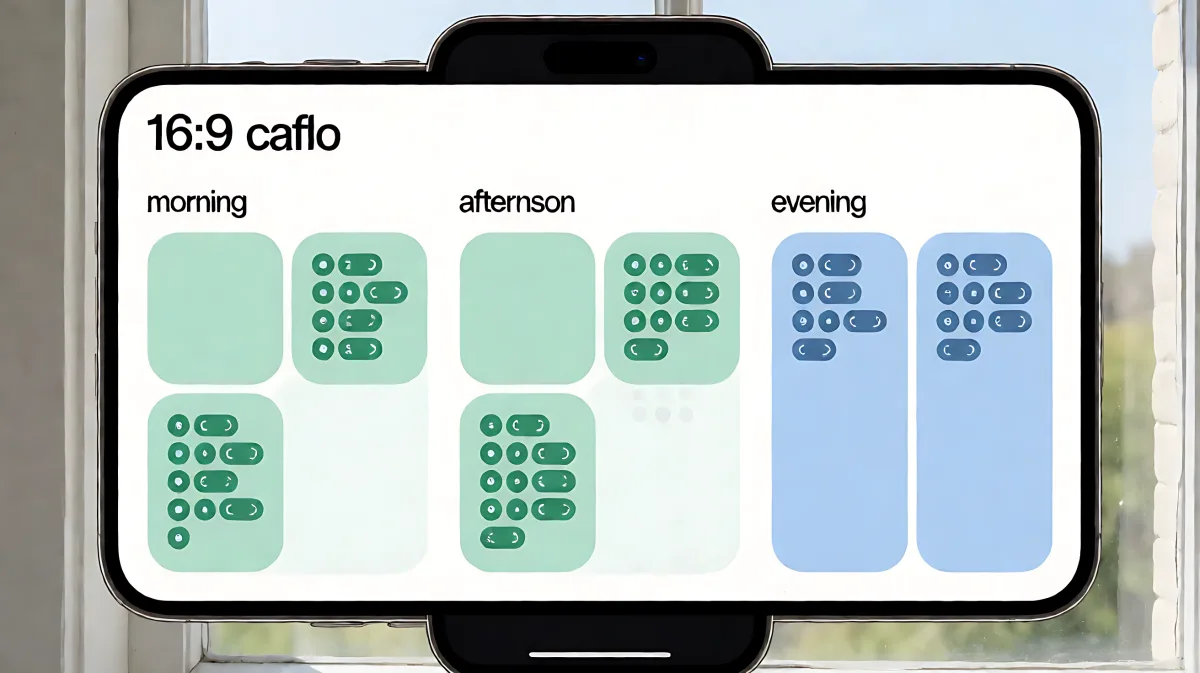
Grouping dose times into distinct windows, or 'batching,' turns a chaotic medication schedule into a manageable routine. This method improves adherence and reduces the mental fatigue of managing multiple prescriptions.
Medication reminder batching is the practice of grouping several daily doses into two or three distinct time windows, such as morning, noon, and night, rather than scattering them throughout the day. This approach reduces the number of decision points and interruptions, making it easier for patients to maintain consistent adherence without constant mental monitoring.
Why Batching Improves Medication Adherence
Managing a complex pharmacological regimen is one of the most demanding tasks for individuals with chronic conditions. According to the US Centers for Disease Control and Prevention, almost 25% of adults in the US take three or more medications daily, with over 10% managing five or more. This high volume creates a significant cognitive burden. When doses are spaced irregularly, users must remember distinct times that may fall during work or social activities, leading to missed doses.
Research indicates that nearly half of people struggle to take their medications exactly as prescribed. By consolidating reminders into fewer, predictable windows, you transform a series of individual alerts into a single routine. This aligns with the findings of researchers at Central South University in China, who developed intelligent systems to generate universal medication schedules that minimize interruption and optimize intake times.
What Is the Core Misconception About Grouping Doses?
Many patients assume that every medication must be taken at its specific hour to maintain efficacy. In fact, for most chronic care drugs, a window of flexibility is clinically acceptable. For example, if a drug is prescribed at 8 AM and another at 9 AM, grouping them into a single morning routine is often safer and more effective than treating them as separate events. The key is to ensure that the gap between doses does not exceed the maximum interval recommended by your prescriber. Always consult your pharmacist to confirm which drugs have strict spacing requirements.
How to Create Your Batching Schedule
To implement this method, you need to audit your current prescriptions and group them logically. The goal is to reduce the number of daily check-ins to between two and four maximum. Here is a step-by-step checklist to organize your routine:
- Review All Prescriptions: List every medication, supplement, and vitamin you take. Include the dosage and the specific time recommended by your doctor.
- Identify Natural Anchors: Select daily habits like waking up, lunch, and bedtime as your primary batching windows. These anchors make the reminders easier to remember.
- Group Compatible Doses: Move doses that fall within a 30-to-60-minute radius of your anchor times into that window. For instance, group anything between 7:30 AM and 9:00 AM into your "Morning Batch".
- Check for Interactions: Ensure that no two drugs in the same batch have contraindications or require food intake for absorption. Some medications must be taken on an empty stomach, which may require a slight time shift within the batch.
- Set a Single Alert Per Batch: Use a medication app to create one notification for the start of each window rather than individual alerts for each pill. This reduces notification fatigue.
Best Apps for Managing Batched Reminders
Technology plays a crucial role in maintaining this structure. There are over 350,000 health-related apps available on major app stores, but a few stand out for their ability to handle complex schedules and family profiles.
Which App Is Best for Multi-Medication Users?
For users managing multiple prescriptions, the MyTherapy app, which has over 5 million downloads and a 4.5-star rating on Android, offers a robust treatment tracker. It allows you to manage multiple family profiles, track injection sites, and maintain a health journal. Similarly, Medisafe is a long-standing favorite that generates adherence reports you can share with your healthcare team, making it easier to coordinate care with doctors. Another strong option is EveryDose, which includes an AI assistant named Maxwell to answer medication questions and help you understand your routine.
If you are in the Apple ecosystem, the built-in Medications app on iOS and Apple Watch is a powerful, free tool. It allows you to input medications, set custom reminders, and check for drug interactions without needing a third-party download. For Android users who need advanced customization, Pill Reminder - All in One offers features like rescheduling doses if you take them early or late, and it supports critical alerts to ensure you never miss a life-saving dose.
What Features Should You Look for in a Reminder App?
When selecting a tool to support your batching strategy, look for these specific capabilities to ensure long-term success:
- Batch Notification Settings: The ability to group multiple pills under one alert time to keep the screen simple.
- Refill Tracking: Automated alerts when your supply is running low, so you don't have to manually calculate days remaining.
- Adherence Reporting: Features that generate a log of missed or taken doses to show your prescriber during checkups.
- Multi-User Support: The capability to manage profiles for spouses, children, or parents, which is essential for caregivers.
Common Mistakes to Avoid
While batching is highly effective, certain errors can undermine the system. One common mistake is ignoring the body's natural circadian rhythm. Some drugs work better in the morning, while others are designed to be taken at night to align with the body's processes. Moving a bedtime pill to the morning batch can reduce its efficacy or cause insomnia. Always verify the optimal timing window with your pharmacist before finalizing your schedule.
Another error is relying solely on memory. Many users set up a batch routine but fail to log it in an app. As noted by users of medication trackers, relying on mental recall often leads to double-dosing or missed doses when daily routines change. The documentation provided by apps like MyTherapy or Pill Reminder serves as a safety net, allowing you to verify what has been taken in an emergency or during a doctor's visit.
Final Thoughts on Routine Optimization
Medication reminder batching is a practical strategy that turns a stressful, fragmented task into a structured, repeatable habit. By leveraging digital tools and intelligent scheduling, you can significantly improve your adherence rates and reduce the mental fatigue associated with chronic care. The combination of a well-chosen app and a clear batching structure ensures that you and your family can focus on health rather than logistics.
Is It Safe to Change My Dose Times?
You should not change dose times without consulting your prescriber. While batching simplifies the routine, some medications have strict half-lives or require specific intervals to remain effective. Always ask your doctor or pharmacist to confirm if a 30-to-60-minute window is acceptable for your specific drugs.
How Many Pills Can I Fit in One Batch?
There is no strict upper limit, but practicality suggests keeping it to a manageable number, typically between two and five. If you are taking more than that in a single window, it may be better to split them into two close-together batches or consult your pharmacist about combining tablets if appropriate.
What If I Miss the Whole Batch Window?
If you miss a batch, take the dose as soon as you remember, provided it is not too close to the next scheduled dose. Check the specific instructions for each medication. Most apps will send a follow-up alert if you mark a dose as missed, helping you stay on track for the next cycle.