Accessible Home Setup for Seniors & Online Learning
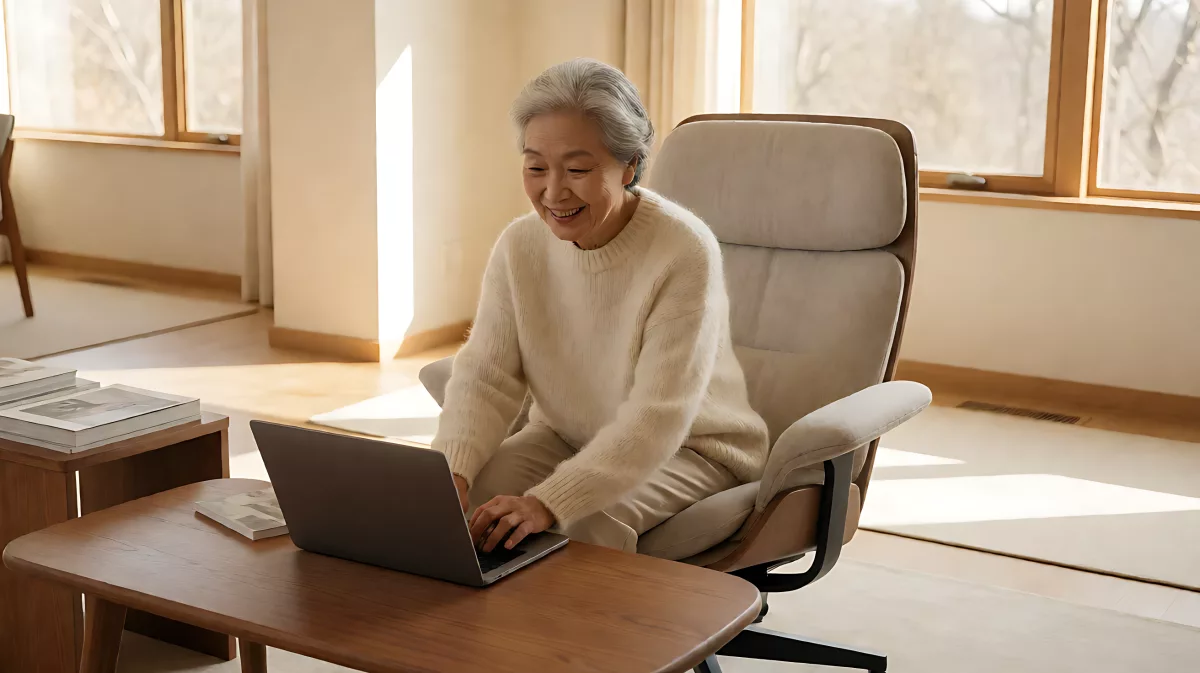
Creating a safe, accessible home environment is key for seniors joining online classes. Learn practical steps for physical modifications and tech setup.
Accessible online learning for seniors depends on a home environment that supports both physical safety and digital engagement. To make this work, you must create a stable, distraction-free space with proper lighting and seating, while removing physical barriers that restrict movement. The goal is to let older adults join virtual classes confidently without worrying about falls or technical frustration. Start by clearing floor space and ensuring your chosen room is calm and well-lit. Add large-print guides for tech steps if needed. A safe home foundation is the first step toward lifelong digital participation and social connection from your own living room.
Why is a safe home environment essential for senior learners?
For many older adults, staying at home is the preferred way to age, but not all houses are built for it. Data from the U.S. Census Bureau indicates that only one in ten homes in the nation is ready to accommodate the specific needs of older adults. The other nine in ten lack at least one critical feature, such as a step-free entry or a first-floor bathroom with safety rails. When you add a computer and internet connection to the mix, the physical layout matters even more. A clumsy drop of a tablet or a trip over a loose rug can turn a moment of learning into a medical emergency. By prioritizing a safe physical space, you remove the anxiety that often stops seniors from trying new things.
Think of your home as a classroom. Just as a school needs clear walkways and sturdy desks, a senior learner needs a home that supports independent movement. If you use a wheelchair or walker, you need wide paths that are at least 36 inches clear. This allows you to maneuver freely to your desk or armchair without squeezing past furniture. Making these small physical changes first ensures that the focus remains on the lesson, not on navigating a hazardous floor.
What physical changes make a room better for virtual classes?
You do not need to renovate the whole house to create a better learning spot. Start with the specific room where you will sit for video calls. Remove clutter from the floor, including cables and loose rugs, to prevent tripping. The National Institute on Aging suggests that the bedroom, stairs, and bathroom are the most common places for injurious falls, so keep your learning area separate from high-risk zones like staircases if possible. Ensure that your chosen spot has good natural light or a bright lamp to keep you visible to others during video calls. This helps maintain a warm, person-to-person connection despite the screen.
Seating is another critical factor. A standard sofa may be too low or too soft for long sessions of typing or watching. Look for a sturdy chair with armrests that provides back support. If you have limited mobility, a recliner or a specialized chair with a higher seat height may be easier to get into and out of. You can also adjust the height of your desk or table to match your arm level, reducing strain on your neck and shoulders. These simple ergonomic tweaks make a big difference in comfort and focus.
How can you improve lighting for better visibility?
Front lighting is key for video calls. Face a window or position a lamp in front of you rather than behind you. This prevents your face from appearing as a dark silhouette to your classmates or instructors. Avoid harsh fluorescent bulbs that can cause glare on your screen. Instead, use warm, adjustable LEDs that let you dim the light if the sun is out. Good lighting also helps you read large-print materials or see your keyboard clearly, which is vital if you have age-related vision changes.
How can technology make learning more accessible at home?
Technology can act as a bridge for those with mobility or sensory challenges. Smart home devices are increasingly user-friendly for seniors. Voice-controlled assistants allow you to adjust the thermostat, turn on lights, or start a timer for a class without getting up. This reduces the physical effort needed to manage your environment. For those who use a phone or tablet, consider mounting the device on an adjustable stand at eye level. This keeps your hands free for taking notes or gesturing during a conversation.
Internet reliability is the backbone of online learning. Check your connection speed in the specific room where you will sit. Wall materials and distance from the router can weaken signals. If you experience drops during classes, consider moving your device closer to the router or using a wired connection if possible. Many local libraries and community centers, like those supported by organizations such as MAC Inc. in Maryland, offer free digital literacy workshops to help seniors get comfortable with these tools. Partnering with a local workforce enhancement program can provide free, expert guidance on setting up your home network.
What tools help with hearing and vision?
Many operating systems have built-in accessibility features that are easy to turn on. On a smartphone or computer, you can increase the font size, enable high-contrast mode, or use screen reader software that narrates what is on the display. For hearing, use headphones with a clear microphone to reduce background noise and allow you to adjust the volume privately. If you struggle to hear speakers, position your device closer to your ear or use a speakerphone on a table. These adjustments turn a standard device into a personalized learning tool that fits your unique needs.
How do caregivers support senior learners from a distance?
Caregivers often find it easier to support family members who are learning online rather than traveling to in-person classes. Virtual classes remove the barrier of transportation, which is a significant issue for those who cannot drive. A six-week online curriculum, such as the "Powerful Tools for Caregivers" program offered by MAC, demonstrates how virtual spaces can provide professional support and stress management techniques from the comfort of home. Caregivers can join these sessions to learn new skills that they can then apply to their daily interactions.
For the senior learner, having a trusted person nearby can boost confidence. You might ask a family member to sit with you for the first few sessions to help with technical glitches. They can also listen along with you and discuss the content afterward, which reinforces the learning. This companionship aspect of virtual education is powerful. It helps combat the isolation that many older adults face, creating a social community that extends beyond the local neighborhood. You are not just learning; you are connecting with a group of people who share your interests and challenges.
What services can help maintain independence at home?
If physical modifications and tech setup are not enough, professional home care services can fill the gaps. Organizations like RT Medical in Toronto provide customized care plans that match caregivers to specific needs, including language and personal interests. These services can include companionship, which is crucial for well-being, as well as help with household tasks that might distract from learning. For those in Canada, ensure your provider is insured and staff are vetted through police and vulnerable sector checks.
Transportation also plays a role if you need to go to a tech store or a community center for group classes. In Connecticut, the Encompass program offers on-demand accessible transportation for seniors and individuals with disabilities. This service allows residents in areas like Greater Hartford to travel 24/7 for a low cost, removing the reliance on family for every trip. Combining these physical support services with your digital learning plan creates a comprehensive ecosystem that supports a full and active life at home.
What are the next steps for setting up your space?
Start with a simple audit of your current setup. Walk through your intended learning area with a list of potential hazards. Look for loose cables, wet spots, or furniture that blocks the path. Once the physical space is safe, test your technology. Make a call to a family member and adjust your lighting and audio until you are satisfied. Then, sign up for one short online course that interests you. It does not have to be a big commitment. Even a ten-minute class is a victory. Remember that the goal is to keep your mind active and your social connections strong. A well-prepared home is the foundation for a lifetime of learning and independence.
How often should you check your home for safety?
Review your learning space every three to six months, or whenever you move furniture or experience a minor fall or trip. As your body changes, your needs change too. What was comfortable last year may no longer work. Stay flexible and keep your environment evolving to match your current level of mobility and independence.
Can I learn without a computer?
Yes. Many platforms work on tablets or even large-screen phones. The key is having a stable internet connection and a device that is easy for you to see and operate. If you only have a phone, ask for a class that is designed for mobile viewing. The content matters more than the hardware.
Who can help me find local resources?
Contact your local Area Agency on Aging. These government-funded organizations provide a directory of senior services, including digital literacy classes, home modification grants, and care management. They are the best first stop for finding help in your specific region, whether you are in the UK or the US.