Smishing Scams: How to Report Fake Delivery Texts
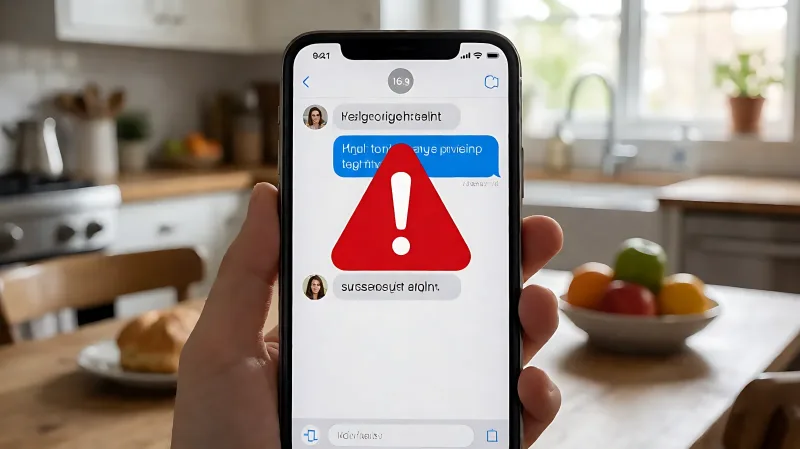
Smishing attacks use fake delivery updates and bank alerts to steal data. Learn how to verify senders, block numbers, and report scams to the FTC and USPS.
Smishing is a phishing tactic where scammers send text messages to steal personal information. If you receive an unexpected delivery or bank alert, do not click any links. Report the message by forwarding it to 7726 and filing a complaint with the Federal Trade Commission (FTC) to help stop these frauds.
For more information, see FTC consumer scam advice from the Federal Trade Commission.
What Is Smishing and Why Does It Feel Urgent?
Smishing combines the words "SMS" and "phishing." Unlike email phishing, smishing targets your mobile device, leveraging the fact that people trust text messages more than emails because they often come from known contact names or look like official system alerts. Scammers use social engineering to create a sense of urgency. They might claim your account is locked, a package is delayed, or you have won a prize. This pressure is designed to make you act before you think, bypassing your natural skepticism.
How Do Fake Delivery Texts Look?
The United States Postal Inspection Service (USPSIS) notes that scammers frequently impersonate postal services to lure victims. A legitimate USPS tracking service is free and requires you to initiate the request. USPS will not send unsolicited text messages with links. If you receive a text saying a package is awaiting action or requires a small fee to clear customs, it is likely a scam. Common indicators include:
- Links with strange domains, random numbers, or unfamiliar extensions like .xyz.
- Requests for personal identification numbers (PINs) or Social Security numbers.
- Typographical errors or poor grammar in the message body.
- Urgency cues, such as "act now" or "verify within 24 hours."
How Do Bank and Account Scams Work?
Financial institutions are frequent targets of smishing attempts. Scammers send messages claiming suspicious activity on your account or payment issues. They provide a link to a spoofed website that mimics the look of a real bank portal. When you enter your login credentials, the scammer captures your username and password. The FTC warns that legitimate banks will never ask you to verify your account details or share sensitive information via text message. They may call or email you, but they will not request data through an unsolicited SMS link.
What Should You Do If You Receive a Suspicious Text?
The safest course of action is to take no engagement. Do not reply, even to say "stop," as this confirms your number is active and may lead to more spam. Instead, follow these steps to protect your device:
- Do Not Click: Avoid tapping any links or attachments in the message.
- Verify Independently: Open the official app or website for the bank or carrier directly. Do not use the contact information provided in the text.
- Block the Number: Use your phone's built-in features to block the sender.
- Delete the Message: Remove the text to prevent accidental clicks later.
How to Report Smishing Scams
Reporting these attacks helps carriers and law enforcement track down scam operations. You can report smishing through three primary channels:
Forward to 7726
Most U.S. wireless carriers support the reporting shortcode 7726 (SPAM). Forward the suspicious text message to this number. This helps your carrier identify and block similar messages for all customers. In the UK, you can forward spam messages to 7726 or use the Ofcom complaint process.
Report to the FTC
File a report with the Federal Trade Commission at ReportFraud.ftc.gov. This database helps law enforcement agencies track trends and investigate specific campaigns. You can also report incidents to the FBI's Internet Crime Complaint Center (IC3) if you believe a crime has been committed.
Contact the Impersonated Company
If the scam impersonates a specific brand, report it to that company. For example, the United States Postal Inspection Service asks victims to email suspicious messages to [email protected] without clicking the links. Include a screenshot and your name to assist their investigation.
How Can You Protect Your Phone Long-Term?
Prevention is more effective than recovery. Implementing good cybersecurity habits on your mobile device reduces your risk of falling for smishing.
- Enable Multi-Factor Authentication (MFA): Add an extra layer of security to your accounts. Even if a scammer gets your password, they likely cannot access your account without your code.
- Use Password Managers: Manage unique, complex passwords for each account to prevent credential stuffing.
- Keep Software Updated: Ensure your operating system and apps are current. Updates often patch security vulnerabilities that scammers exploit.
- Activate Carrier Blocks: Call your wireless provider to enable spam filtering and blocking features specifically for text messages.
Frequently Asked Questions
Can smishing texts install malware on my phone?
Yes. Some malicious links in smishing texts can trigger the download of spyware or malware if you tap them. This software can monitor your activity, steal keystrokes, or gain access to your microphone and camera.
What if I already clicked the link?
If you clicked the link but did not enter information, you are likely safe. However, if you entered credentials, contact your bank immediately to freeze accounts and change passwords. Monitor your credit reports for unauthorized activity.
Does reporting one text really make a difference?
Yes. Aggregated reports from millions of users help carriers build filters to block scam numbers automatically. It also provides data to the FTC and FBI to target large-scale fraud operations.
How do I spot a fake bank text?
Legitimate banks will never ask for your full account number, Social Security number, or PIN via text. They also will not ask you to download an app to "verify" your account. Always check the sender number and be wary of generic greetings.
Can scammers know my name in a text?
Yes. Scammers often purchase data from breaches or scrape social media profiles. Seeing your name in a message does not mean it is legitimate. It may simply mean the scammer has done their research to make the attack more convincing.