Smart Home Camera Privacy: Protecting Older Adults
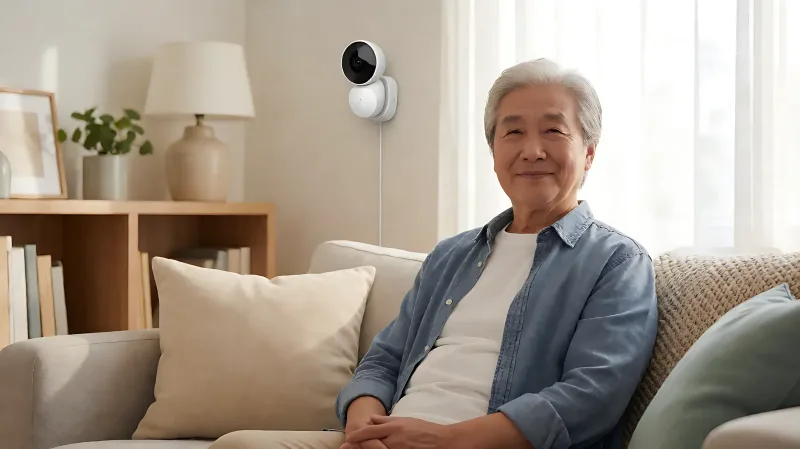
Installing smart cameras in a senior's home requires careful planning. This guide covers how to protect privacy, maintain trust, and ensure secure data handling for aging in place.
Smart home cameras can protect older adults, but they raise significant privacy concerns. To maintain trust, families must clearly define boundaries. Use local storage over cloud processing, segment IoT networks, and hold transparent conversations with the senior to ensure consent and comfort with the monitoring technology.
For more information, see NIA aging-in-place resources from the National Institute on Aging.
Why Trust Is Critical When Monitoring Seniors
For many older adults, their home is a sanctuary. Introducing surveillance equipment, even with good intentions, can feel like a violation of that sanctuary. The National Association of Area Agencies on Aging emphasizes that dignity and autonomy are central to successful aging in place. When caregivers install cameras without discussion, it often erodes the emotional bond between the senior and the family member. Research from the American Geriatrics Society suggests that adults who feel surveilled without consent report higher levels of anxiety and decreased self-efficacy. Therefore, the first step in deploying smart home security is not technical, but relational. You must establish a shared understanding of why the devices are present and how they benefit the senior’s independence.
How to Have the Conversation About Monitoring
Approach the topic as a safety net, not a policing tool. Use non-confrontational language. For example, frame the installation as a way for you to "know you are safe" rather than "watching you all the time." Involve the senior in choosing where cameras are placed. Avoid sensitive areas like bathrooms, bedrooms, and private living spaces. According to guidelines from the Alzheimer's Association, environmental safety monitoring should be limited to common areas and exterior perimeters where fall risk or intrusion risk is highest. This physical boundary setting reinforces the psychological boundary that their private life remains inviolable.
Technical Strategies to Protect Personal Data
Standard consumer smart cameras often default to cloud storage, meaning video feeds are uploaded to third-party servers. For privacy-conscious families, this is a major concern. Data breaches at camera manufacturers have historically exposed footage to unauthorized users. To mitigate this, prioritize systems that offer local Network Video Recorder (NVR) storage. These devices store footage on a hard drive within the home, keeping data under your direct control. Organizations like the Electronic Privacy Information Center recommend minimizing data retention periods. Do not store video longer than necessary. If a camera supports cloud backup, ensure you enable two-factor authentication and review the company’s data sharing policies carefully.
Should You Use Local-First Systems?
Local-first systems, such as those compatible with Home Assistant, allow you to keep video processing on a local server within the house. This prevents telemetry and footage from leaving the network unless you explicitly configure it to do so. While this requires a higher technical setup, it significantly reduces the attack surface. For families with limited technical skills, managed services like Arlo or Ring offer convenience, but they rely on proprietary cloud infrastructure. If you must use a cloud service, consider using a Virtual Private Network to route traffic securely, although this does not stop the manufacturer from accessing the data, it protects it during transmission.
Network Security: The Invisible Barrier
Smart cameras are IoT devices that connect to your Wi-Fi network. If your network is compromised, the camera becomes an entry point for hackers. The Consumer Product Safety Commission regularly warns about vulnerabilities in connected devices. To secure the senior's home, you should implement network segmentation. Create a separate Wi-Fi network, often called a Guest or IoT network, exclusively for smart devices. This isolates cameras from personal computers and phones. If a hacker compromises a camera, they cannot easily move laterally to access family members' financial data or personal emails. Regular firmware updates are also critical. Manufacturers release patches to fix security holes. Ensure automatic updates are enabled or that you schedule monthly checks to apply the latest security protocols.
How Often Should You Audit Your Devices?
You should audit your smart home setup every six months. Check for new security advisories from the device manufacturer. Review the list of connected devices on your router to ensure no unknown hardware is attached. Look for default passwords that may have been left active. The Federal Trade Commission has highlighted that default credentials are a leading cause of smart device hacks. Changing default usernames and passwords to strong, unique combinations is a basic but often neglected step in protecting senior households.
Balancing Safety and Independence
The goal of aging in place is to keep seniors in their familiar environments for as long as safely possible. Technology should support this goal, not undermine it. Consider using motion-activated cameras that only record when movement is detected, rather than continuous 24/7 recording. This reduces the volume of data generated and lowers the storage burden. Some systems offer "baby monitor" modes or "away" modes that can be toggled by the senior or the caregiver. Empowering the senior with control over their own devices builds trust. If they can easily pause recording or disable a specific camera, they are more likely to accept the overall system. The Center for Disease Control and Prevention notes that social isolation is a risk factor for poor health. Ensuring technology connects seniors to their families without feeling isolating is a key metric for success.
Frequently Asked Questions
Is it legal to install a camera in a senior's room?
In many jurisdictions, two-party consent laws apply to recording audio, and there are strict privacy expectations for bedrooms and bathrooms. Generally, it is legally and ethically inadvisable to place cameras in spaces where a person has a reasonable expectation of privacy, such as a bedroom. Consult a local attorney to understand specific state or UK laws regarding surveillance in private residences.
What is the best way to store camera footage securely?
The most secure method is local storage on a Network Video Recorder (NVR) or a dedicated hard drive within the home. This prevents data from being uploaded to third-party cloud servers, reducing the risk of corporate data breaches. If cloud storage is necessary, use a provider with strong encryption standards and disable shared access features.
Can seniors control their own cameras?
Yes, and it is highly recommended. Simple apps that allow the senior to view the status of cameras, pause recording, or check who is at the door can increase their sense of autonomy. This shifts the dynamic from being monitored to being in charge of the monitoring system.
How does network segmentation protect a smart home?
Network segmentation places IoT devices like cameras on a separate, isolated Wi-Fi network. This means that if a camera is hacked, the attacker cannot access other personal devices on the main network, such as laptops and smartphones, thereby protecting sensitive financial and personal data.
What are the signs that a smart camera has been compromised?
Signs include unusual spikes in internet bandwidth usage, unexpected device alerts, or slow network performance. If you suspect a breach, immediately disconnect the device from the Wi-Fi, change the router password, and update the camera’s firmware to the latest version to patch any vulnerabilities.