Aging in Place: Smart Home Sensor & Voice Setup Guide
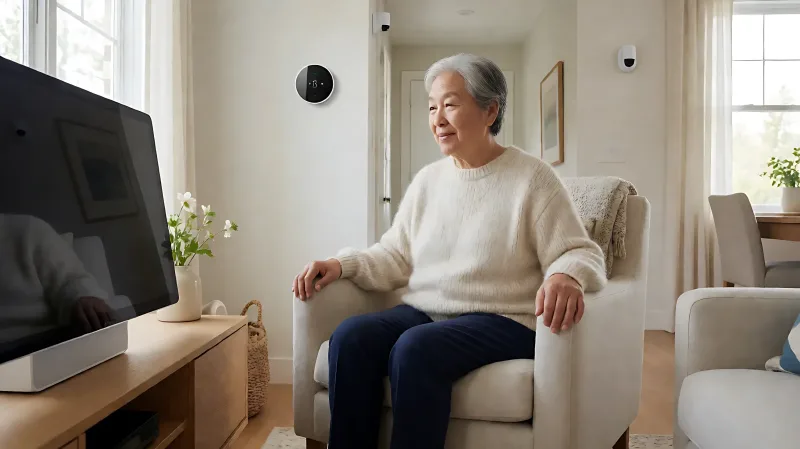
Discover how smart home technology supports independent living. From fall-detecting sensors to voice-controlled hubs, learn which devices make a home safer and easier to manage for older adults.
Smart home technology helps older adults maintain independence by automating safety checks and simplifying daily tasks. Key devices like fall-detecting sensors, voice assistants, and smart lighting reduce fall risks and allow family to monitor well-being without intrusive cameras. According to the Centers for Disease Control and Prevention, approximately one in four seniors reports falling each year, making automated monitoring critical for those living alone. This guide outlines the essential components for a functional aging-in-place setup, balancing privacy with peace of mind for residents and their families.
For more information, see NIA aging-in-place resources from the National Institute on Aging.
How Do Smart Sensors Enhance Home Safety for Seniors?
Traditional security systems rely on cameras, which can feel invasive to older adults who value privacy. Modern smart home ecosystems offer a more nuanced approach using passive monitoring. Motion sensors and presence-detecting plugs can track activity patterns without capturing video. For example, Wi-Fi sensing technology analyzes signal changes to determine if a person is moving through a room or if activity has stopped unexpectedly. This allows systems to alert caregivers if a senior does not get out of bed at their usual time or remains in one area too long. Brands like Threshold and Aqara have developed specialized sensors for this purpose, providing alerts for abnormal inactivity without the need for wearables or constant phone checks.
These sensors are particularly effective in high-risk areas such as bathrooms and kitchens. By placing water leak detectors near water heaters and sinks, households can prevent catastrophic damage from burst pipes. Smart plugs can also automatically cut power to appliances like stoves if no movement is detected for a set period, reducing fire risks. The National Fire Protection Association notes that cooking is a leading cause of home fires, so automated shutoffs provide a significant layer of protection for residents who may forget to turn off burners.
Why Are Voice Assistants Critical for Independent Living?
Smart speakers and displays serve as the command center for a smart home, allowing users to control their environment without physical effort. For seniors with mobility issues, voice commands eliminate the need to reach for light switches or thermostat dials. Systems like Amazon Echo, Apple HomePod, and Google Nest allow users to set timers, make calls, and adjust lighting using simple phrases. Recent updates to these platforms include conversational AI, which makes interactions more natural and less technical. This is vital for users who may find app-based interfaces confusing.
Emergency capabilities are another major advantage. Voice assistants can dial 911 when specific wake words are used, even if the user is unable to move. Some systems, such as Amazon's Emergency Assist, can automatically notify designated contacts if a fall or distress is detected. For families, this means they can remotely check if the front door is locked via smart locks, ensuring security without needing to visit the home. The combination of voice control and remote monitoring creates a responsive living environment that adapts to the resident's needs.
What Is the Best Budget for a Basic Smart Home Setup?
A foundational aging-in-place setup can start at approximately $150 to $300. This typically includes a smart speaker hub ($100-$150), two to three smart light bulbs with motion sensors ($20-$30 each), and a basic video doorbell ($50-$100). Adding a dedicated fall detection wearable or medical alert subscription will increase the monthly cost by $20 to $40. Investing in a Z-Wave or Zigbee hub for long-term scalability can cost around $100, but allows for better integration of future sensors. Prioritizing lighting and emergency communication provides the highest immediate safety impact for the lowest initial investment.
Which Monitoring Tools Balance Privacy and Peace of Mind?
Family members often worry about checking in on relatives who live alone. Smart home technology offers a middle ground between constant phone calls and surveillance. Activity sensors can report general wellness patterns, such as whether the resident opened the refrigerator or used the bathroom within a normal timeframe. If these patterns deviate significantly, the system flags an issue for a designated contact. This respects the senior's autonomy while ensuring help is available if they cannot reach out themselves. Wearable devices, such as smartwatches with fall detection, add a personal layer of monitoring that follows the user throughout the house.
It is important to configure these tools carefully. Families should review data privacy policies to ensure that location data and activity logs are stored securely. Many smart home hubs now offer local processing, meaning data does not always travel to the cloud, which enhances security. According to the Consumer Product Safety Commission, users should verify that any medical alert device they purchase meets current safety standards and has reliable battery life. Choosing a reputable provider ensures that alerts are delivered promptly to emergency services or family members.
How Do Smart Thermostats Support Comfort and Energy Efficiency?
Temperature regulation is a common struggle for older adults, many of whom experience reduced sensitivity to heat or cold. Smart thermostats learn usage patterns and automatically adjust temperatures to maintain comfort. During extreme weather events, these devices can prioritize safety zones, ensuring living areas remain within a safe range even if the user forgets to adjust the settings. Models from manufacturers like Ecobee and Nest often include air quality monitors, which can alert residents to carbon monoxide or high humidity levels. This feature is crucial for detecting hidden hazards in aging homes where ventilation may be inconsistent.
What Are the Steps to Install a Smart Home for Aging in Place?
Installing a smart home system requires a phased approach to avoid overwhelming the user. Start by auditing the home for trip hazards and dark spaces. Replace standard light bulbs with smart bulbs that can be controlled via voice or app. Install motion sensors in hallways and bathrooms to ensure pathways are illuminated at night. Next, set up a central hub or smart speaker in the main living area. Connect all devices to the home's Wi-Fi network and create specific scenes, such as "Good Night" which locks doors and lowers lights. Finally, configure emergency contacts and test the systems to ensure alerts work correctly. Involve the senior resident in the process to ensure the technology fits their comfort level and daily routine.
Regular maintenance is essential. Check batteries in sensors and door locks every six months. Ensure Wi-Fi networks are secure with strong passwords to prevent unauthorized access. While the technology does not replace human care, it bridges the gap between visits from family and professional support. By integrating these tools, older adults can enjoy the comfort of familiar surroundings with added layers of safety and convenience.
Frequently Asked Questions
Do smart home sensors require a subscription?
Many basic smart bulbs and plugs do not require monthly fees, but advanced monitoring systems, such as Wi-Fi presence sensing or professional medical alert services, often include a subscription. Check the specific product details before purchase, as some hubs offer local control without cloud dependency, reducing or eliminating ongoing costs.
Can smart home devices help with memory loss?
Yes, they can provide cues and reminders. Voice assistants can be programmed to announce appointments or medication times. Smart lighting can be set to turn on at specific times to encourage routine. However, these tools are supportive aids and should be used in conjunction with medical advice from healthcare providers.
What is the most important safety feature to install first?
Fall detection and emergency communication are the highest priorities. Installing a medical alert system or a smart speaker with 911 capabilities ensures help is available in an emergency. Following that, motion-activated lighting in hallways and bathrooms reduces the risk of trips and falls during nighttime movement.
Are smart locks safe for seniors with arthritis?
Yes, smart locks are designed for accessibility. Many use keypad entry with large buttons or voice commands to open the door, eliminating the need to manipulate traditional keys. Biometric options that use fingerprint or face recognition are also available, offering a hands-free method of entry that is easy for users with limited dexterity.