Online Safety Guide: Password Security for Seniors
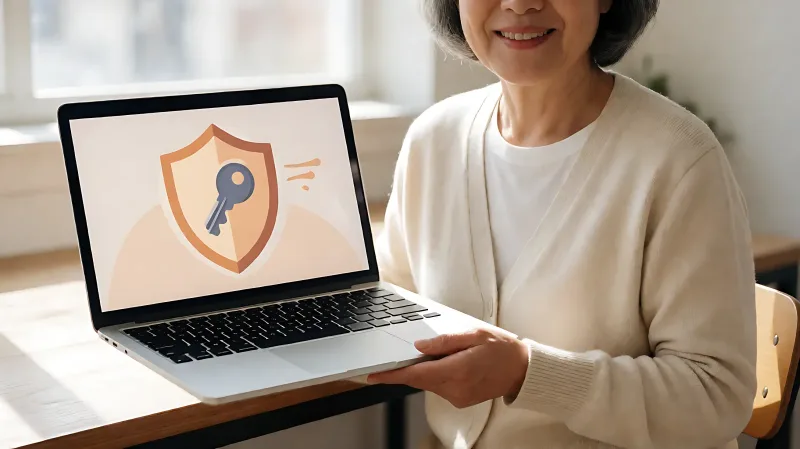
A practical guide to securing your digital life. Learn how to create strong passwords, spot phishing scams, and protect your identity online.
Strong password habits and multi-factor authentication are the primary defenses against identity theft for older adults. Implementing these simple digital hygiene steps significantly reduces the risk of financial loss and data breaches while browsing the internet.
For more information, see CISA online safety guidance from the Cybersecurity and Infrastructure Security Agency.
Why Older Adults Are Primary Targets for Cybercrimes?
Cybercriminals frequently target older adults because they are often less familiar with evolving digital threats and may hold substantial financial assets. The Federal Trade Commission (FTC) reports that adults aged 60 and older suffered billions of dollars in fraud losses annually, a trend that has accelerated as more essential services move online. Understanding the specific vulnerabilities, such as susceptibility to social engineering attacks, is the first step toward protection.
What Is Social Engineering in This Context?
Social engineering is the psychological manipulation of users into breaking normal security procedures. In the context of senior safety, this often involves phone calls or emails pretending to be from trusted entities like the IRS or banks. The goal is to create urgency or fear to trick the user into revealing passwords or sending money.
How to Build a Strong Password Foundation?
Passwords are the first line of defense for your digital identity. However, statistics from security firms indicate that a large majority of users rely on weak, reusable passwords. For maximum security, you should stop using the same password everywhere and start using unique, complex strings for every account.
What Makes a Password Truly Secure?
A secure password is long, random, and unique. The National Institute of Standards and Technology (NIST) recommends passphrases that are at least 12 characters long. Instead of remembering "Password123!", use a phrase like "BlueCoffeeTable2024". This is easier to recall but much harder for automated guessing tools to crack. Never use personal information like birthdays or pet names, as this data is easily found on social media platforms.
Should I Write Down My Passwords?
While writing passwords down is discouraged, using a password manager is highly recommended. A password manager is a secure digital vault that generates and stores complex passwords. It requires you to remember only one master password. This ensures that if one site is hacked, your other accounts remain safe.
How Can You Stop Identity Theft Before It Starts?
Identity theft often begins with a data breach at a large retailer or service provider. To mitigate this risk, you must layer your security. The most critical layer is multi-factor authentication (MFA), which adds a second method of verification beyond just a password.
What Is Multi-Factor Authentication (MFA)?
MFA requires two or more forms of identification to access an account. This could be your password plus a code sent to your phone, or a biometric scan like a fingerprint or face ID. According to the Cybersecurity and Infrastructure Security Agency (CISA), enabling MFA blocks the vast majority of automated account takeover attempts. You should enable this on your email, banking, and any accounts that store credit card information.
How Do I Protect My Personal Information?
Limits on what you share online reduce your attack surface. Avoid posting full birthdates, home addresses, or social security numbers on social media. Regularly check your credit reports through the three major bureaus: Equifax, Experian, and TransUnion. The FTC allows you to request free annual credit reports at AnnualCreditReport.com to monitor for unauthorized inquiries or accounts.
What Are the Safest Browsing Habits for Seniors?
Safe browsing is about awareness and routine. Many phishing scams rely on users clicking links in emails or messages that look legitimate. Developing a habit of verification can save you from costly mistakes.
How Do I Spot a Phishing Email?
Phishing emails often create a sense of urgency, such as "Your account will be suspended immediately." They may also contain generic greetings like "Dear Customer" and have misspellings or grammatical errors. Before clicking any link, hover over it to see the actual website address. If it looks strange, do not click. Instead, type the website address directly into your browser or use the app to verify the issue.
Why Are Software Updates Important?
Operating systems and web browsers release updates to patch security vulnerabilities. Leaving your device outdated is like leaving your front door unlocked. Ensure that automatic updates are enabled for your computer and phone. The Center for Disease Control and Prevention (CDC) and other public health agencies also emphasize digital literacy as part of general wellness, as outdated software can be exploited to spread malware that steals personal data.
What Should You Do If You Suspect a Breach?
If you think your password has been compromised, act quickly. Change your password immediately and enable MFA on that account. If you used the same password elsewhere, change those too. If you see unauthorized transactions, contact your bank or credit card issuer immediately to dispute the charges and freeze the account. For suspected identity theft, you can file a report with the Identity Theft Resource Center (ITRC) or through the FTC's consumer reporting portal.
When Should I Call My Bank?
Call your bank if you see transactions you do not recognize, receive unexpected calls from debt collectors, or if your online banking session ends abruptly with a security alert. Keep your phone nearby when browsing to access help lines quickly.
Frequently Asked Questions
How often should I change my passwords?
You do not need to change passwords every 30 days. The NIST now advises changing passwords only if you suspect a compromise or if the service requires it. Focus on using strong, unique passwords for each site rather than frequent rotations.
Is it safe to use password recovery links?
Password recovery links can be dangerous if they are phishing scams. Never click recovery links in emails. Instead, go to the official login page of the service, find the "Forgot Password" option there, and initiate the recovery process directly on the trusted site.
What is the best first step for senior online safety?
The best first step is to enable two-factor authentication on your email account. Since email is often used to reset passwords for other services, securing it with a second verification layer protects your entire digital life.
Can I use biometric authentication like a fingerprint?
Yes, biometric authentication is a form of MFA and is generally very secure. It is a convenient way to log in without typing complex passwords, provided your device is physically secure and locked with a PIN or passcode as a backup.