Best Home Office Organization Tips for Volunteers
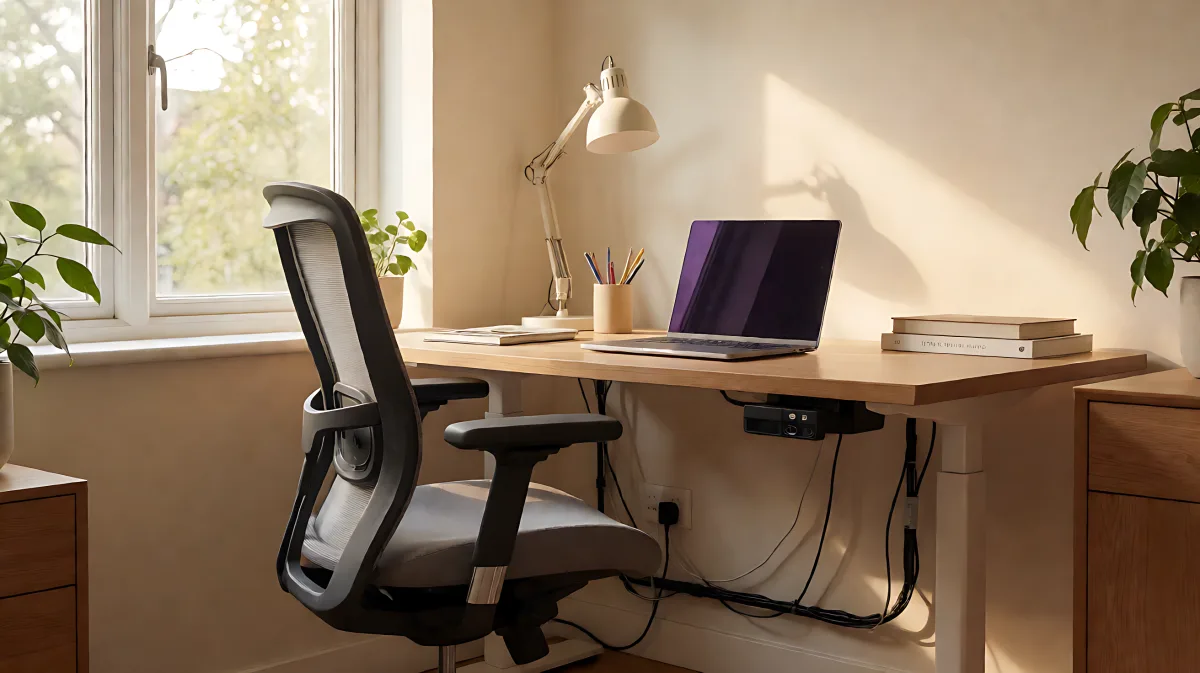
Transform your living space into a high-performing volunteer hub. Learn how to zone your desk, manage cables, and select ergonomic tools to maximize impact while working remotely.
Reorganizing a home office for remote volunteering requires a strategic blend of spatial design, ergonomic support, and digital workflow optimization. By dedicating a specific zone for service-based work and implementing systematic storage, volunteers can reduce cognitive load and maintain a healthy boundary between personal life and professional contribution. This approach ensures that valuable hours are spent on impactful tasks rather than navigating technical frustrations or clutter.
Why a Dedicated Space Matters for Volunteering
Volunteering remotely differs from standard employment because it often involves coordinating with diverse teams, managing complex digital files, and attending virtual board meetings without the structure of a traditional corporate day. A purpose-driven workspace helps trigger a professional mindset instantly. When tools are in predictable locations, the mental energy required to start work is significantly lower, allowing volunteers to focus on their mission. This physical separation prevents volunteer responsibilities from bleeding into relaxation time, preserving the joy and sustainability of giving back.
How do you identify the most effective location?
Selecting the right spot depends on your sensory needs. If you require silence to concentrate on grant proposals or newsletters, an inner room with a door is ideal. Conversely, if you prefer ambient background noise, a space near a window or a quiet corner of a common area may be more suitable. The goal is to create an environment that supports sustained focus without becoming a source of isolation or stress.
Essential Ergonomic and Equipment Upgrades
Investing in the right hardware is crucial for volunteers who spend significant hours at a desk. Poor ergonomics can lead to fatigue, which interrupts the flow of meaningful work. Quality equipment ensures that you can maintain high performance during long planning sessions or video calls with remote teams.
- Ergonomic Seating: A high-quality office chair with dynamic lumbar support and adjustable armrests is vital. Leading brands like Steelcase offer models with proprietary systems that mimic the natural shape of the spine, supporting wrists and posture during typing or tablet use.
- Video Communication: Built-in laptop cameras often produce grainy or dark video. A dedicated external webcam with 1080p resolution and automatic light correction ensures you appear professional in low-light environments, building trust with remote collaborators.
- Document Management: Handling physical paperwork, such as receipts or old minutes, can clutter a digital-first workspace. A dedicated document scanner with a color touchscreen and high-speed automatic feeder allows for quick transition of paper trails into organized digital files.
- Lighting Solutions: Natural light is beneficial, but a desk ring light or LED lamp with adjustable color temperature can prevent eye strain and ensure consistent video quality throughout the day.
Mastering Digital and Physical Organization
Clutter is the enemy of productivity. A well-organized desk is not just about aesthetics; it is a tool for efficiency. Implementing a zoning system within your workspace helps streamline tasks and reduce decision fatigue.
What are the best ways to declutter and zone your desk?
Start by clearing the surface completely. Keep only items that serve an immediate purpose in your volunteer role. Use the "one-year rule" to discard items unused in the last twelve months. Then, divide your space into distinct zones:
- The Work Zone: Your primary area with the computer, keyboard, and frequently used tools.
- The Storage Zone: Cabinets or shelves for reference materials and supplies that are used less frequently.
- The Inspiration Zone: A corkboard or whiteboard for visual reminders, goals, and brainstorming ideas.
Use labels on bins and folders to maintain order, which is especially helpful if the space is shared. Regularly wipe down surfaces and empty trash to keep the environment clean and inviting.
Optimizing Your Workflow and Boundaries
Technology and habits are just as important as physical setup. Managing digital files and establishing clear boundaries with your employer or family is essential for long-term success.
How can you separate work from life in a remote setting?
Set strict office hours and communicate them clearly to anyone living with you. Use visual cues, such as a sign on the door, to indicate when you are working and unavailable. Take real breaks that involve leaving the immediate workspace, such as a walk around the block or a short exercise routine, to allow your mind to decompress. Avoid using breaks for household chores, which simply trades one type of work for another. Consider keeping a separate phone line or using a specific headset for work calls to maintain a professional boundary.
FAQ
What is the most cost-effective upgrade for a volunteer home office?
Adjusting your desk height and ensuring proper monitor placement to reduce neck strain is the most cost-effective immediate change. This prevents physical discomfort without requiring a significant financial investment in new furniture.
How often should I reorganize my volunteer workspace?
A quick tidy-up should happen at the end of every work session. A deeper decluttering and reassessment of your layout should occur every six months to align with changing project needs and organizational shifts.
Is natural light necessary for a productive remote office?
While not strictly necessary, natural light significantly improves mood and productivity. If you cannot place your desk near a window, use high-CRI LED lighting to simulate the benefits of daylight and reduce eye strain during long sessions.
What software helps keep a remote volunteer workflow organized?
Cloud-based project management tools and document scanners that integrate with services like Dropbox or Google Drive are essential. These tools ensure that all files are accessible across devices and organized by project rather than stored locally on a single computer.