Ergonomic Typing Guide for Seniors: Fix Wrist Pain
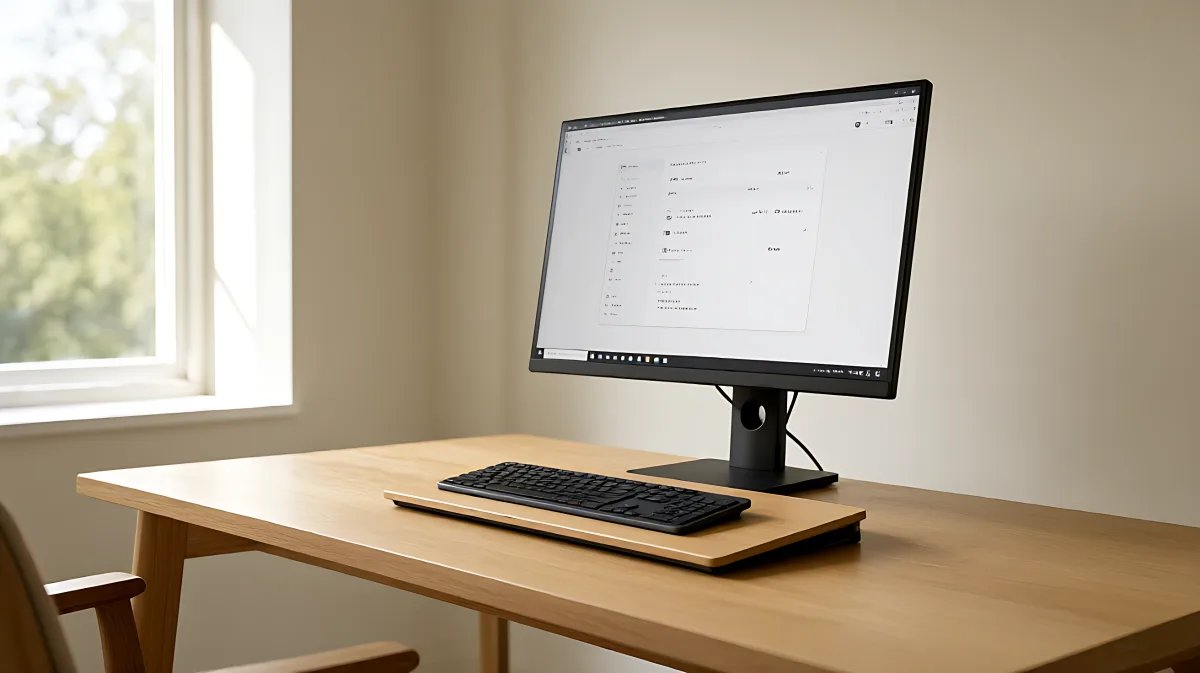
After age 40, joints and tendons change. Learn how to adjust keyboard tilt, monitor height, and break schedules to keep typing comfortable and prevent injury.
Seniors often find standard ergonomic advice ineffective because it ignores the biological changes that occur after age 40. To type without pain, you must prioritize a 15-degree rear-tilt keyboard position, neutral wrist alignment, and strategic micro-breaks. These adjustments compensate for reduced tendon elasticity and lower joint lubrication, significantly decreasing the risk of Repetitive Strain Injury (RSI) and improving long-term comfort.
Why standard ergonomic advice fails older typists
For decades, the standard ergonomic recommendation has been to sit at a perfect 90-degree angle with a flat keyboard. However, modern orthopedic research suggests that this rigid alignment can actually increase pressure on lower spinal discs and force the neck into strain. More importantly for seniors, a flat keyboard forces the wrists into 25 to 35 degrees of extension. While a 25-year-old’s body can absorb this stress, a 50-year-old’s body struggles to repair the micro-damage that accumulates with each keystroke.
The primary biological shift is in tissue resilience. Starting in the late 30s, tendons and ligaments lose collagen and elasticity. The synovial fluid that lubricates joints also decreases, leading to increased friction and stiffness. As a result, positions that were merely "suboptimal" in youth become genuinely painful in middle age. According to occupational health data, over 60% of office workers experience typing-related discomfort, and this percentage climbs sharply for those with age-related joint changes. Ignoring these signals can lead to conditions like carpal tunnel syndrome or tendonitis, which can take six to 12 months to heal even with medical treatment.
What is the 15-degree rule and why does it matter?
The most impactful adjustment for seniors is changing the angle of the keyboard. Instead of sitting flat or tilted up, the keyboard should be in a "negative tilt" or "rear lift" position, where the back of the keyboard is 15 degrees lower than the front. This geometry makes it physically difficult to bend the wrists upward, keeping the median nerve in the carpal tunnel relaxed.
A study tracking 340 office workers over the age of 40 found that those using a rear-lift keyboard setup reported 61% less wrist discomfort over a 12-month period compared to those using flat keyboards. This benefit was most pronounced in participants over 50. For seniors, this small geometric shift reduces biomechanical load on aging tissues, preventing the inflammation that often leads to chronic pain.
How to configure your workspace for aging joints
Your entire body is involved in typing, not just your hands. A comprehensive setup addresses seating, monitor placement, and input devices to reduce cumulative strain.
What are the ideal monitor and desk heights?
The top of your monitor should be at or slightly below eye level. Looking down at a laptop screen forces the neck into extension, compounding shoulder and wrist tension. If you use a laptop, invest in a stand to raise the screen and use an external keyboard. This two-piece setup is the single most cost-effective health investment for most users.
- Desk Height: Your elbows should be at a 90 to 110-degree angle. For users between 5 feet 5 inches and 5 feet 9 inches, a desk height of 26 to 28 inches is typically recommended. Adjust the chair so your feet rest flat on the floor or a sturdy footrest.
- Recline Angle: Sit back into your chair with a slight recline of 100 to 110 degrees. This shifts the load from your spine to the chair’s backrest, reducing fatigue in the lower back.
- Keyboard Position: Place the keyboard directly in front of you, centered with your body. Ensure it is not too far away; your hands should not have to stretch to reach it.
Should you use a wrist rest?
Many seniors assume that resting their wrists on a pad is essential for comfort. In fact, leaning on a wrist rest while actively typing can compress the carpal tunnel, acting as a pivot point that forces the fingers to do all the work. Wrist rests are for resting between typing sessions, not during them. Adopt a "floating hands" protocol where your hands hover slightly above the keys, using your entire arm to reach for keys rather than just your fingers. This keeps the wrist in a neutral, straight line and prevents blood flow constriction.
What stretch routine do seniors need before typing?
Aging joints require more preparation time than younger ones. Spend 60 seconds on these warm-up exercises before your first typing session of the day to increase blood flow and synovial fluid circulation:
- Finger Spreads: Spread your fingers wide, hold for five seconds, then release. Repeat five times.
- Wrist Circles: Rotate wrists slowly in each direction for 10 repetitions.
- Thumb Touches: Slowly and deliberately touch your thumb to each fingertip in sequence.
- Gentle Fist: Make a gentle fist, hold for three seconds, then extend fingers wide. Repeat eight times.
How should break schedules change with age?
The standard 20-20-20 rule (look at something 20 feet away for 20 seconds every 20 minutes) is good for eyes, but seniors need more structured recovery for tendons. Recovery from micro-trauma slows down after 40. Adopt a modified Pomodoro technique: work for 25 minutes, then take a five-minute active recovery break. During this time, stand up, roll your shoulders, and perform wrist flexor stretches. Every two hours, take a longer 10 to 15-minute break away from the desk entirely. This strategic scheduling prevents damage from accumulating faster than the body can repair it.
What are the warning signs of RSI in older adults?
Stop and evaluate your setup if you experience any of the following symptoms. These are not just "growing pains" but indicators of repetitive strain injury:
- Tingling or numbness in the hands or fingers.
- Pain that persists even after you stop typing.
- Weakness in grip strength or hand movements.
- Swelling in the wrists or hands.
- Burning sensations in the fingers or wrists.
The cost of treating a repetitive strain injury in the US can range from $3,000 to $30,000 depending on severity, not including lost productivity. Prevention is significantly easier and more affordable than treatment.
Frequently Asked Questions
Is it too late to fix my typing posture after 50?
No. Even at advanced ages, adjusting your keyboard angle to a 15-degree rear lift and changing your break habits can reduce discomfort. While you may not regain the elasticity of youth, reducing biomechanical load allows your joints to function more efficiently and with less pain.
What is the best keyboard type for seniors with arthritis?
Low-profile keyboards with scissor-switch mechanisms are generally preferred. They require less force to actuate than mechanical switches and provide consistent, predictable key travel. A full-size layout is also helpful as it reduces the need for extensive hand movement to reach keys.
How do I know if my chair is ergonomic enough?
Your chair should support your lower back curve (lumbar support), allow your feet to rest flat on the floor, and enable a slight recline of 100 to 110 degrees. If your chair lacks a lumbar pillow, a rolled towel or specialized cushion can bridge the gap while you upgrade your seating.
Do I need to buy special equipment to improve ergonomics?
Not necessarily. A negative tilt can be achieved by flipping the feet on your keyboard or using simple risers. A monitor stand can be made with stable books or boxes. The most critical investments are in posture and habit, such as the floating hands technique and scheduled active recovery breaks.