Online Bill Pay for Seniors: Safety Tips & Steps
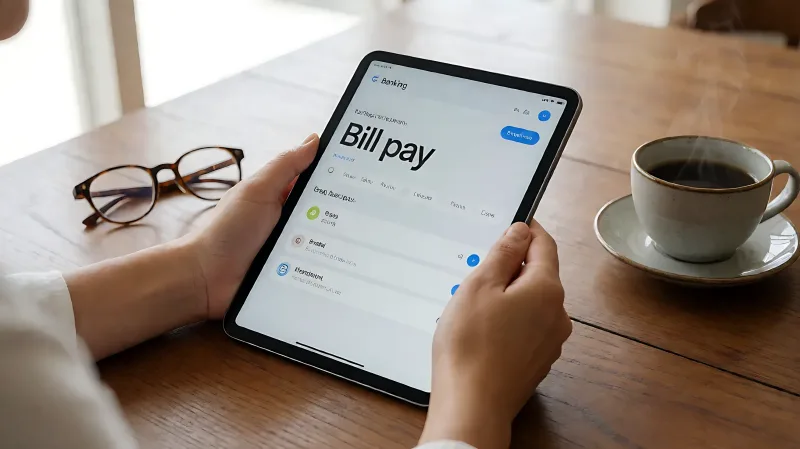
Discover how to safely use online bill pay. Learn step-by-step setup instructions, common mistakes to avoid, and security best practices recommended by the FTC and banking experts.
Online bill pay allows you to schedule payments for utilities and loans from your bank's website or app without writing checks. To do this safely, log in through your bank's direct link, verify payee details against paper bills, and schedule payments days in advance. This guide walks you through the process while highlighting security habits that protect your account from scams.
For more information, see CFPB consumer banking tools from the Consumer Financial Protection Bureau.
What Is Online Bill Pay and How Does It Work?
Online bill pay is a service that transfers money from your checking account to billers. It supports two main methods: electronic transfers known as ACH and paper checks printed by your bank. Electronic transfers are faster, typically arriving in one to two business days. Paper checks take five to seven business days to mail and process. Most major banks offer this feature at no extra cost.
How Do I Set Up My First Bill Pay?
Setting up a new payee is the most critical step. Follow these steps to ensure accuracy:
- Log in securely: Type your bank's web address directly into your browser. Do not click links from emails or texts.
- Navigate to Bill Pay: Find the section labeled "Bill Pay," "Payments," or "Transfer Funds."
- Add the Payee: Enter the company name, your account number with that company, and their mailing address. For major utilities, the bank may already have the address on file. Verify the account number against a recent paper bill to avoid errors.
- Schedule the Payment: Enter the amount and the date the payment should be sent. Remember that this is the send date, not the due date. For electronic payments, schedule at least three business days before the due date. For paper checks, schedule seven to ten days in advance.
- Confirm Details: Review the payee name, amount, and date. Ensure the decimal point is in the correct place. A misplaced decimal can lead to significant financial issues.
What Are the Common Mistakes Seniors Make?
Even experienced users can make errors when rushing or distracted. The American Bankers Association notes that it is easy to hit the send button too quickly. Common pitfalls include:
- Wrong Account Number: Entering a transposed digit sends money to the wrong person or bounces the payment. Always double-check against a physical bill.
- Timing Errors: Scheduling a payment for the due date means it will be late. The bank sends it on the date you pick; it does not calculate the lead time for you.
- Decimal Errors: Entering $100.00 instead of $1000.00 is rare but costly. Conversely, entering $254,600 instead of $254.60 is a terrifying possibility. Pause and verify the amount before confirming.
- Forgetting to Update Recurring Bills: If a rent or loan payment changes, your recurring schedule must be updated to match.
How Can I Keep My Online Banking Account Safe?
Security is paramount when managing finances digitally. The Federal Trade Commission advises consumers to be vigilant against phishing attempts. Use these safety habits to protect your data:
- Use Strong Passwords: Create passwords with at least 12 characters, mixing uppercase letters, numbers, and symbols. Avoid using birthdays, names, or simple patterns like "123456."
- Enable Multi-Factor Authentication: Turn on two-factor authentication in your bank's security settings. This requires a code sent to your phone or email in addition to your password, adding a crucial layer of defense.
- Log Out After Each Session: If you use a shared computer or tablet, always sign out. Do not rely on the auto-logout feature if you are using a device with others.
- Avoid Public Wi-Fi: Only bank on secured home networks or trusted private hotspots. Public wireless networks are vulnerable to interception.
- Verify Bank Requests: Banks will never call, email, or text you asking for your password, PIN, or one-time code. If you receive such a message, it is likely a scam. Call your bank using the number on the back of your card to verify.
What Should I Do If I Make a Payment Error?
If you realize you made a mistake, act quickly. First, log in to your online banking portal to see if the payment has been processed. If it has not, you can often delete or modify the pending transaction. If the money has already left your account, contact your bank immediately. For errors involving the wrong payee, you must contact the recipient of the funds to request a refund. Keep records of all communications, including dates and times. The Consumer Financial Protection Bureau recommends documenting every step to resolve disputes faster.
FAQ
How early should I schedule online bill payments?
For electronic transfers, schedule at least two to three business days before the due date. For paper checks, schedule seven to ten business days in advance to allow for printing and mail delivery.
Can my bank reverse a wrong payment?
If the payment is still pending, your bank can usually reverse it easily. If the money has cleared and gone to a third party, you must ask that party for a refund. Your bank may help, but the recipient controls the funds once they have them.
Is it safe to use my phone for bill pay?
Yes, if you use the official bank app downloaded from trusted stores. Ensure your phone has a passcode or biometric lock and that you are not using public Wi-Fi when logging in.
What if I get a phishing email from my bank?
Do not click any links. Delete the email. Contact your bank directly using a phone number you know is legitimate. Verify if the message was really from them. Phishing emails often create urgency to make you act without thinking.