Migrate Microsoft Sensitivity Labels to Label Groups
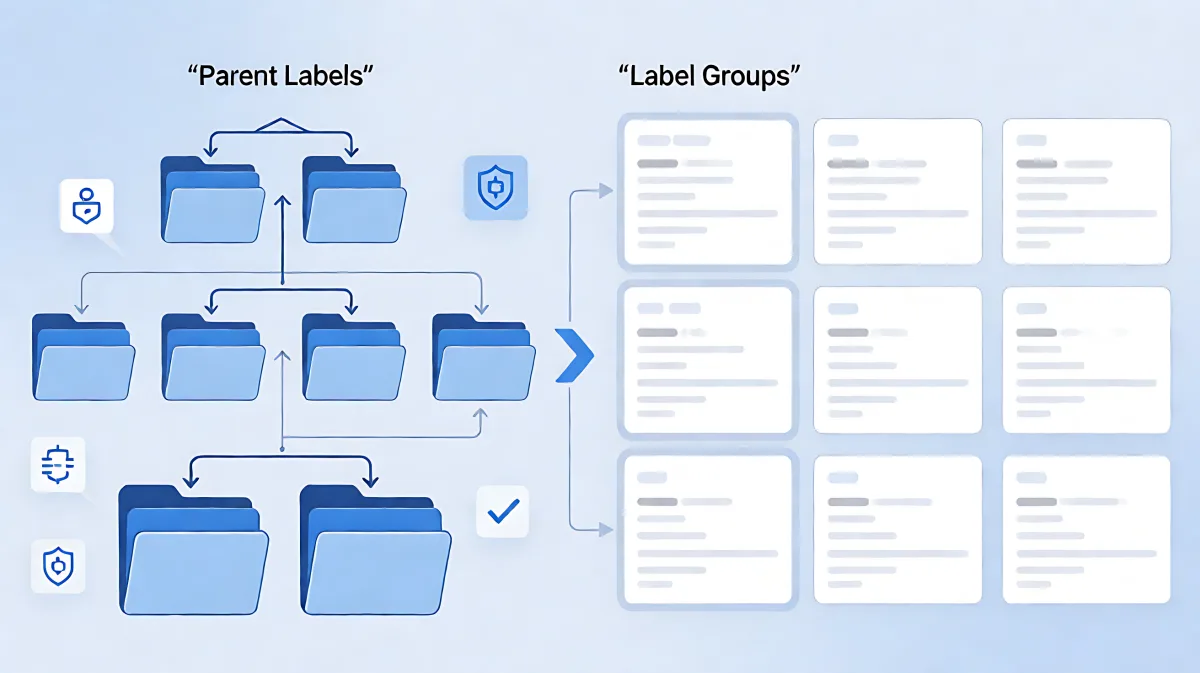
Microsoft is shifting sensitivity label management from parent hierarchies to flat label groups. This guide explains the automatic and manual migration processes, the risks involved, and how third-party tools help preserve data security during tenant moves.
Microsoft Purview is replacing hierarchical parent sensitivity labels with a flatter, simpler label group structure to reduce deployment complexity. For tenants created after October 1, 2025, this migration occurs automatically. Existing organizations must manually migrate via the Purview portal or use third-party tools that preserve label integrity during data transfers.
What is the migration to label groups?
Previously, Microsoft organized sensitivity labels in a two-tier hierarchy using parent labels. This structure allowed for complex sub-labeling but introduced significant management overhead. To simplify this, Microsoft Purview introduced label groups. These groups are containers that support only four settings: name, description, color, and priority. They do not support the advanced encryption or content marking configurations that parent labels could previously hold.
The shift aims to make information protection easier to deploy across Microsoft 365. By removing the complex parent-child relationships, administrators can manage labels more directly. This change is part of a broader modernization of the Purview service, designed to streamline how organizations classify and protect sensitive data.
When does automatic migration occur?
Not every organization needs to perform manual migration steps. Microsoft has established specific criteria for when the system handles the transition automatically:
- New Tenants: Any Microsoft 365 tenant created on or after October 1, 2025, will use the modern label scheme by default. There is no legacy parent label structure to migrate from.
- Irrelevant Parent Labels: If your existing parent labels do not have applicable sub-labels that would create naming conflicts or require specific retention of the parent as a standalone label, the migration may proceed automatically without user intervention.
For most established organizations, however, the migration is a planned event. You will see an information banner in the Purview portal indicating that your tenant is ready for the transition.
What are applicable parent labels?
Before migration, it is critical to identify "applicable parent labels." These are parent labels that are currently in use as standalone labels within your publishing policies. If a parent label has specific configurations—such as encryption, auto-labeling rules, or a unique scope that differs from its sub-labels—it is considered applicable.
If you have applicable parent labels, the migration process creates a new sub-label with the same name, GUID, and settings as the original parent label. This ensures that users and services that relied on the parent label as a standalone option continue to function without interruption. However, it also means you may end up with redundant labels. You can choose to keep these new sub-labels published or unpublish them manually or via PowerShell scripts after the migration is complete.
How do you perform manual migration in the Purview portal?
For tenants where the automatic process does not apply, administrators can migrate labels manually through the Microsoft Purview portal. The process is designed to be visual and reversible during the review phase.
- Navigate to Sensitivity Labels: Sign in to the Microsoft Purview portal, go to Solutions > Information Protection > Sensitivity labels.
- Initiate Migration: Look for the banner titled "Migrate to the modern label scheme." Click "Get started."
- Review the New Scheme: A flyout pane will display a summary of your current labels and how they will look post-migration. You can view a side-by-side comparison to identify naming conflicts. For example, if you have a parent label named "General" and a sub-label also named "General," you must resolve this conflict before proceeding.
- Download and Verify: You can download a CSV report of the proposed changes to audit your label structure before finalizing the migration.
Microsoft strongly recommends testing this process in a test tenant that mirrors your production environment. The migration itself is irreversible, so verifying the impact on your information protection policies is essential.
How does third-party tooling assist with label preservation?
While migrating your label structure within a single tenant is a configuration task, moving actual data between tenants or sites presents a different challenge. Standard file copy operations often strip sensitivity labels, leaving files unprotected and creating compliance gaps.
Tools like ShareGate have integrated Microsoft Information Protection (MIP) APIs to address this. When migrating content in Microsoft 365, these tools do not just copy the file; they map the sensitivity label, encryption keys, and permissions from the source to the destination. This ensures that a file labeled "Confidential - HR" in the source tenant lands in the destination tenant with the same protection status.
The workflow for using such tools typically involves:
- Automated Mapping: The tool detects labels by their GUID. If a label is renamed between tenants (e.g., "Internal" to "Internal Use Only"), the tool can map them based on underlying GUIDs or protection levels to prevent misclassification.
- Hierarchical Integrity: The system respects the hierarchy, ensuring that sub-labels are mapped to the correct parent or group in the destination, preventing accidental downgrading of security.
- Single-Click Execution: Administrators check a "Preserve sensitivity labels" option, and the tool handles the complex API interactions in the background.
This capability is crucial for organizations undergoing tenant consolidation or moving away from on-premises systems, as it reduces the manual effort required to re-apply security policies post-migration.
What are the risks of ignoring label migration?
Failure to properly migrate or preserve labels creates significant operational and legal risks:
- Compliance Gaps: If labels are lost, encryption may be broken, and content could be exposed to unauthorized users. This is a critical issue for industries regulated by GDPR, HIPAA, or SOX.
- AI Security Risks: Microsoft Copilot relies on sensitivity labels to determine what data it can access and process. If labels are missing or incorrect, Copilot may surface sensitive information in responses, leading to data leaks.
- Operational Drag: IT teams spend significant hours manually re-labeling files after migration. This not only delays projects but also increases the risk of human error in security configurations.
Is the migration fully irreversible?
Yes, within the native Microsoft Purview platform, migrating parent labels to label groups is a one-way process. You cannot revert to the old parent label hierarchy. Therefore, testing in a non-production environment is a best practice.
FAQ
Do label groups support encryption settings?
No. Label groups in the modern scheme only support name, description, color, and priority. The actual protection settings, such as encryption and content marking, must be applied to the individual labels within the group, not the group itself.
What happens to the label GUID during migration?
The GUID of the original parent label is preserved and assigned to the new sub-label created during migration. This ensures that backend services and PowerShell scripts that reference the label by GUID continue to function without breaking.
Can I use PowerShell to automate the cleanup of redundant labels?
Yes. After migrating, you can use Security & Compliance PowerShell scripts to identify and unpublish sub-labels that were created from applicable parent labels if you decide they are no longer needed as standalone options.
Why is preserving labels important for AI features like Copilot?
Copilot uses sensitivity labels to enforce data boundaries. If a document is labeled "Confidential," Copilot is restricted from using that data in its responses to unauthorized users. Preserving these labels during migration ensures that your AI assistant remains secure and compliant with your organization's data access policies.