Best Medical Alert Systems for Dementia
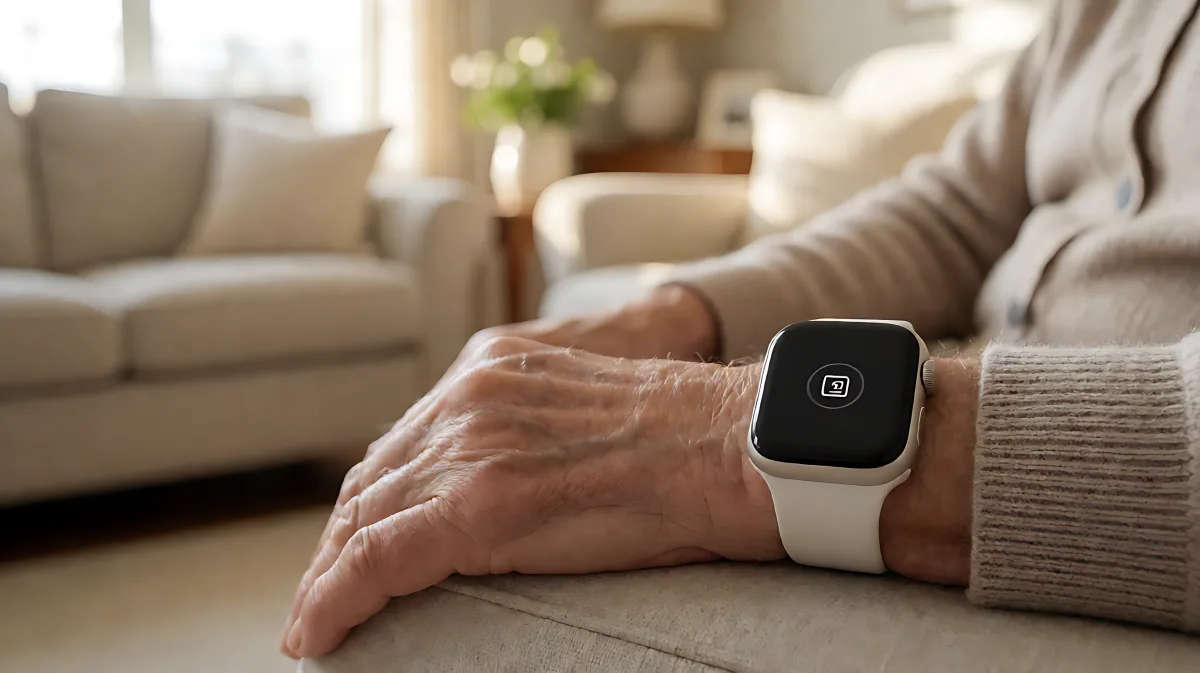
Selecting the right medical alert system for a loved one with dementia requires balancing GPS tracking, ease of use, and transparent pricing. This guide outlines key features and costs to help you make an informed decision.
When selecting a medical alert device for an individual with dementia, prioritise systems with automatic fall detection and GPS tracking for outdoor safety. Choose providers offering 24/7 professional monitoring to bridge communication gaps during cognitive crises. According to recent consumer reviews, average monthly costs range from £30 to £60, excluding potential equipment fees.
Why Dementia Changes Medical Alert Needs?
Standard medical alert systems often assume the user can clearly articulate their emergency. For those with Alzheimer's or other dementias, this assumption is dangerous. Cognitive decline can impair the ability to explain symptoms or follow complex instructions from a call centre. Therefore, the device must do more than just relay a voice message; it must actively locate the user and dispatch help even if the wearer is unconscious or confused.
Many families assume that a basic pendant is sufficient for home safety. In fact, individuals with dementia are at a significantly higher risk of wandering and getting lost, making GPS-enabled mobile systems or smartwatches far more critical than in-home-only pendants. The American Alzheimer's Association highlights that wandering is a primary safety concern, making location tracking a non-negotiable feature for many care plans.
What Specific Features Should You Prioritise?
Not all features carry the same weight when dementia is involved. While water resistance and battery life are standard, certain capabilities are vital for cognitive care:
- Automatic Fall Detection: Users may not have the physical strength or cognitive awareness to press the button after a fall. Sensor-based detection alerts monitoring centres automatically.
- GPS Tracking: Essential for preventing wandering. The device should provide real-time location data to caregivers and emergency services.
- Simplicity of Interface: A single, large button is often better than complex smartwatch menus. The device should require minimal interaction to function.
- Professional Monitoring: Avoid non-monitored systems that only alert family members. Trained specialists can dispatch police or ambulance directly if the user is found wandering.
How Much Does a Suitable System Cost?
Understanding the true cost prevents sticker shock and helps you evaluate value. Prices vary by region and provider, but Caring.com’s 2026 medical alert hub notes that the advertised base rate is rarely the final price. You must account for add-ons and equipment fees.
Typical cost structures include:
| Component | Estimated Cost Range | Notes |
|---|---|---|
| Monthly Monitoring | $30 - $60 | Covers 24/7 support and basic device rental |
| Fall Detection Add-on | $5 - $15 | Often excluded from base price; check provider terms |
| GPS/Cellular Usage | Included - $10 | Some plans charge extra for mobile data |
| Equipment Fees | $0 - $200 | One-time activation or leasing charges |
According to AARP consumer guidance, always verify whether the monthly fee includes the device or if there is a separate hardware lease. Some providers offer promotional discounts for annual billing, but it is crucial to read the cancellation and refund policies carefully. Prepaid plans often have strict no-refund clauses, so understand the commitment before signing.
What Steps Should You Take Before Purchasing?
Buying a medical alert system is a significant care decision. Follow this checklist to ensure the device fits the user's specific needs and lifestyle:
- Assess Daily Routine: Determine if the user stays mostly at home or goes out frequently. A stay-at-home senior may benefit from a long-range in-home system (often covering 800 feet), while an active wanderer needs a cellular GPS device.
- Check Battery Life: For mobile devices, confirm how long the battery lasts on a single charge. If the user cannot manage a daily charging routine, look for devices with extended battery life or charging stations placed in obvious locations.
- Test the Fit: Ensure the device is comfortable enough to wear all day. If the user resists wearing a pendant, try a watch-style option that mimics a regular smartwatch.
- Verify Emergency Contacts: Load the list with reliable local contacts. Ensure the monitoring centre has the user’s medical history, including specific dementia diagnoses and any medication allergies.
- Confirm Language Support: If the user or family members speak a language other than English, ask if the monitoring centre offers multilingual support. Some premium services provide assistance in over 140 languages.
Common Mistakes and Misconceptions
A frequent misconception is that a smartwatch can fully replace a dedicated medical alert system. While many 2026 smartwatches offer emergency SOS features, they often lack the specialised integration with professional medical monitoring centres required for dementia care. A standard smartphone call may not trigger a rapid emergency response if the user is too confused to dial, whereas a dedicated medical alert button bypasses this barrier.
Another common error is ignoring the 'lost device' policy. In dementia care, it is not uncommon for a user to remove the device or lose it during a wandering episode. Before purchasing, ask the provider what happens if the device is lost or stolen. Some providers offer replacement units at no extra cost, while others may charge significant fees. This logistical detail is critical for maintaining uninterrupted protection.
FAQ
Do medical alert systems work if the user forgets to charge them?
No, most mobile devices require regular charging. However, some providers offer in-home base stations that can serve as charging docks, and many systems send alerts to caregivers if the device has not checked in for a set period, prompting them to check on the user.
Can a medical alert system stop a dementia patient from leaving the house?
No, the device does not restrict movement. It tracks location. If the user crosses a predefined 'safe zone' or geofence, the system can alert caregivers, allowing them to intervene or guide emergency services to the individual.
What is the difference between monitored and unmonitored systems?
Monitored systems connect to a 24/7 professional call centre that can dispatch emergency services. Unmonitored systems only send alerts (via text or app) to pre-selected personal contacts. For dementia care, monitored systems are strongly recommended because they provide professional assessment and rapid response.
Are there government grants for medical alert devices?
In the US, some states offer small grants or tax deductions for medical alert systems, often categorised under medical expenses. In the UK, while there is no universal national grant, local councils may provide support through Adult Social Care assessments if the device is deemed essential for independent living.