Bank Phishing Self-Audit for Retirees: Spot Gaps
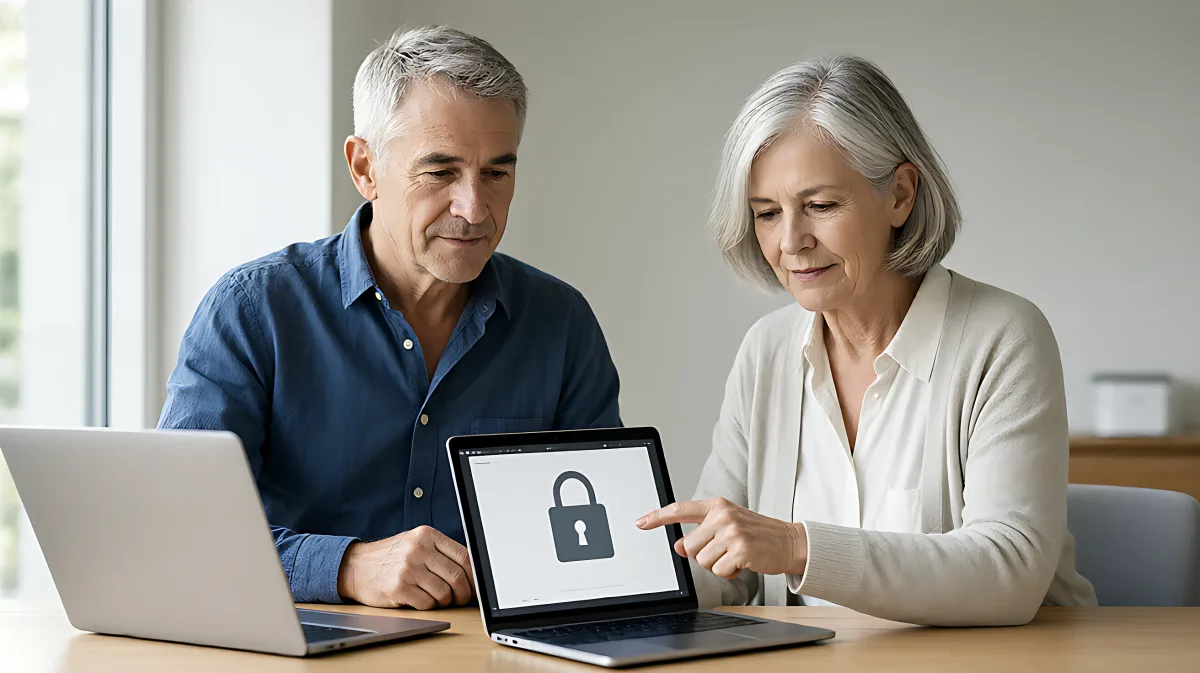
Active retirees with multi-account portfolios often face unique security risks. This guide provides a step-by-step method to audit your digital footprint, identify phishing vulnerabilities, and verify that your two-factor authentication settings are actually effective against modern AI-driven attacks.
Retirees face rising phishing risks, with global data breach costs hitting $4.99 million in 2026. To protect multi-account portfolios, run a targeted self-assessment. Check your two-factor authentication methods, review recent login activity, and verify that your bank uses real-time fraud monitoring. This audit helps you spot institutional gaps before attackers exploit them.
Why Your Digital Footprint Needs a Targeted Audit
For active retirees managing diverse portfolios, security is not just about passwords. It is about understanding how your bank’s systems interact with modern attack vectors. According to IBM, the global average cost of a data breach reached $4.99 million in 2026, while AI-driven attacks increased by 56%. These figures signal a shift in threat sophistication. Attackers no longer rely on simple guesswork; they use automated scripts and social engineering to bypass traditional controls.
Many families assume that enabling two-factor authentication (2FA) creates an impenetrable wall. In fact, 2FA is often just a signal, not a complete defense. Hackers can use real-time phishing to capture one-time codes as they are entered. If your bank does not layer behavioral analytics on top of 2FA, you remain vulnerable to account takeovers that drain funds in minutes.
How Modern Phishing Attacks Bypass Basic Security
Attackers now use a predictable chain of deception. They begin with reconnaissance, harvesting email addresses from data breaches or social media. Then, they craft emails that mimic your bank’s branding perfectly. The goal is to trigger fear and urgency, prompting you to click a link that leads to a fake login page. Once you enter your credentials, the attacker captures them. They may then call you pretending to be bank security, asking for your verification code. If you provide it, they gain full control of your account.
This process is fast. Fraudsters can transfer money via wire, ACH, or Zelle before you notice the anomaly. The speed of these attacks means that standard fraud recovery processes often fail. Funds are moved to money mule accounts or converted to cryptocurrency, making them nearly impossible to recover. Understanding this timeline is essential for protecting your assets.
Red Flags in Banking Communications
Developing the skill to spot these signs is your first line of defense. You must look beyond the display name in an email. A legitimate bank will never ask you to verify your identity via a link sent in an unsolicited email. They will also never request your Social Security number, account number, or credit card details over email or phone. These requests are immediate indicators of a scam.
- Urgent language: Phrases like "Act now or your account will be closed" are designed to bypass your critical thinking.
- Generic greetings: Look for "Dear Valued Customer" instead of your actual name. Real banks know who you are.
- Suspicious sender addresses: Hover over links and check the domain. If it says "secure-your-bank.com" instead of your official bank domain, do not click.
- Attachments: Legitimate banks rarely send attachments in security alerts. Downloadable files in such emails are almost certainly malicious.
Running Your Own Security Self-Assessment
You can run a targeted audit of your digital footprint by following these steps. This checklist helps you identify gaps in your bank’s defenses and in your own habits.
- Verify 2FA methods: Log into your bank’s security settings. Ensure you are using an authenticator app or hardware key rather than SMS. SMS is less secure and can be intercepted via SIM swap attacks.
- Review login history: Check your recent activity logs. Look for failed login attempts or logins from unrecognized devices or locations. These are signs of reconnaissance attacks where hackers test your credentials.
- Check device permissions: Review which devices are currently trusted. Remove any devices you do not recognize or no longer use.
- Test the link: Open your bank’s website by typing the URL directly, not through an email link. Compare the security features offered on the official site with what you see in suspicious emails.
- Confirm transaction alerts: Ensure you have enabled real-time alerts for large transactions. This provides an early warning system if an attacker manages to access your account.
Understanding Institutional Defense Gaps
Not all banks use the same technology. Some rely on static checkpoints, while others use continuous defense models. You should inquire about your bank’s fraud detection capabilities. Ask if they monitor authenticated devices for risk signals. Advanced systems use behavioral analytics to detect anomalies, such as unusual paste actions in token fields. Quantexa notes that effective detection combines automation with expert oversight. If your bank only uses basic rule-based monitoring, you may face higher risk.
| Security Layer | Basic Defense | Advanced Defense |
|---|---|---|
| Authentication | SMS codes | Hardware keys or biometric app |
| Monitoring | Static rules | Real-time behavioral analytics |
| Response | Manual review | Automated blocking and alerts |
| Data Sharing | Internal only | Integrated fraud intelligence network |
This comparison highlights why you must be an active participant in your security. A basic defense layer may fail against sophisticated attacks. An advanced defense layer uses data from multiple channels to predict and prevent fraud before it happens.
Correcting Common Security Misconceptions
Many retirees assume that if they never click on a link, they are safe. In reality, attackers use multiple vectors. They can use malware that is not linked to phishing emails, or they can use SIM swap attacks to intercept SMS codes. They may also use social engineering calls to trick you into giving information. Your security depends on a multi-layered approach. You must verify the source of every request for information. Never provide credentials or codes based on an incoming call or email. Always initiate the contact yourself by calling the number on the back of your card.
Another common mistake is ignoring the "gray zone" of authentication. Hackers trigger 2FA challenges but do not complete them, blending into legitimate patterns over days. If your bank does not monitor these incomplete challenges, it creates a detection gap. You should ask your bank if they track failed or repeated authentication attempts as part of their fraud detection engine.
Next Steps for Financial Protection
Protecting your portfolio requires ongoing vigilance. Review your accounts quarterly. Update your security settings if your bank offers new options. Educate any family members who assist with your finances on these red flags. By understanding the mechanics of modern phishing, you move from a passive target to an active defender of your assets.
This article is for general information only and is not a substitute for professional medical advice, diagnosis, or treatment. Always consult a qualified clinician about your situation.
Frequently Asked Questions
Is SMS-based two-factor authentication safe for retirees?
No. SMS-based 2FA is vulnerable to SIM swap attacks and interception. It is safer to use an authenticator app or a hardware security key, which are not easily intercepted by telecom providers.
How often should I review my bank's login history?
You should review your login history monthly. Look for devices, locations, or times that do not match your normal routine. This helps you spot reconnaissance attempts early.
What should I do if I receive a suspicious email from my bank?
Do not click any links or download attachments. Forward the email to your bank’s official phishing report address. Then, log into your account by typing the web address directly to check for any unauthorized changes.
Do all banks use AI to detect fraud?
Not all banks use the same level of AI. Some use basic rule-based systems, while others use advanced machine learning. You can check your bank’s security page or call their support line to ask about their specific fraud detection capabilities.
How can I verify if my bank is monitoring authenticated devices?
Contact your bank’s security team and ask if they monitor trusted devices for behavioral anomalies post-login. If they do not, consider moving your high-value accounts to an institution with more robust real-time monitoring.