Accessible Technology for Seniors: A 2026 Guide
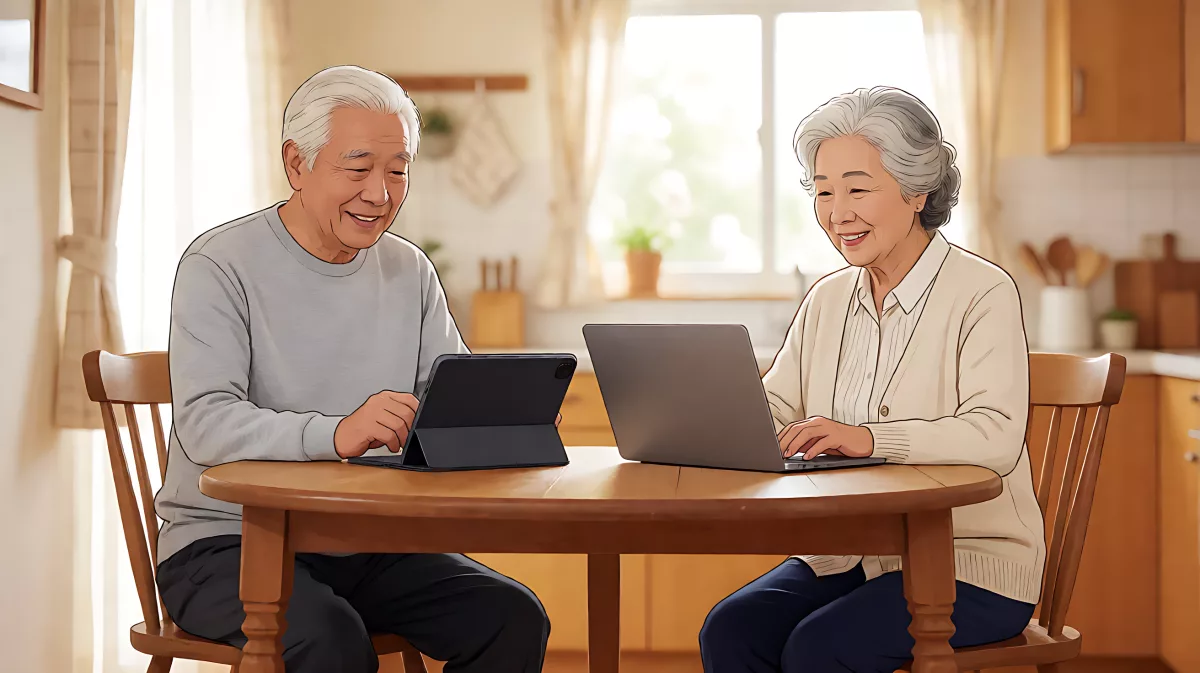
Technology is no longer just for the young. From simple video-calling devices to customizable computer settings and safe fitness gear, here is how seniors can stay connected and active.
Accessible technology for seniors combines simple, large-button devices with built-in operating system features to reduce loneliness and improve daily independence. By using senior-specific tablets, customized Windows settings, and joint-friendly fitness equipment, older adults can stay connected to loved ones and maintain physical health with minimal friction.
Why are seniors struggling with technology access?
Loneliness among older adults is a critical public health issue. Data from the Campaign to End Loneliness indicates that half a million older people in the UK spend five to six days a week without seeing or speaking to anyone. In England, Age UK estimates that 1.4 million older people experience chronic loneliness. Technology offers a bridge to close this gap, but standard devices often present barriers such as small touchscreens that do not register dry fingertips well or complex interfaces that overwhelm users.
What devices are designed specifically for older adults?
Several manufacturers have created hardware tailored to the sensory and motor needs of people aged 75 and older. These devices prioritize simplicity over raw processing power.
Which senior-friendly tablets are available?
GrandPad is a popular option, featuring an eight-inch touch-sensitive screen designed to be more responsive to drier skin, a common characteristic of aging. The device includes one-touch buttons for video conferencing and access to 24/7 support. Families can create a secure social network on the device, ensuring that only approved contacts can communicate, share photos, or send emails. In the UK, GrandPad is available on lease with no long-term contracts. KOMP, developed by No Isolation, takes a different approach by using a large 17-inch screen and a single physical button instead of a touchscreen. This design accommodates users over 80 who may find tactile buttons more intuitive. KOMP works as a receiving device, allowing family members to initiate video calls via a mobile app.
Are mainstream smart displays suitable for seniors?
Mainstream devices like the Amazon Echo Show and Meta Portal offer video calling and voice control features. The Echo Show 10, for instance, includes a rotating screen that follows the user and supports group video calls for up to eight people. Meta Portal devices use AI cameras to pan and zoom on the speaker, enhancing the quality of remote conversations. While these devices offer more functionality, they can be harder to learn compared to dedicated senior tech.
How can seniors adapt their computers for better accessibility?
For those using standard Windows laptops or desktops, built-in accessibility tools can transform the user experience. Microsoft Windows 11 includes several features that make navigation easier for seniors with visual or motor impairments.
Which Windows 11 settings help seniors the most?
Seniors can adjust the display settings to increase text size and use the Magnifier tool, which enlarges parts of the screen for clearer viewing. The Narrator feature reads on-screen text aloud, activated by a simple keyboard shortcut. High contrast mode improves visibility for users with low vision, while Sticky Keys helps those with limited dexterity by allowing sequential key presses instead of simultaneous ones. Additionally, the Microsoft Copilot AI assistant can handle everyday tasks like setting medication reminders, managing appointments, and creating shopping lists, reducing the cognitive load on the user. Windows Hello allows for password-free login via facial recognition or fingerprint, which is easier to remember than complex text passwords.
How do caregivers support seniors through software?
Creating a family account in Windows security settings allows caregivers to manage device settings and assist remotely. This feature streamlines support and ensures that seniors can receive help without needing to explain complex technical issues. Regular system updates also ensure that security features are current, protecting seniors from online threats.
Does technology extend to physical wellness for seniors?
Staying physically active is crucial, but traditional gym equipment can be intimidating or unsafe for older adults. HUR, a manufacturer of pneumatic strength and cardio equipment, designs products specifically for senior living communities and rehabilitation centers.
Why is pneumatic resistance better for seniors?
Pneumatic resistance technology uses air power instead of weight stacks, providing a smooth, consistent load throughout the range of motion. This eliminates the inertia that can strain joints and ligaments, making it safer for individuals with arthritis or limited mobility. HUR equipment features near-zero starting loads and allows adjustments in one-tenth of a pound increments, enabling users to build strength gradually. SmartTouch technology in these machines allows users to scan an RFID card to automatically load personalized workout programs and track progress, reducing the need for manual configuration.
Case studies from senior living facilities show significant improvements in engagement. At one Massachusetts facility, fitness directors reported a 75 percent increase in resident usage of the gym after installing HUR equipment, with residents completing full strength circuits in just 15 minutes. Management also reported saving an average of 56 hours of staff time per week due to the automation of attendance tracking and program loading.
FAQ
What is the easiest technology for a lonely senior to use?
Devices like KOMP or GrandPad are ideal because they are designed with minimal buttons or intuitive touchscreens. They limit social interactions to a trusted list of contacts, reducing the risk of fraud and confusion. These devices make video calling as easy as pressing one button.
Can I adjust my computer to look larger for my aging eyes?
Yes. In Windows 11, you can go to Settings, select System, then Accessibility, and adjust the Text size slider. You can also enable High Contrast mode under the same menu to make text and icons easier to see against the background.
Is heavy weight lifting safe for seniors?
Traditional weight lifting can be risky due to inertia and joint stress. Pneumatic equipment, such as that offered by HUR, is safer because it provides smooth resistance without the jolt of lifting heavy plates. It is designed to be joint-friendly and accessible for people with limited mobility, including wheelchair users.
Do I need to buy expensive devices to help my parents stay connected?
No. Many mainstream devices like the Amazon Echo Show or Meta Portal offer robust video calling features at a fraction of the cost of dedicated senior tech. Additionally, free software updates on Windows and Android can significantly improve accessibility for existing devices.