Wearable Tech for Social Isolation
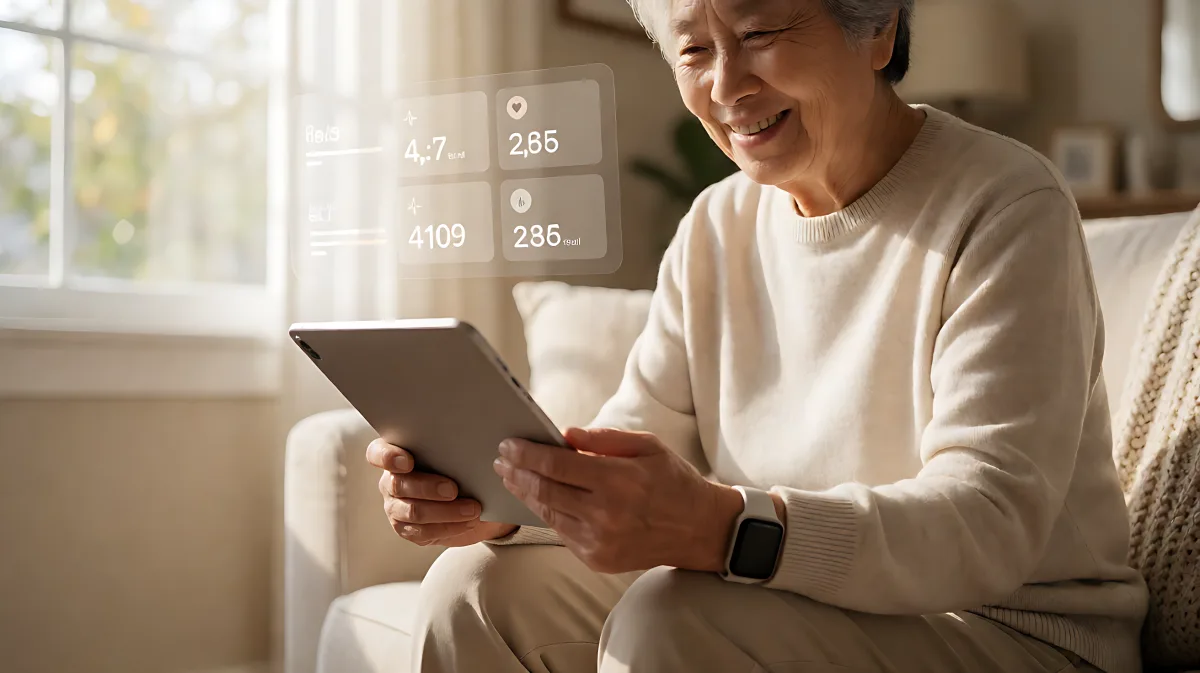
Social isolation is a public health crisis. Learn how 2026 wearable technologies and automated check-in systems are transforming senior care by turning data into human connection.
Wearable technology now actively fights social isolation by monitoring engagement patterns and automatically triggering community check-ins when seniors stop interacting. Recent data from 2026 shows that consistent digital connection significantly lowers the risk of loneliness, turning passive devices into active social advocates for older adults.
Why Digital Connection Is Critical for Senior Health
Many families assume that social isolation is merely an emotional inconvenience, but in fact, it is a physiological threat comparable to smoking 15 cigarettes a day. The health burden is significant. According to data from the National Health and Aging Trends Study, older adults who lack access to or use of communication technologies face a markedly higher risk of social isolation compared to those who stay connected. In 2026, the landscape has shifted from simple alert buttons to sophisticated ecosystems that monitor not just heart rate, but social vitality.
The concept of 'social vital signs' is emerging. Just as blood pressure indicates heart health, the frequency of phone calls, text messages, and in-person visits indicates social health. Newer devices and apps, such as those highlighted in 2026 industry reviews, integrate these metrics. When a device detects a drop in social engagement or a missed wellness check-in, it can prompt a neighbor, family member, or community worker to reach out. This shifts the care model from reactive to proactive.
How Many Seniors Are At Risk?
The prevalence of isolation among community-dwelling adults aged 65 and older remains a critical challenge. While specific 2026 longitudinal studies are still emerging, the trend observed in large-scale questionnaire data involving thousands of participants confirms that technology access is a strong protective factor. For every additional hour of digital or in-person social interaction, the risk of severe isolation decreases. This makes wearable tech a public health tool, not just a personal convenience.
How Wearables Trigger Community Check-Ins
Modern wearables and companion apps use a combination of GPS, accelerometer data, and user-defined 'wellness windows' to detect isolation. Here is how the process works in a typical 2026 setup:
- Baseline Establishment: The device learns the user's normal routine, including when they usually take a walk, call a friend, or leave the house.
- Missed Check-In Detection: If the user does not manually tap 'I am OK' or if their movement patterns show unusual stagnation, the system flags a potential issue.
- Automated Outreach: The system sends a notification to a designated contact list—family, neighbors, or a community care coordinator—prompting a call or visit.
- Fall and Safety Context: If the alert is triggered by a fall or sudden inactivity, the device provides GPS location and vital signs to responders, ensuring they know the physical state of the senior before arriving.
This integration means that a missed social appointment or a quiet weekend at home is no longer invisible. It becomes a data point that invites human intervention.
What Are the Best Technologies for Social Engagement?
Not all wearables are designed for social health. Many focus solely on medical alerts. In 2026, the most effective tools are those that blend safety with social connection. For example, specialized apps now allow for 'round-robin' calling, where if the senior does not answer a check-in, the system tries the next contact on a list until a human connection is made. Some platforms even integrate with community groups, allowing neighbors to view anonymous, aggregated data about who in their block has been inactive for three days, fostering a 'digital watch party' without invading individual privacy.
| Feature | Traditional Medical Alert | 2026 Social-Integrated Wearable |
|---|---|---|
| Trigger | Physical button press or fall impact | Missed social check-in, inactivity, or fall |
| Response | Emergency call center | Family, neighbor, or community coordinator |
| Data Focus | Biometrics (Heart Rate, SpO2) | Social Vitals (Call frequency, GPS movement, App usage) |
| Cost Model | Monthly hardware subscription | App subscription, often bundled with community care services |
Benefits of Tech-Enabled Community Care
The benefits extend beyond safety. Studies published in geriatric journals confirm that regular use of communication technologies reduces the risk of depression and improves overall quality of life. For care providers, these tools help manage resources. By identifying at-risk individuals early, community programs can offer targeted support, such as transportation to a senior center or a meal delivery service, rather than waiting for a crisis to escalate.
How Do You Choose the Right System?
When selecting a technology solution for a senior loved one, look for platforms that prioritize dignity and connection. Avoid devices that feel stigmatizing or overly restrictive. The best systems are discreet, easy to use, and offer robust communication features. Consider the following actionable checklist to ensure the tech supports genuine connection:
- Verify Social Features: Does the app allow for easy daily check-ins or automated calls? If not, it may only serve as a safety net, not a social tool.
- Check Contact Flexibility: Can you add multiple contacts, including neighbors and community volunteers? Single-point-of-failure systems are risky.
- Assess GPS Accuracy: Ensure the device provides location data so responders know where the senior is, especially if they have mobility challenges.
- Review False Positive Rates: High false alarm rates lead to 'alert fatigue,' where contacts stop answering. Choose systems with AI-tuned sensors that reduce unnecessary pings.
- Confirm Data Privacy: Understand how social data is handled. It should be shared only with consented contacts, not sold or broadly exposed.
Common Mistakes Families Make With Senior Tech
A frequent error is assuming that a medical alert pendant is sufficient for preventing loneliness. Many families believe that if their relative has a button to call for help, they are 'covered.' However, in fact, medical alerts only activate during emergencies. They do not monitor the daily social rhythm that prevents isolation. A senior who feels disconnected will not necessarily press a button; they will simply stop engaging. Tech-enabled community check-ins address this gap by monitoring the absence of connection itself.
Another misconception is that technology replaces human interaction. On the contrary, the most successful programs use technology to facilitate human contact. The device sends the alert; the neighbor makes the call. The goal is to lower the barrier to entry for community involvement, making it easy for well-meaning people to check in without knowing exactly when to do so.
FAQ
Do wearable techs actually reduce social isolation?
Yes. Data from large-scale studies indicates that regular use of communication technologies is associated with a lower risk of social isolation in older adults. By enabling consistent contact with family and friends, these tools help maintain social networks that might otherwise weaken.
What is the difference between a medical alert and a social check-in system?
A medical alert is reactive, triggering only after a fall or button press. A social check-in system is proactive, monitoring daily habits and sending alerts when a senior misses a routine social interaction, allowing for early intervention before a crisis occurs.
Can neighbors be part of a tech-enabled care circle?
Absolutely. Many 2026 platforms allow users to add community contacts, such as neighbors or local volunteers, to their check-in lists. This creates a distributed support network that leverages community strength rather than relying solely on family or paid care.
Are these systems difficult for seniors to use?
Modern designs focus on usability. Most operate via simple taps or voice commands on a smartphone or smartwatch. The complexity is hidden in the backend, allowing the senior to focus on the human interaction rather than the technology itself.