Voice-Activated Home Automation for Independent Living
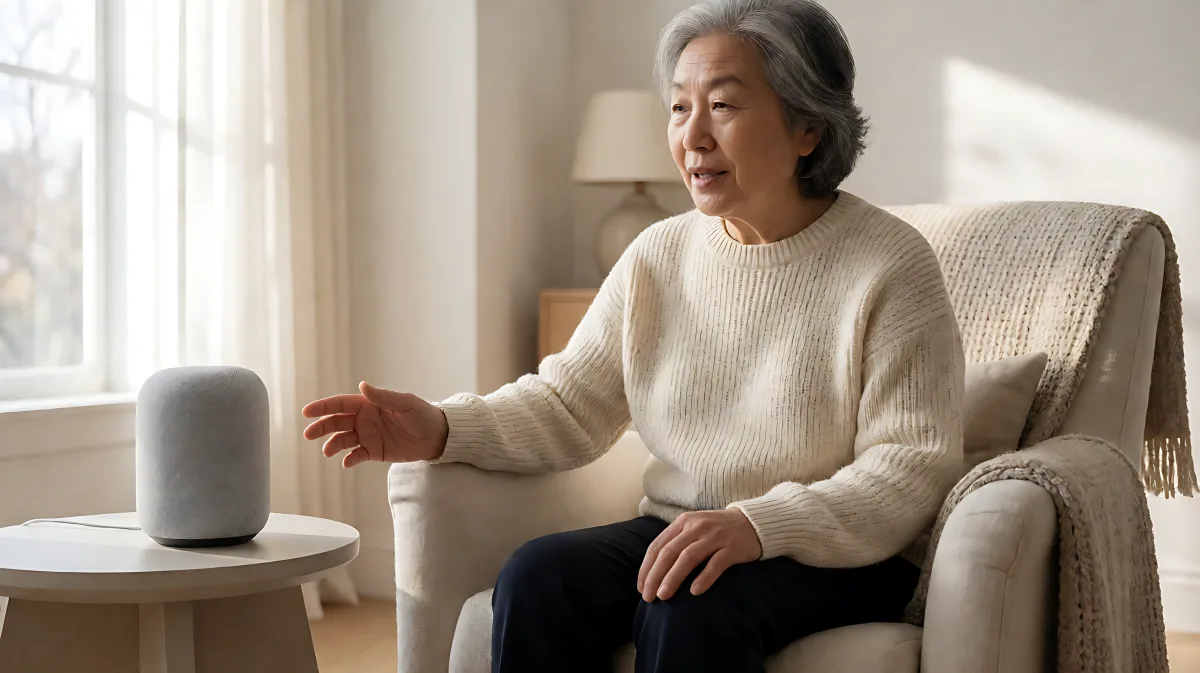
For those with limited mobility, voice-controlled smart home devices are no longer a luxury but a vital tool for independence. This guide covers essential setups, from smart speakers to emergency alerts.
Voice-activated home automation has become a cornerstone of independent living for many people with mobility restrictions. By utilizing smart speakers and connected devices, individuals can control their environment without physical exertion. In 2026, these systems are more accessible and reliable than ever, allowing users to manage lighting, temperature, and security through simple spoken commands. This technology reduces fall risks and enhances daily comfort for those with chronic pain, age-related limitations, or disabilities.
Why voice control is essential for limited mobility
Living independently often requires navigating obstacles that limit physical movement. Voice technology removes the need to reach for switches, bend down to adjust thermostats, or walk long distances to operate appliances. For individuals recovering from surgery or managing chronic conditions, this hands-free approach preserves dignity and reduces the strain of daily tasks.
- Hands-free management of lights, heating, and entertainment systems.
- Immediate access to emergency help without reaching for a phone.
- Reduced physical strain, which helps prevent fatigue and falls.
According to the AARP, a majority of older adults prefer to age in place, meaning the home must be adapted to support their needs. Voice-controlled devices are one of the most effective ways to keep a standard home functional and safe.
What are the core devices for an accessible smart home?
Building a voice-controlled home does not require rewiring the entire house. It starts with a central hub and connects to peripheral devices. The most effective setup in 2026 typically includes a smart speaker, smart lighting, and a smart thermostat.
Smart speakers as the command center
Devices like the Amazon Echo and Google Nest Hub serve as the brain of the operation. They interpret commands and trigger actions across the network. For users with mobility restrictions, these devices offer a voice interface to the entire home. They can make phone calls, set medication reminders, and provide news or music, reducing feelings of isolation.
Smart lighting for safety and visibility
Darkness is a major fall risk. Voice-controlled smart bulbs, such as Philips Hue, allow users to turn on lights, dim them, or change colors without moving from their chair or bed. This is particularly useful at night, where the risk of tripping on furniture or rugs is highest. Users can command, "Turn on the hallway lights," and illuminate the path instantly.
Smart thermostats for comfort
Adjusting room temperature should not require physical effort. Smart thermostats from Google Nest or Ecobee allow users to say, "Set the temperature to 72 degrees," ensuring comfort throughout the day. This is especially beneficial for people with circulation issues who are sensitive to temperature changes.
| Device Category | Primary Benefit | Key Use Case |
|---|---|---|
| Smart Speaker | Central Control | Emergency alerts and reminders |
| Smart Lighting | Fall Prevention | Automatic night lighting |
| Smart Thermostat | Comfort | Automated temperature zones |
| Smart Plugs | Appliance Control | Turning on fans or lamps |
How do these systems handle emergencies?
Safety is the top priority for independent living. Voice assistants can be programmed to dial emergency services or call a caregiver if the user says a specific phrase, such as "Help" or "Emergency." Some advanced systems integrate with fall-detection sensors. If a fall is detected, the system can automatically call for help even if the user is unable to speak. This provides a critical layer of protection for those living alone.
Additionally, voice commands can lock and unlock doors. For individuals with arthritis or limited hand dexterity, voice-activated smart locks eliminate the fiddling with keys or handling heavy mechanical locks. The user simply states a command to secure the home, adding peace of mind to the daily routine.
What are the challenges of voice recognition?
While technology has advanced significantly, voice recognition is not perfect. Background noise, such as a television or construction outside, can sometimes interfere with commands. Users with speech impediments or strong accents may also face difficulties.
To mitigate these issues, it is important to choose systems that offer custom voice profiles. These profiles can learn individual speech patterns and adjust sensitivity. Placing smart speakers in clear, unobstructed locations also improves accuracy. It is recommended to test the system in various rooms to ensure consistent performance before relying on it for critical tasks.
How to set up a voice-controlled home
Starting small is the best approach. Begin with a smart speaker and one or two high-impact devices, such as lighting in the main living area or the bathroom.
- Connect the devices to the same Wi-Fi network.
- Pair the speaker with the devices using the manufacturer's app.
- Create simple routines. For example, a "Good Night" command that turns off all lights and locks the doors.
- Teach caregivers or family members how to assist with troubleshooting if needed.
Occupational therapists are often valuable resources in this process. They can assess the specific needs of the individual and recommend which devices and placements will offer the greatest benefit. The Rehabilitation Engineering and Assistive Technology Society of North America (RESNA) also offers guidelines for selecting assistive technology that aligns with personal goals.
What about privacy concerns?
Many users worry about what their voice assistants record. In 2026, most major providers offer settings to review and delete audio recordings. Users can also choose to have a physical microphone switch on their smart speaker to ensure no data is being collected when they are not using the device. Transparency in data practices is becoming a standard expectation for consumers.
Can smart plugs help with cooking?
Yes. Smart plugs can control traditional appliances that do not have built-in voice support. By plugging a coffee maker or a fan into a smart plug, the user can turn it on or off with a voice command. This is particularly helpful for individuals with limited dexterity who struggle to reach appliance switches.
How can I make my home more accessible on a budget?
You do not need to buy the most expensive devices to benefit from voice control. Basic smart speakers and smart bulbs are relatively affordable. Start with the areas of the home that are most frequently used and most difficult to access manually. Prioritize safety features, such as emergency calling, as you build out the system over time. There are also various funding options and insurance policies that may cover assistive technology, so it is worth checking with your provider.
What happens if the internet goes down?
Most voice commands require an internet connection because they are processed in the cloud. However, many systems allow for basic local control of lights and locks even during outages. It is wise to have a backup plan, such as a mechanical door code or a physical light switch that is easily reachable, in case the smart system fails. Some advanced hubs can store automations locally, ensuring that routine functions continue to work without internet access.
Voice-activated home automation is transforming independent living. By combining technology with thoughtful setup, individuals with mobility restrictions can maintain their homes, stay safe, and connect with others—all without leaving their seat. As the technology continues to evolve in 2026, the options for customization and reliability will only continue to improve, making accessible living more achievable for everyone.