Smart Hub Network Failure Fixes & Continuity Tips
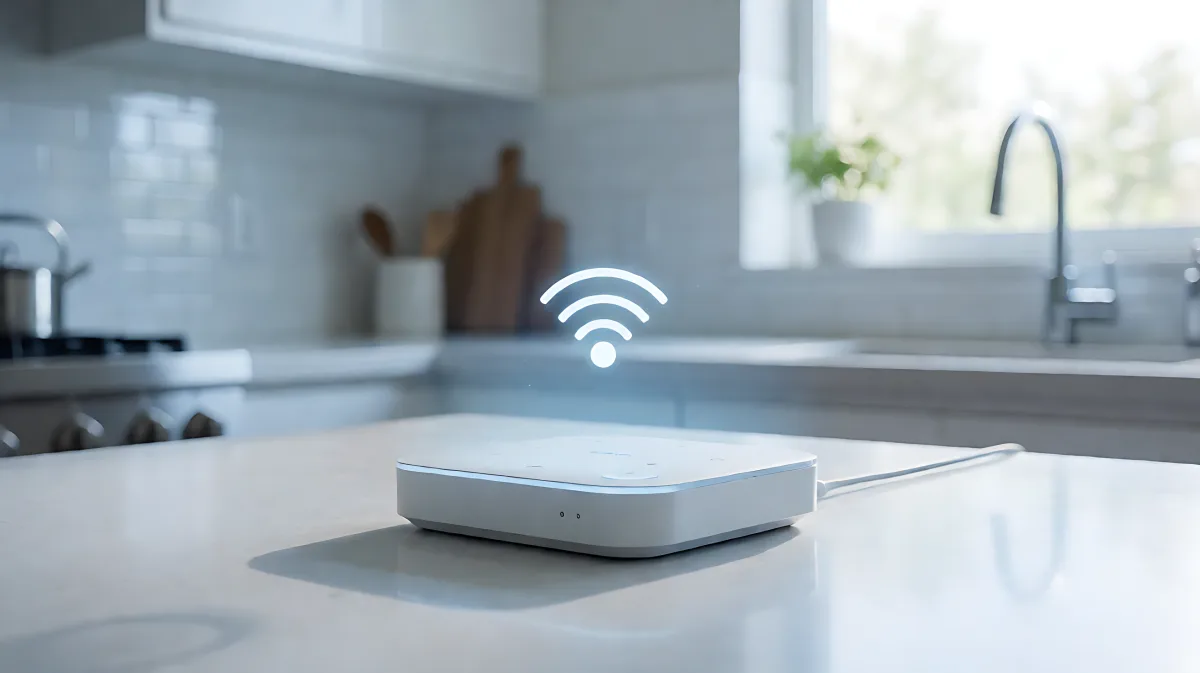
Is your smart home acting up? Learn why your hub loses connection and how to restore network continuity with simple fixes for Wi-Fi, mesh, and cloud issues.
Your smart home hub may disconnect due to weak Wi-Fi signals, overloaded routers, or unstable Zigbee and Z-Wave mesh networks. Ensuring network continuity requires assigning static IP addresses, optimizing radio frequencies, and verifying that all mains-powered repeater devices are online. Recent updates to Matter and Wi-Fi 6 standards have improved stability, but local configuration remains the primary factor in keeping your system responsive.
Why does my smart home hub disconnect from the network?
Disconnections rarely stem from a single hardware fault. Instead, they usually result from a combination of environmental interference and network configuration errors. The most common trigger is a weak Wi-Fi signal at the hub's location. Because smart hubs often act as central translators for various devices, even a momentary drop in the upstream internet connection can cause a cascade of failures across your entire setup. For US and UK users, this often means the hub is physically too far from the router or blocked by thick masonry walls that attenuate radio waves.
Another frequent culprit is the DHCP lease expiration. Some hubs do not handle the renewal of their internet address efficiently. When the lease expires and the renewal process fails, the device thinks it has lost its network connection. To verify this, you can check your router logs to see if the hub is requesting an IP address repeatedly. If you notice the hub goes offline at the same time every day, it is likely due to scheduled router updates or ISP maintenance windows that briefly interrupt the local network.
How do I identify if the issue is with the hub or the devices?
It is crucial to distinguish between the hub being offline and the devices being unreachable. If the hub is offline, you will not be able to access the app locally. If the devices are unreachable but the hub is online, the problem lies within the Zigbee or Z-Wave mesh network. In this scenario, a specific section of your home might go dark because a key repeater device, such as a smart plug or light switch, has lost power. Identifying the affected area can help you locate the specific node causing the break in the chain.
What are the best ways to improve network continuity?
Improving continuity starts with robust network infrastructure. First, consider creating a dedicated Virtual Local Network (VLAN) for your Internet of Things devices. This separates smart home traffic from personal streaming and gaming traffic, ensuring that heavy data usage does not starve your hub of bandwidth. Additionally, assigning a static IP address or a DHCP reservation for your hub in your router settings prevents it from changing its address and becoming unreachable by other devices or apps.
For homes using Zigbee, channel selection is vital. Zigbee operates on the 2.4 GHz band, which shares space with Wi-Fi. To minimize interference, you should select a Zigbee channel that does not overlap with your active Wi-Fi channels. Channel 25 is often recommended as it has the least overlap with common Wi-Fi channels 1, 6, and 11. If you have recently changed your Wi-Fi channel, you must update the Zigbee channel in your hub settings to avoid constant packet loss.
Can local-first hubs prevent cloud outages?
Yes. Many popular platforms rely heavily on cloud servers for automation logic. If those servers experience a regional outage, your voice commands and remote access will fail even if your local network is perfectly healthy. To mitigate this, consider hubs that support local execution of automations. Platforms like Home Assistant or Hubitat allow commands to be processed on the device itself, meaning that lights can still turn on and security systems can still trigger even if your internet connection is down. This local-first approach provides a layer of continuity that cloud-dependent systems lack.
How does the physical environment affect smart hub performance?
The physical location of your hub is more important than most users realize. Metal structures, mirrors, and thick brick walls act as significant barriers to radio frequencies. If your hub is placed in a basement or a closet, its ability to communicate with devices in the upper floors or exterior rooms will be severely compromised. Placing the hub in a central, open area of your home improves the signal strength for both Wi-Fi and sub-GHz protocols like Z-Wave.
Power supply stability is another environmental factor. Voltage drops or unstable power adapters can cause hubs to reboot unexpectedly. Ensure that your hub is plugged directly into a wall outlet rather than a power strip that is also powering high-draw devices like heaters or charging stations. Fluctuations in power can interrupt the hub's internal processing, leading to temporary data loss and disconnections from the mesh network.
What role do mesh networks play in maintaining stability?
Mesh networks allow Zigbee and Z-Wave devices to communicate with each other as well as the hub. Mains-powered devices act as repeaters, strengthening the network. If you have a large home, you likely need more of these repeater devices to ensure full coverage. If you notice that devices in one specific room are dropping offline while others work fine, you probably have a gap in your mesh. Adding a smart plug or a smart bulb powered by the mains in that area can bridge the gap and restore continuity.
When should you consider replacing your smart home hub?
Not all disconnection issues can be fixed with configuration. If your hub is over four or five years old, it may be suffering from a memory leak in the firmware. As the device processes more data, it can run out of available memory, leading to sluggish performance and eventual crashes. Manufacturers often stop providing firmware updates for older hardware, leaving these issues unaddressed. If you have tried power cycling, updating firmware, and reconfiguring your network without success, it is time to look at a new device.
Newer hubs benefit from improved processing power and support for the Matter protocol, which aims to standardize communication between different smart home devices. Matter is designed to reduce friction and improve compatibility, which can indirectly lead to more stable connections because devices are less likely to struggle with protocol translation. Before buying, check if your existing devices are compatible with the new hub to avoid the need for a complete system replacement.
What are the signs of a failing power supply or hardware?
Hardware failure often presents as intermittent behavior that no amount of software fixing can resolve. If your hub lights flicker, the device becomes unusually hot to the touch, or it makes unusual buzzing noises, the internal components may be degrading. In these cases, the continuity of your smart home is at risk not just because of network issues, but because the physical unit is failing. These signs are indicators that a replacement is not just an upgrade, but a necessary step to ensure your home remains secure and automated.
Frequently Asked Questions
Will a Wi-Fi 6 router help my smart home stability?
Yes, a Wi-Fi 6 router offers improved bandwidth and lower latency, which can help manage a high number of connected devices more efficiently. While it does not directly fix Zigbee or Z-Wave issues, it provides a more robust backbone for your smart hub. The "Target Wake Time" feature in Wi-Fi 6 can also help smart devices conserve energy and maintain better connections by coordinating their wake cycles.
Do I need a separate app for each smart device?
No, one of the primary benefits of a smart home hub is that it acts as a central brain. Once devices are paired to the hub, you can control them through a single companion app or even through voice assistants like Alexa, Google Assistant, or Siri. This consolidation reduces the cognitive load on the user and improves the overall user experience by providing a unified interface for all home automation tasks.
How often should I restart my smart home hub?
For most modern hubs, a restart is only necessary if you are experiencing specific performance issues. However, for older models or systems running local automations with a high device count, scheduling a weekly or monthly restart can clear out memory leaks and temporary glitches. This proactive maintenance can help prevent sudden, unexplained disconnections that might otherwise disrupt your daily routine.
Can I use a smart speaker as a hub?
Yes, devices like the Amazon Echo and Apple HomePod have built-in hub functionality. They can support Zigbee devices directly. However, they often lack the support for Z-Wave or advanced local execution of complex automations compared to dedicated hubs. For basic setups, a smart speaker is sufficient, but for larger, more complex homes, a dedicated hub offers greater control and continuity.