2026 Smart Home Guide: Top Devices & Setup Tips
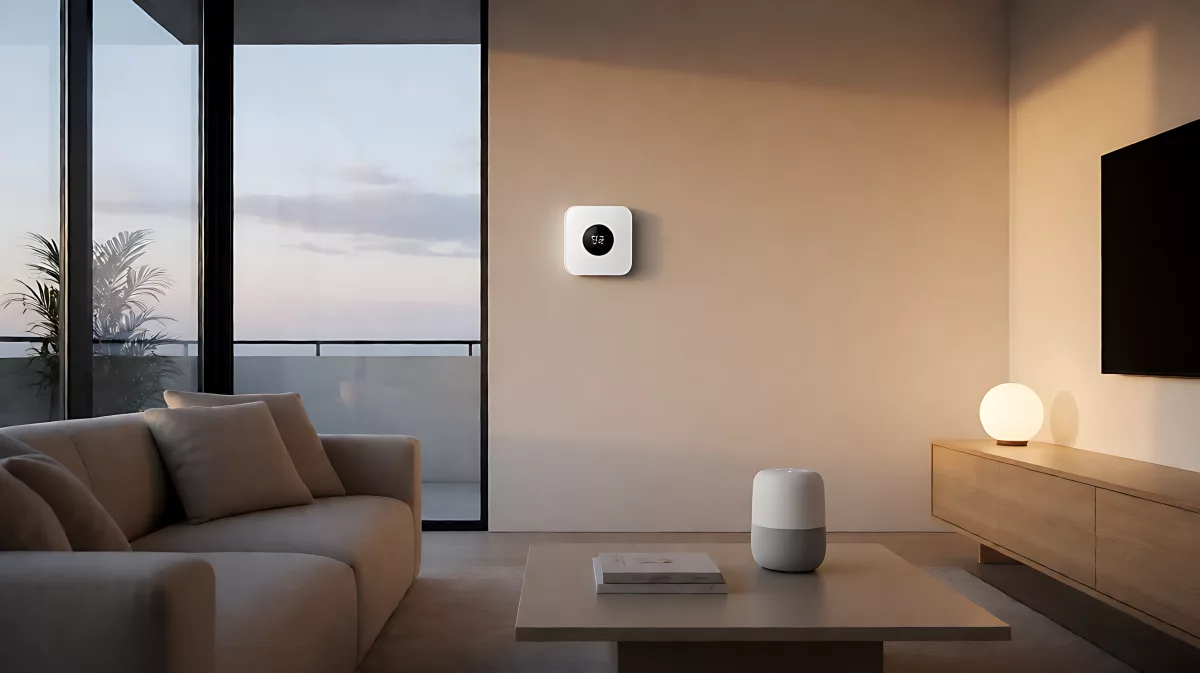
Transform your living space into a connected sanctuary with this comprehensive guide. We break down the essential smart home components, security best practices, and top-rated devices for 2026, ensuring your home is both comfortable and future-ready.
Building a smart home in 2026 means more than just buying gadgets; it is about creating a cohesive ecosystem that manages energy, security, and comfort automatically. By integrating compatible devices with a central hub and voice assistant, you can reduce energy consumption by up to 15 percent while enhancing daily convenience. This guide outlines the core components, security protocols, and top platforms for US and UK households aiming for a seamless connected experience.
What are the core components of a smart home in 2026?
The foundation of any modern connected home is a reliable central hub or router that ensures stable communication between devices. Unlike earlier generations that relied heavily on Wi-Fi, the 2026 standard increasingly adopts Matter, a unified protocol supported by major industry bodies. This allows devices from different brands to work together without proprietary lock-in. Essential physical components include smart thermostats, which now feature advanced learning algorithms to predict heating and cooling needs, and smart plugs that monitor real-time energy usage. Additionally, video doorbells and cameras have evolved to include on-device AI, ensuring that person detection happens locally rather than in the cloud, which improves both privacy and response times.
How do voice assistants and automation enhance daily living?
Voice control remains the primary interface for most users, but 2026 systems are far more context-aware than their predecessors. Platforms like Amazon Alexa, Google Assistant, and Apple Siri now process local scenes more effectively, allowing you to say a single phrase like "Goodnight" to trigger lighting dimming, lock, and thermostat adjustments simultaneously. For those preferring not to use their voice, smartphone apps offer advanced dashboards where you can create custom automations. For example, you can set a rule that sends a notification to your phone if a smart water leak sensor detects a change in humidity near the baseboards. This level of automation prevents significant water damage before it becomes a visible problem.
What security measures are critical for connected devices?
As the number of connected devices in a typical home grows, so does the attack surface. Industry experts advise treating your smart home network with the same rigor as your corporate IT security. First, segment your network by creating a separate Wi-Fi network specifically for IoT devices. This ensures that a compromised smart bulb or camera cannot access your primary devices, such as laptops or work phones. Second, always change the default passwords on all devices and enable two-factor authentication for your primary accounts. Finally, keep your firmware up to date. Major manufacturers now push automatic updates regularly, but you should verify that your router also receives monthly security patches to protect against emerging vulnerabilities.
Why is data privacy a growing concern for smart home users?
Smart home devices collect vast amounts of data, including voice recordings, video footage, and energy usage patterns. In 2026, privacy regulations in the US and UK are more robust, requiring companies to be transparent about what data is stored and where. Users should review the privacy policies of their chosen hubs. Prefer devices that offer local storage options for video feeds rather than mandatory cloud storage, which reduces the risk of data leaks from third-party servers. Choose brands that explicitly state that voice recordings are deleted after a set period, usually 30 days, unless you opt to save them.
Which platforms are best for cross-brand compatibility?
The biggest shift in the smart home industry is the move toward interoperability. The Matter standard, supported by the Connectivity Standards Alliance, now covers lights, locks, sensors, and thermostats. This means you no longer need to stay within one ecosystem forever. Apple HomeKit, which has fully integrated Matter, is popular for its strict privacy focus, particularly for users of Apple devices. For Android users, Google Home offers deep integration with a wide range of third-party brands. Amazon Alexa remains the market leader in terms of sheer device count, offering support for thousands of brands. In 2026, the choice depends on your primary smartphone, but thanks to Matter, you can now mix and match devices without losing functionality.
How can smart home technology reduce energy costs?
Energy efficiency is a major driver for adoption in both the US and UK. Smart thermostats can learn your schedule and adjust temperatures when you leave, saving an average of 10 to 15 percent on heating and cooling bills. Smart plugs allow you to monitor the standby power consumption of electronics, a phenomenon known as "vampire power." By automatically cutting power to devices like televisions and gaming consoles when not in use, you can save significant amounts over a year. Furthermore, smart lighting systems with daylight sensors ensure that artificial lights only turn on when natural light is insufficient, reducing electricity use by up to 20 percent in homes with ample window space.
Is it worth the investment for a typical household?
While the initial setup cost for a fully integrated system can range from several hundred to several thousand dollars, the long-term savings are significant. In the UK, grants and rebates are often available for energy-efficient smart devices, making the net cost lower. In the US, some utility companies offer rebates for smart thermostats that participate in demand-response programs. The convenience of remote access, increased home security, and the peace of mind provided by automated monitoring make the investment worthwhile for most homeowners, especially when factoring in the potential increase in property value associated with modern, connected homes.
What are the top security risks and how to mitigate them?
One of the most common vulnerabilities is the use of weak or default credentials on network devices. Attackers can scan for open ports on smart home hubs and cameras that have not been updated in years. To mitigate this, you must log into your router's admin panel regularly and audit connected devices. Remove any device you no longer use, as it remains a potential entry point for malware. Additionally, keep your operating systems and web browsers updated to protect against phishing attacks that target smart home accounts. If you notice unusual activity on your network, such as high data usage from a device that should not be transmitting, isolate the device immediately and reset it to factory settings.
Frequently Asked Questions
Do I need a hub for my smart home in 2026?
While many modern devices work directly with Wi-Fi and voice assistants, a dedicated hub is still recommended for complex setups. Hubs provide a centralized management interface and support older protocols like Zigbee and Z-Wave, which are more reliable for high-density sensor networks. If you are using many battery-powered devices or want advanced automation logic that goes beyond simple on/off commands, a hub like the Amazon Echo Hub or Apple HomePod will improve performance and stability.
Which smart speaker is the best for privacy?
Apple's HomePod series is widely regarded as the leader in privacy for smart home users in 2026. It processes voice commands locally on the device whenever possible, meaning your daily commands do not leave your home. While Alexa and Google speakers offer more extensive third-party integrations, they rely more heavily on cloud processing. If privacy is your top priority, the Apple ecosystem offers the strongest guarantees, with hardware mutes that physically disconnect the microphone.
Can smart home devices work without the internet?
Most basic functions, such as local automation between a sensor and a light, can work without an internet connection if you use a local hub. For example, a Zigbee bridge can turn on lights based on motion detection even if your Wi-Fi is down. However, remote access, voice control, and cloud-based AI features require an internet connection. For critical security systems, it is essential to have a cellular backup connection so that your alarm signals can still be transmitted to monitoring services in case of a broadband outage.