Manage Chronic Symptoms With Simple Reminders
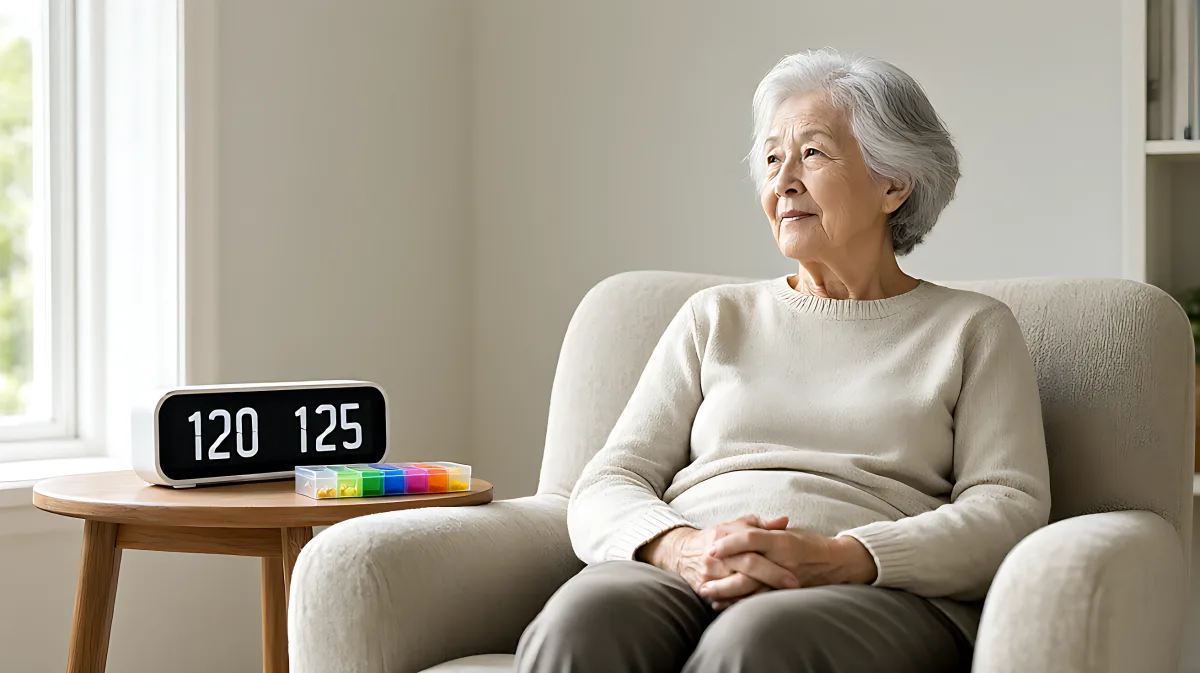
Struggling to keep track of appointments and medication? This guide explains how low-tech devices and visual cues can manage chronic symptoms effectively without the stress of navigating complex software.
Managing chronic symptoms does not require navigating complex smartphone interfaces. For many adults dealing with memory lapses, visual impairments, or cognitive decline, simple, dedicated devices offer a more effective solution. These tools remove the friction of app menus and battery anxiety by using large displays, audible alarms, and automatic routines that operate without user input.
Why simple devices outperform smartphone apps for chronic care
Many families assume that a smartphone is the most advanced and reliable tool for health tracking. However, in practice, smartphones are often too small, too quiet, or too complicated for individuals with sensory or cognitive challenges. A dedicated reminder device simplifies the interaction to a single action: look at the screen or hear the alert. This reduces the cognitive load significantly, ensuring that reminders are not missed due to navigation errors or muted notifications.
According to a 2026 industry comparison by Memoryboard, dedicated reminder devices for seniors typically range from $30 for basic digital clocks to $400 for centralized memory boards. The key advantage is consistency. Unlike apps that may require updates or recharging, these devices often run on stable power sources and maintain routines without user intervention. For individuals managing chronic conditions like arthritis or early dementia, this reliability is paramount.
What specific features should you look for in a reminder device?
When selecting a tool, focus on accessibility and clarity rather than connectivity. The best options include large, high-contrast screens, audible alerts that can be adjusted for volume, and simple interfaces that require no typing or swiping. Visual cues, such as photos or color-coded schedules, help anchor routines in time and space. These features are particularly helpful for those who experience "sundowning" confusion or difficulty orienting themselves to the day and date.
How to implement a low-tech reminder system at home
You can build an effective reminder system using a combination of physical and digital tools. The goal is to create an environment where information is constantly visible and accessible without needing to ask a person for help. This approach reduces the need for constant phone check-ins between caregivers and patients, preserving dignity and independence.
- Digital Dementia Clocks: These devices display the day, date, time, and part of the day (e.g., "morning," "afternoon") in large font. They help anchor routines and reduce anxiety for those with memory loss. Prices typically range from $30 to $80.
- Automatic Pill Dispensers: These devices lock compartments and release medication only at scheduled times. They provide a loud alarm and visual confirmation, preventing missed doses. Basic models start around $40, while advanced automated systems can cost up to $250.
- Digital Message Boards: These screens display photos and text messages sent remotely by family members. They serve as a gentle, visual update on the day's schedule without requiring the user to interact with a phone. Devices in this category generally cost between $80 and $200.
- Large-Print Visual Calendars: Wall calendars with oversized numbers and bright, bold markers provide a constant visual reference. They are affordable, costing under $15, and can be updated weekly by family members.
What is the recommended setup process for a new reminder routine?
Introduction of a new system should be gradual. Start with a single, critical task, such as medication, and use a dedicated device for it. Expand to appointments and social events only after the user has grown accustomed to the first tool. Ensure that the device is placed in a high-traffic area, such as the kitchen or main living room, where it is visible throughout the day.
Common mistakes to avoid when managing chronic symptoms
One major misconception is that adding more technology improves outcomes. In reality, an overload of devices and apps can create notification fatigue, leading to ignored alerts. Many caregivers try to track everything through a combination of smart speakers, apps, and texts. This fragmented approach often fails because the user must navigate multiple interfaces. A unified, simple system with fewer, high-impact tools is far more effective.
Another error is ignoring sensory limitations. If an individual has hearing loss, a visual-only reminder may be missed. Conversely, if they have poor eyesight, a low-contrast screen will be ineffective. Always match the reminder method to the user's specific sensory capabilities. For example, a voice assistant is excellent for visually impaired users, but a smart display with large text is better for those with hearing impairments who can still see clearly.
How can caregivers monitor adherence without being intrusive?
Dedicated devices often include caregiver features that allow remote monitoring. For instance, a smart pill dispenser can send an alert to a family member's phone only if a dose is missed or if the compartment is not opened at the right time. This allows the caregiver to intervene only when necessary, rather than checking in via phone calls every few hours. This "push notification only when needed" model respects the user's independence while ensuring safety.
Frequently Asked Questions
Do these simple devices require internet connectivity?
It depends on the device. Basic digital clocks and manual pill boxes do not require internet. However, digital message boards and smart pill dispensers that offer remote caregiver alerts typically require a stable Wi-Fi connection to sync data. Smart speakers also require internet to process voice commands. If internet is unreliable, a local, stand-alone device with a built-in battery and physical display is the safer choice.
Are voice assistants better than visual reminders?
Neither is universally better; it depends on the individual's sensory profile. Voice assistants are ideal for those with visual impairments who can hear clearly. Visual reminders, such as large-print calendars or digital message boards, are better for those with hearing loss who have good eyesight. For individuals with cognitive decline, a combination of both often works best, providing redundant cues that increase the likelihood of task completion.
How much do these reminder systems cost in total?
A basic setup using a digital dementia clock and a manual pill box can cost less than $100. A more comprehensive system including a smart pill dispenser and a digital message board typically ranges from $200 to $500. Most of these devices are one-time purchases with no ongoing subscription fees, although some advanced smart home integrations may require a monthly service plan for remote monitoring features.
Can these devices help with chronic conditions other than memory loss?
Yes. While they are often marketed for seniors with memory issues, they are also highly effective for individuals managing chronic pain, diabetes, or mobility limitations. For example, a medication reminder helps diabetics maintain consistent insulin schedules, and a visual routine board helps individuals with mobility issues track physical therapy exercises. The core benefit is consistency, which is critical for managing any long-term health condition.
What should I do if the user ignores the device?
If a user consistently ignores a reminder device, the device may not be suitably prominent or audible. Move the device to a more visible location, increase the volume or contrast settings, or try a different type of cue. For example, switch from a silent visual alert to a loud audible one. In some cases, the user may require a more structured environment, such as a dedicated memory board that integrates multiple cues into a single, centralized display.