How to Silence Unknown Callers on iPhone and Android
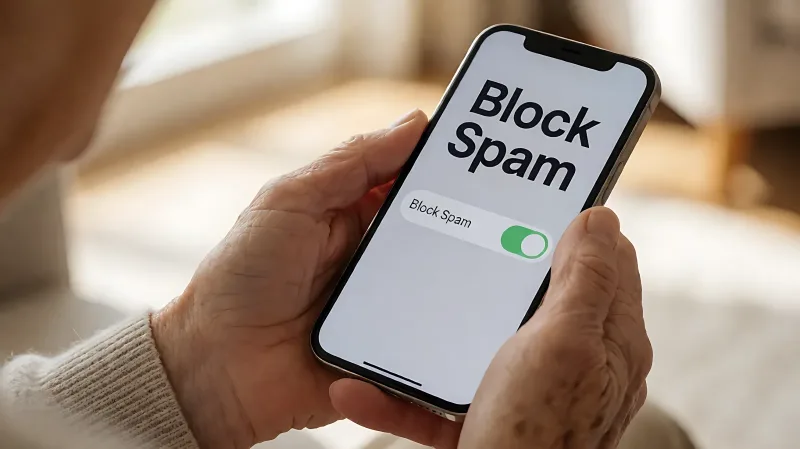
Protect your family from the growing threat of phone scams by activating built-in call filtering features on both iPhones and Android devices, ensuring only verified contacts ring through.
Phone scams cost Americans over $10 billion annually, with seniors facing higher median losses. You can significantly reduce fraud attempts by enabling the built-in spam filters on iPhone and Android, which automatically silence unknown callers and route suspected scams to voicemail.
Why senior phone safety is a top priority
Older adults are frequent targets for fraud because they are often trusted with family matters and may have less familiarity with digital threats. According to the Federal Trade Commission, adults over the age of 60 lost a staggering $61.5 billion to fraud in recent years. For those over 80, phone scams are particularly damaging; this demographic files loss reports involving phone fraud at more than double the rate of online scams. The median loss per phone scam incident is approximately $2,000, compared to just $250 for online fraud. Given the rise of voice-cloning technology, where scammers use artificial intelligence to mimic a grandchild's voice, relying on built-in device filters is a critical first line of defense.
How to silence unknown callers on iPhone
Apple has integrated powerful screening tools directly into the operating system, allowing users to manage who rings their phone without third-party apps. To prevent scammers from disrupting your day, you can silence all calls from numbers not saved in your contacts list. This sends the calls straight to voicemail, where you can review them later if a legitimate caller left a message.
What are the specific steps to enable this on iOS?
The process is straightforward and does not require technical expertise. First, open the Settings app on the iPhone. Next, tap on the Phone option to access call-related preferences. Scroll down to find the Screen Unknown Callers section. Here, you have a few choices. Select Silence to ensure any call from an unsaved number is sent directly to voicemail without ringing the device. Alternatively, you can choose Ask Reason for Calling, which uses AI to screen the caller, but Silence is the most effective for blocking the volume of spam.
You can also turn on Call Filtering in the same menu. Enabling the Unknown Callers filter moves missed calls from unsaved numbers to a dedicated list, keeping your main call history clean. Additionally, turning on the Spam filter helps identify numbers that carriers have flagged as suspicious. It is vital to add important numbers, such as your doctor, family, and local emergency services, to your contacts so they are not filtered out.
How to block spam calls on Android
Android devices also offer robust native tools for managing unwanted calls, though the interface may vary slightly depending on the manufacturer. Google’s approach includes not just blocking, but also verifying whether an incoming call is likely to be a scam.
What is the best method to filter calls on Android?
On most Android phones, you can access these controls through the Phone app. Tap the three-dot menu or the Settings icon. Look for an option labeled Block numbers or Call screening. Many devices allow you to block all unknown numbers from ringing. Furthermore, you can enable Block spam calls, which uses carrier data to identify and silence known robocallers before they reach your earpiece.
If you use a Samsung Galaxy device, the Smart Call feature is particularly helpful. It flags suspected spam calls with a label on the screen, giving you the option to block and report the number immediately. For Google Pixel users, the call screening feature can ask a caller who they are, adding an extra layer of security against voice-impersonation scams.
Which carrier apps enhance built-in protection?
While phone settings are the first step, major mobile carriers provide dedicated applications that add a layer of network-level filtering. These tools often use real-time databases to identify new scam numbers faster than the phone’s internal filter alone.
- AT&T Customers: The ActiveArmor app is free and filters out potential fraud. It labels nuisance calls and can send unknown callers to voicemail. For deeper protection, a paid tier offers VPN and identity monitoring.
- Verizon Customers: The Call Filter service detects spam and robocalls. The free version alerts you to suspected spam, while the paid version at $3.99 per month adds caller ID and a personal block list.
- T-Mobile Customers: Scam Shield provides enhanced caller ID. It marks legitimate calls with a verification tag and warns you about numbers likely to be scam calls.
Installing these apps in conjunction with your phone's native settings creates a comprehensive shield. For seniors, the free versions are often sufficient to stop the majority of unwanted telemarketing and fraud attempts.
What behavioral changes help stop scams?
Technology is powerful, but habits matter most. Education is key to keeping seniors safe. Adults should be taught to never share personal information, such as Social Security numbers or banking details, over the phone. Legitimate organizations will never demand immediate payment or threaten legal action over the phone. If a call feels urgent or scary, it is almost certainly a scam. Encouraging seniors to hang up and call back using a verified number from an official website or printed material breaks the scammer's pressure tactic. For landlines, dialing *77 can often block anonymous callers, a free service offered by many telephone providers.
Frequently Asked Questions
Will silencing unknown callers stop calls from my doctor or family?
No. This feature only affects numbers that are not in your phone's contact list. As long as you have the important numbers saved in your contacts, those calls will ring through normally. It is essential to keep your contact list updated with key services and family members.
Is there a cost to use these spam filters?
The built-in settings on iPhone and Android are completely free. Most carrier apps, such as AT&T's ActiveArmor and T-Mobile's Scam Shield, also have free versions that provide solid protection. Paid tiers exist but are optional and usually add extra features like identity monitoring rather than basic call blocking.
How can I check who called me if I silenced them?
Silenced calls are sent to your voicemail. You can check your voicemail for any left messages. Additionally, on iPhones, you can find a list of silenced unknown callers by going to Settings, tapping Phone, and selecting the Call Filtering section. On Android, these calls may be flagged in your notification history or call log depending on the device model.
Do these settings work on landlines?
Built-in phone settings apply only to mobile devices. For home landlines, you must use specific codes provided by your telephone company, such as dialing *77 to block anonymous numbers. Landlines do not have the AI screening features found in modern smartphones.
What should I do if a scammer impersonates a relative?
If a call claims to be from a grandchild in trouble, hang up immediately. Do not send money or share details. Call the relative using a phone number you already have, not the one they just called from. This verification step breaks the scammer's deception and protects you from voice-cloning threats.