Offline PWA Caching: A Step-by-Step Guide for Rural Developers
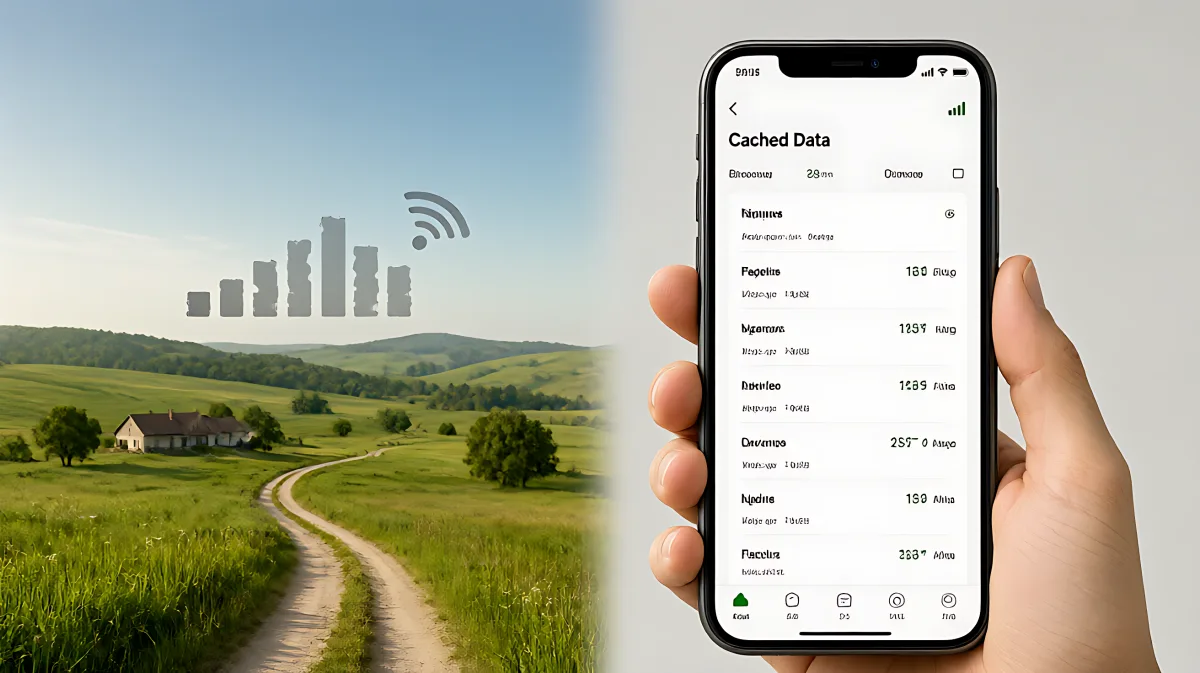
Building for rural connectivity requires offline-first design. This guide details service worker caching strategies, specific code patterns, and synchronization techniques that keep health and utility apps functional during network outages.
For developers building health or utility tools for rural users, the core challenge is ensuring data persists and loads during intermittent network periods. The solution is an offline-first Progressive Web App (PWA) that uses service workers to cache assets locally. By implementing a cache-first strategy for static files and a network-first strategy for dynamic data, your app serves content from local storage when offline and synchronizes updates when connectivity returns. This approach ensures that users in low-bandwidth areas retain access to critical information without relying on constant internet access.
Why Offline-First Architecture Works for Rural Connectivity
Traditional web apps fail when the connection drops because they treat the network as a requirement rather than an option. Offline-first design inverts this logic. It treats the network as a nice-to-have, ensuring the user interface remains interactive even during total connectivity loss. This is critical for field technicians logging meter readings or healthcare workers recording patient data in remote clinics where cellular coverage is spotty. According to MDN documentation on PWA caching, caching resources locally enables offline operation and significantly improves responsiveness, as loading from the device cache is orders of magnitude faster than a round-trip to a remote server.
The performance difference is stark. A cache response typically takes 5 to 20 milliseconds, whereas a network response over a 3G connection can take 500 to 2000 milliseconds. This speed differential makes the app feel instant to the user, regardless of the current network status. Furthermore, local caching reduces data consumption, which is a vital feature for users in regions where mobile data is expensive or capped. As noted in recent industry analyses, major platforms have reported up to a 70% reduction in data usage when shifting to PWA architectures, directly benefiting users in data-poor environments.
How Do Service Workers Enable Offline Functionality?
A service worker is a background script that acts as a proxy between your web app and the network. It runs on its own thread, preventing it from blocking the user interface. When the app requests a resource, the service worker intercepts the request. It then decides whether to serve the response from the local cache, fetch it from the network, or perform both actions simultaneously. This interception capability is the engine behind offline support.
Service workers have a specific lifecycle that you must manage. First, the browser registers the worker. Second, the worker installs, which is the ideal moment to precache essential static assets like HTML, CSS, and JavaScript files. Third, the worker activates, cleaning up old caches from previous versions. Finally, the worker handles fetch events for every subsequent request. To ensure updates are deployed smoothly, you must implement a mechanism to notify users when a new service worker is available, allowing them to refresh the page to load the latest version without data loss.
What Caching Strategy Should You Use for Dynamic Data?
Choosing the right caching algorithm is the most critical decision in PWA development. No single strategy fits all resource types; you must match the strategy to the content.
When Should You Use Cache-First?
Use cache-first for static assets that change infrequently, such as logos, fonts, and versioned JavaScript bundles. The service worker checks the local cache first. If the resource exists there, it returns it immediately. If not, it fetches from the network and caches the response for next time. This strategy prioritizes speed and offline availability over freshness. It is ideal for the application shell and UI components that rarely change during the app's lifecycle.
When Should You Use Network-First?
Use network-first for dynamic data that requires accuracy, such as patient records, meter readings, or real-time weather updates. The service worker attempts to fetch the data from the network first. If the request succeeds, it returns the fresh data and updates the local cache. If the network fails or the user is offline, the worker falls back to serving the last known cached response. This ensures users see data as recent as possible when connected, but still have access to historical data when disconnected.
What Is Stale-While-Revalidate?
This hybrid strategy serves the cached version of a resource immediately while simultaneously fetching the new version from the network in the background. Once the network request completes, the cache is updated for the next request. This is perfect for large media files or content where a slight delay in updates is acceptable. It provides the fastest perceived performance because the user never waits for a network request, while keeping data relatively fresh over time.
How Do You Sync Data When Connectivity Returns?
Offline functionality is only half the equation. You must also handle the synchronization of user-generated data, such as form submissions or status updates, once the connection is restored. Many developers assume that standard browser caching handles this automatically, but in fact, it does not. Browsers do not queue POST requests by default. You must implement a queue-based synchronization system.
Store pending user actions in local storage (such as IndexedDB or localStorage) when the network is unavailable. Use the Background Sync API or a periodic check within the service worker to monitor connectivity. When the connection is restored, process the queue in order, sending each request to your server. You must also handle conflict resolution, deciding whether to overwrite server data or merge changes based on timestamps. For health and utility apps, last-write-wins is often too risky; you should implement a merge strategy or flag conflicts for manual review.
Step-by-Step Guide to Implementing Offline Caching
Follow this checklist to build a robust offline-first PWA:
- Register the Service Worker: Place the service worker file at the root of your domain to ensure it controls the entire origin. Register it early in the page load process.
- Define Cache Names and Versions: Use versioned cache names (e.g., 'app-cache-v1') to manage updates easily. This allows you to delete old caches during the activation phase without breaking the current app state.
- Precache the App Shell: In the install event, cache the core HTML, CSS, and JavaScript files required to render the main interface. This ensures the app is usable even on the first visit offline.
- Implement Strategy-Based Fetch Logic: Write fetch handlers that route static assets through cache-first logic and dynamic API calls through network-first logic. Clone responses before caching them, as a response stream can only be read once.
- Queue Outbound Requests: Intercept POST requests that fail due to network errors. Save the payload and metadata to a local database. Trigger a sync job when the 'online' event fires or periodically via a service worker timer.
- Test in DevTools: Use the Chrome DevTools Application tab to simulate offline conditions and slow networks. Verify that cached resources load correctly and that sync queues process successfully upon reconnection.
Comparison of Caching Strategies
Selecting the correct strategy prevents data inconsistencies and performance bottlenecks. The table below outlines the trade-offs for each approach.
| Strategy | Primary Use Case | Latency | Freshness | Offline Behavior |
|---|---|---|---|---|
| Cache-First | Static assets, fonts, images | Lowest (5-20ms) | Low (stale until updated) | Always serves from cache if available |
| Network-First | Dynamic data, user profiles, feeds | Variable (depends on network) | High (always tries network) | Falls back to last cached version |
| Stale-While-Revalidate | Large media, non-critical updates | Lowest (immediate cache) | Medium (updated in background) | Serves cache immediately, updates later |
This article is for general information only and is not a substitute for professional medical advice, diagnosis, or treatment. Always consult a qualified clinician about your situation.
Frequently Asked Questions
Do I need a native app to support offline functionality?
No. Progressive Web Apps with service workers provide robust offline capabilities without requiring native app store distribution. They can be installed to the home screen and function similarly to native apps, but with faster deployment and lower maintenance costs.
How much data can a PWA cache offline?
Storage limits depend on the browser and user permissions, but generally, you can cache dozens of megabytes of assets. For data-heavy apps, use IndexedDB for structured data storage, which allows for much larger volumes than the Cache API, which is designed for request-response pairs.
What happens if the user's device is offline when they first open the app?
If the service worker has already installed and precached the app shell, the user can launch the interface and access cached content. However, if it is their very first visit and they are offline, they will only see a blank screen or a basic error page because no data has been cached yet. This is why precaching the minimal shell is critical.
Can I use the service worker on HTTP sites?
No. Service workers require a secure context, meaning HTTPS. The only exception is localhost, which is treated as secure for development purposes. For production rural deployments, ensure your infrastructure supports TLS certificates.