Stop QR Code Phishing: How to Spot Quishing Scams in 2026
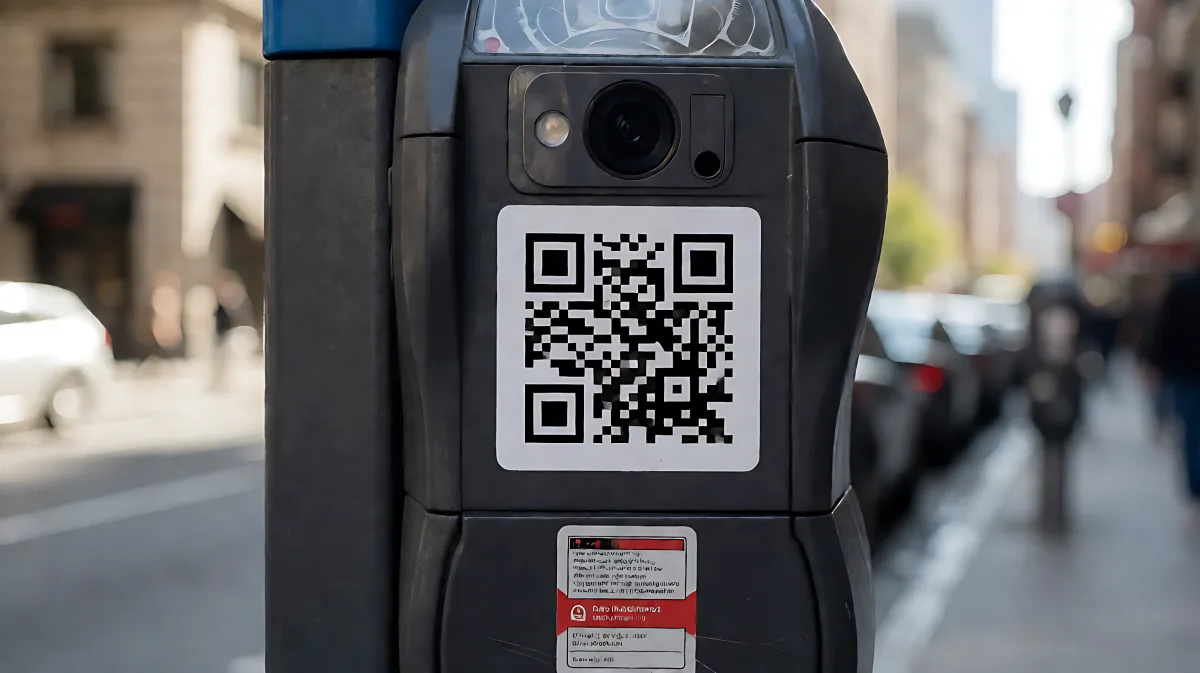
QR codes hide their destination until you scan them. Here is how to spot 'quishing' attacks, protect your personal data, and what to do if you fall for a scam.
QR code phishing, or quishing, is a cyberattack where criminals embed malicious links in QR codes to steal your credentials or install malware. Unlike standard links, these codes hide their destination until you scan them. To stay safe, always inspect the code for physical tampering, preview the resulting URL on your phone before entering any data, and verify the source through a known contact. If you suspect a scam, do not enter information; instead, close the browser and report the incident to your bank or IT department.
Why are QR code phishing attacks so effective?
Quishing has become one of the fastest-growing threats in 2026 because it exploits a gap in how humans and machines verify information. When you receive a standard phishing link in an email, you can hover over it to see the actual destination URL. With a QR code, the destination is invisible until you scan it. This opacity allows attackers to bypass many traditional security filters. Most enterprise email security systems treat QR codes as simple image attachments rather than active links, meaning they often miss the malicious intent entirely. According to Microsoft, the company blocked more than 1.5 million quishing attempts per day in a recent report, highlighting the sheer volume of these attacks. Furthermore, the attack shifts the risk from your secured work computer to your personal smartphone, which is often less protected by enterprise antivirus software.
What is the real risk of scanning a malicious code?
The danger is not the scan itself, but the action you take immediately after. The phone’s camera briefly displays the URL, but most users tap through without reading it. This habit is dangerous because 73% of Americans scan QR codes without any form of verification, according to NordVPN. Once the browser opens, it often displays a fake login page for a bank, a utility company, or a social media platform. These spoofed sites are designed to look identical to the legitimate service. The average time-to-click on a phishing payload is just 21 seconds, which means you have very little time to pause and think. If you enter your credentials or payment details on this fake page, the attacker captures that data in real-time. The loss is often not noticed until months later, when fraudulent charges appear or an account is compromised.
Where do these scams usually appear?
Attackers use QR codes in almost any physical or digital space where scanning feels routine. You do not need to be in a remote location to encounter one; the scams are embedded in your daily life.
- Parking meters: One of the most common physical targets. Fraudsters stick a malicious code over the official one. You scan it to pay, enter your card details, and send money to a criminal instead of the city. Sticker tampering is a major issue in public spaces.
- Emails and corporate comms: Attackers impersonate IT departments or vendors, asking you to scan a code to "fix" a security issue or verify an account. This bypasses email link filters because the payload is an image.
- Unexpected packages: A new variation involves receiving a parcel you did not order. Inside is a note telling you to scan a code to claim a "reward" or identify the sender. This is often a brush scam used to harvest personal data.
- Public signage: Codes on restaurant tables, posters in lobbies, or ads in public transport. Because scanning is normalized in these settings, people rarely question the code. Scammers may replace legitimate codes to redirect users to phishing pages asking for login details.
How can you spot a fake QR code before scanning?
There is no universal visual marker that distinguishes a good code from a bad one. A malicious QR code can look exactly like a legitimate one. However, context and physical cues can provide warning signs. You cannot see where a QR code leads before scanning, so you must rely on verification tools and environmental checks.
What physical signs indicate a scam?
Many families assume that any code posted by a recognized business is safe, but in fact, criminals use a simple sticker to override the original. Look for physical integrity. If a code is a sticker placed over another code, if it looks misaligned, or if the sticker is peeling, do not scan it. In public spaces like parking lots, always check if the sticker is flush with the surface. If it is an addition, it is likely malicious. Additionally, be wary of codes that ask for urgent action, such as "Pay Now" or "Account Expiring." Legitimate businesses rarely create this level of artificial urgency via a static code.
Is there a way to check the URL without opening it?
Yes. Most modern smartphones, including iOS and Android, have a built-in feature to preview the link. When you scan a code, a small preview box appears on your screen before the browser fully opens. Read this URL carefully. If it is a short link (like bit.ly) or an unfamiliar domain, do not proceed. You can also use third-party URL checkers or security apps like Bitdefender Scamio, which allow you to take a screenshot of the code or the resulting page and scan it for threats before interacting with it. This simple step turns an opaque image into a readable address you can verify.
What should you do if you scanned a malicious code?
If you realize you have entered data into a suspicious site, quick action can limit the damage. Do not panic, but act fast.
- If you entered payment details: Contact your bank immediately. Ask them to monitor or block your card and watch for suspicious transactions. Do not just watch for fraud; request a proactive review.
- If you entered login credentials: Change your password right away from a trusted device or by navigating to the official website directly, not by clicking the saved link. Enable two-factor authentication if it is not already active. Check your account for unusual activity, such as new device logins or changed recovery emails.
- If you downloaded an app or file: Delete the file and run a full security scan on your device. Some QR scams are designed to install malware silently in the background.
- Report the scam: Inform your local fraud reporting authority. In the US, report to the Federal Trade Commission or your bank. In the UK, report to Action Fraud. Reporting helps prevent others from falling victim and can help law enforcement track the source.
FAQ
How long does it take for a QR code scam to affect my bank account?
Often, there is a delay. The attacker may hold onto the stolen card details for weeks before using them, hoping you do not notice. If you received a fraudulent charge, it likely happened shortly after the scan. However, if you entered login credentials, the account takeover can happen immediately. Monitor your financial and digital accounts for at least 30 days after a suspected incident.
Can email filters detect QR code phishing?
Traditional email security filters are often blind to QR codes because they treat them as images, not links. While advanced AI-based security systems are starting to decode QR pixels, many standard enterprise gateways will still let a quishing email through. This is why user vigilance is critical; you cannot rely solely on your IT department to stop these attacks.
Are QR codes on utility bills or medical portals safe?
Generally, yes, if they are printed by the official provider. However, criminals increasingly target these documents by sending fake bills or portal invitations via email or mail. Always verify the sender. If you receive an unexpected medical bill or a request to scan a code to "update your Medicare information," contact the provider using a phone number you know is correct, not one listed on the suspicious document.