Home Assistant Review: Local Control & Privacy Guide
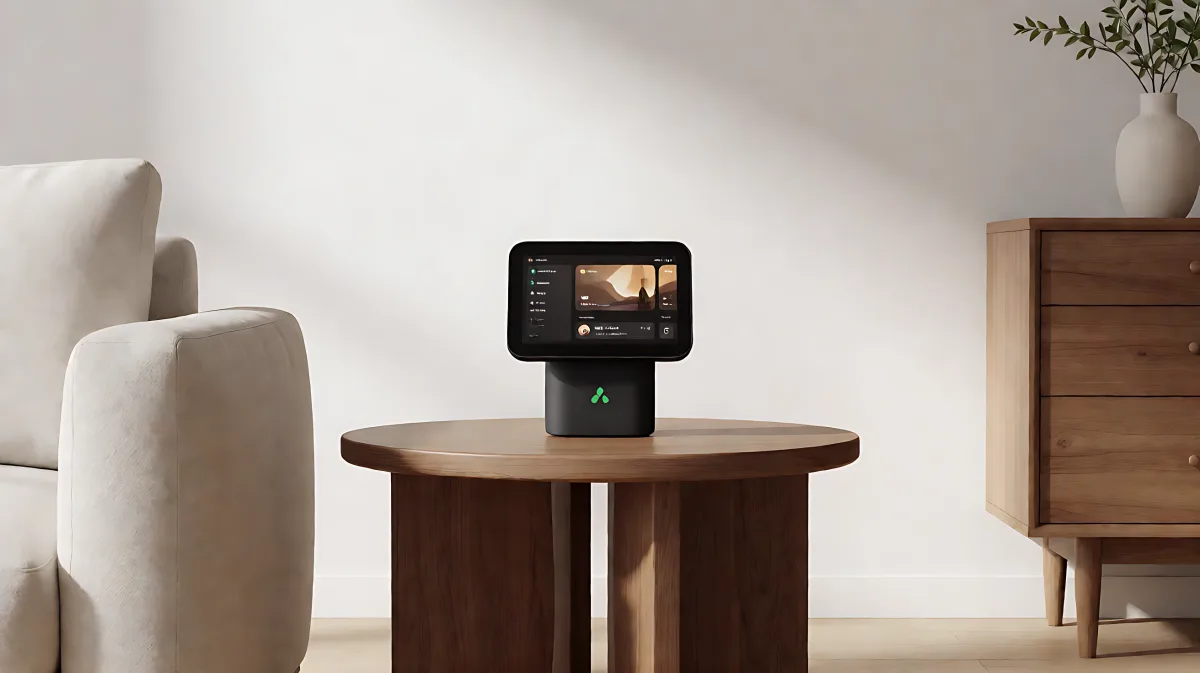
Home Assistant is an open-source home automation platform that prioritizes local data control and privacy. In 2026, it supports over 1,500 integrations and is trusted by more than 2.7 million households worldwide. This guide explores its features, voice capabilities, and how it transforms your smart home setup without relying on the cloud.
Home Assistant is an open-source home automation platform that prioritizes local data control and privacy. By 2026, it supports over 1,500 integrations and is trusted by more than 2.7 million households worldwide. Unlike proprietary systems, it keeps your data local, ensuring your smart home works even if the internet goes down.
What Is Home Assistant and Why Is It Different?
Home Assistant is not just an app; it is a comprehensive operating system for your home. Developed by a global community of DIY enthusiasts and maintained by the Open Home Foundation, it is a non-profit project. This means it cannot be sold, acquired, or subjected to corporate profit motives. As of the latest release in 2026, the platform is recognized as a top open-source project by contributors, signaling its robustness and active development.
The core differentiator is local control. Most smart home devices communicate with cloud servers owned by tech giants. Home Assistant operates differently. It communicates with your devices directly on your local network. While it can use cloud services for remote access when needed, it does not store your personal data in the cloud. This architecture ensures that your home automation works reliably and remains private.
How Does the 2026 Ecosystem Support Your Home?
The smart home landscape in 2026 is crowded with incompatible devices. Home Assistant solves this by acting as a universal translator. It supports integrations with over a thousand brands, allowing you to mix and match devices from different manufacturers. For instance, you can pair Z-Wave devices using the Home Assistant Connect ZWA-2 with Zigbee sensors via the Connect ZBT-2, all within the same dashboard.
Key hardware releases in 2026 have made the platform more accessible for beginners:
- Home Assistant Green: A versatile, plug-and-play hub for users who want an easy start without coding.
- Home Assistant Voice Preview Edition: Designed to bring voice control to the local network, reducing dependency on third-party voice assistants.
- ESPHome Starter Kit: Launched in 2026, this kit allows users to build custom smart home devices without soldering or coding, lowering the barrier to entry for hobbyists.
Furthermore, the platform now includes advanced Home Energy Management features. This allows users to monitor energy usage, optimize solar panel production, and schedule high-power tasks to save money, turning your smart home into an efficient energy hub.
Can You Use Voice Control Without Cloud Dependency?
Yes. In 2026, Home Assistant introduced Assist, a local voice assistant. Unlike Alexa or Google Assistant, which send audio data to the cloud for processing, Assist runs on your local hardware. It supports wake words and natural language commands, all while keeping your audio data private.
This is particularly appealing to privacy-focused consumers. You can control your lights, thermostat, and locks using your voice without sending your personal audio data to a third-party server. The system also allows for integration with third-party voice assistants like Alexa and Google Assistant if you prefer, but the default experience is designed to be local-first.
What Are the Key Features of the 2026 Dashboard?
The user interface has evolved significantly. The 2026 dashboard offers a drag-and-drop experience for customizing views. You can create distinct layouts for different rooms or family members. Key features include:
- Automations: Trigger lights based on sunset times, garage door alerts, or presence detection via mobile apps.
- Home Assistant Cast: A feature that turns any compatible TV into a dashboard display, allowing you to monitor your home status from the living room.
- NFC Tags: Integrate physical NFC tags to automate tasks, such as playing music when you approach a speaker or changing the lighting scene when you enter a room.
The platform also supports running additional applications within the ecosystem, such as AdGuard for network-wide ad blocking or Node-RED for advanced visual programming, making it a complete home operating system.
Is Home Assistant Difficult to Set Up?
Historically, Home Assistant had a steep learning curve due to its DIY nature. However, the release of dedicated hardware like the Home Assistant Green in 2026 has changed this. Beginners can now plug in the hub and start controlling devices within minutes. Advanced users still have access to the full code and configuration files for those who want to dig deeper. The community forums and the open-source model ensure that support is available from a vast network of global users.
FAQ About Home Assistant in 2026
Does Home Assistant work without internet?
Yes. Because it operates on a local network, your smart home devices and automations will continue to work even if your internet service provider goes down. This is a major advantage over cloud-dependent systems like Nest or Lutron, which may become unresponsive during internet outages.
How much does Home Assistant cost?
The software is free and open-source. The cost depends on the hardware you use. You can run it on a Raspberry Pi or an old computer for a low setup cost. Alternatively, the dedicated Home Assistant Green hub and accessories like the Connect ZBT-2 have specific retail prices set by the Open Home Foundation.
Can I use Home Assistant with existing smart home devices?
In most cases, yes. Home Assistant supports over 1,500 integrations, meaning it works with major brands like Philips Hue, Sonos, and many others. If a brand is not directly supported, you can often connect them through hubs like Zigbee or Z-Wave, or by using generic APIs.
Who maintains Home Assistant?
Home Assistant is maintained by the Open Home Foundation, a non-profit organization. This structure ensures that the project remains community-driven and cannot be acquired by a large tech corporation, preserving its privacy-focused mission.