Fixing Smart Home Sensor Misconfigurations for Aging in Place
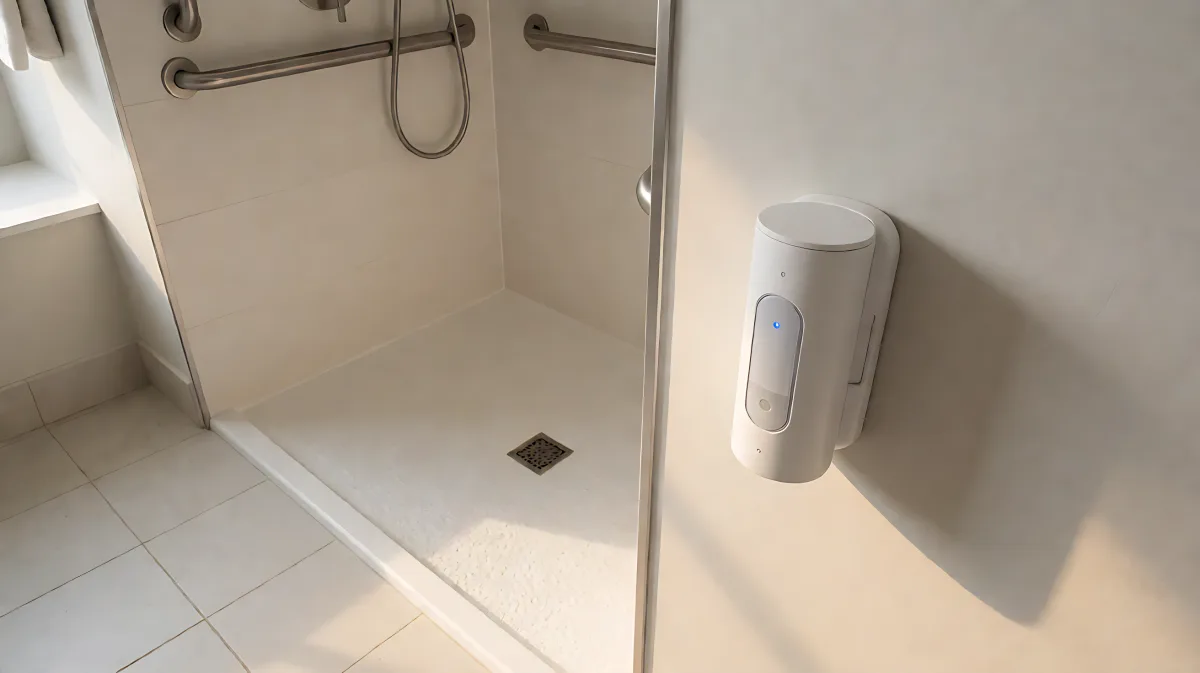
Smart home sensors intended to keep seniors safe often fail due to poor setup. This guide explains the most common misconfigurations, such as sensitivity errors and battery neglect, and offers a checklist to ensure reliable monitoring for aging in place.
Smart home sensors often malfunction for older adults because they are set up with default parameters that do not account for reduced mobility, irregular routines, or environmental quirks. To prevent false alarms and missed events, users must recalibrate motion sensitivity, verify battery health, and define accurate daily routines within the companion app. By treating sensor setup as a continuous calibration process rather than a one-time installation, families and caregivers can ensure these devices actually support independent living rather than adding stress.
Why do default sensor settings often fail older adults?
Most consumer smart sensors, such as motion detectors and water leak monitors, are calibrated for average adult movement patterns. For seniors living alone, a slower pace, the use of walkers or wheelchairs, or even the presence of pets can trigger 'normal' activity alerts that the system misinterprets as anomalies. A study published in the journal JMIR mHealth and uHealth highlighted that understanding everyday household routines is critical for sensor accuracy, yet many installation guides ignore this context. When a motion sensor in the hallway is set to a high sensitivity, it may register a cat's movement as a person's, leading to unnecessary notifications. Conversely, if the sensitivity is too low, a slower fall or hesitation in the bathroom might go unnoticed. The gap between 'standard' user data and the specific needs of aging residents is the primary source of misconfiguration.
How does reduced mobility impact fall detection sensors?
Many fall detection systems rely on accelerometers and gyroscopes in wearables or environmental sensors that expect a certain vertical drop followed by inactivity. Older adults may take longer to remain still after a trip or might use furniture to catch themselves, patterns that confuse the algorithm. According to the Aging in Place resources, the bathroom is one of the most hazardous areas for seniors, making it a critical zone for these sensors. If the sensor in the bathroom is not configured to recognize the difference between sitting on a shower bench and falling on the floor, the system becomes unreliable. Users must manually define 'seated' or 'stationary' states in the app to reduce false positives.
What are the most common sensor calibration errors?
Beyond movement thresholds, environmental factors frequently interfere with sensor performance. Mounting a motion sensor at the wrong height or angle is a frequent mistake. For accessibility compliance, doorways are often widened to at least 36 inches to accommodate wheelchairs. A standard motion sensor mounted on a high corner may fail to detect a wheelchair user passing through the central path of the doorway, creating a blind spot. Similarly, smart lighting linked to these sensors must be synchronized. If the light turns on too late after the sensor detects motion, it does not help prevent a fall; it merely illuminates the aftermath. The AWS Well-Architected Framework for Internet of Things emphasizes that device management must be data-driven and based on expected device behavior. In a home setting, this means the 'expected behavior' must be defined by the resident's actual daily rhythm, not a generic template.
How can battery neglect and connectivity issues disrupt monitoring?
Most standalone smart sensors rely on coin-cell batteries that can last from six months to two years. However, when a battery dies, the sensor often fails silently. There is no light, no sound, and no alert if the parent device or cloud service is not configured to send a 'low battery' or 'offline' warning to a caregiver. Many families assume the home is being monitored because the Wi-Fi is up, unaware that a specific room sensor has been dead for weeks. Regular inspection of battery status is a non-negotiable part of maintenance. Furthermore, Wi-Fi connectivity can be inconsistent in older homes with thick walls or multiple floors. If the sensor is on a different Wi-Fi channel than the main router, it may drop packets, leading to gaps in data. This interruption can mean a fall goes unrecorded.
How should residents customize sensor routines for accuracy?
The solution is to move from 'set and forget' to 'calibrate and adjust.' Start by mapping the resident's typical day. If they do not use the second-floor bathroom at night, configure the system to ignore those sensors during sleep hours to save battery and reduce noise. Define 'active' zones. If a senior uses a wheelchair, mark the path through the house and ensure sensors are positioned to detect that specific route. For bathrooms, which require accessibility modifications like lever-style faucets and grab bars per aging-in-place guidelines, install dedicated motion sensors at head height rather than floor level to better capture human movement. Use the app to create 'away' and 'sleep' modes that adjust sensitivity levels. During sleep, the system should only alert for dramatic events like falls, not minor movements. This reduces alert fatigue, which is a significant risk where caregivers stop checking notifications after too many false alarms.
Does privacy conflict with effective sensor monitoring?
Many advanced sensors use cameras or audio to improve accuracy, but this raises serious privacy concerns in the home. For aging in place, privacy is a core value. It is possible to achieve high accuracy without video by using radar-based sensors or thermal motion detectors that create a pixelated heat map instead of a visual image. These devices comply with privacy standards while still detecting falls. If using video, ensure that cameras are physically blocked or software-disabled in bedrooms and bathrooms. The configuration must prioritize data minimization. Only store data necessary for the alert. Do not allow the cloud service to retain continuous footage of the home, as this creates a security risk and violates the resident's autonomy. Check the terms of service for data retention policies and delete historical data regularly.
What checklist ensures reliable sensor performance?
To maintain a functional smart home for aging in place, follow this regular maintenance checklist:
- Verify Mounting Points: Ensure motion sensors are not blocked by furniture or curtains. For wheelchair users, check that the sensor's field of view covers the wheelchair path.
- Review Alert Logs: Weekly, check the app for false alarms. If the system alerts for motion in the kitchen when no one is there, adjust the sensitivity threshold or move the sensor.
- Test Battery Levels: Do not wait for a 'low battery' warning. Test battery levels every three months for all standalone sensors.
- Simulate Events: Have a caregiver or the resident (if able) perform a safe 'fall simulation' in a controlled area to ensure the alert reaches the intended phone or email. Note: Do not actually fall; use a cushion on the floor.
- Update Firmware: Manufacturers release updates to fix bugs and improve algorithms. Enable automatic updates for sensors, but verify that the update does not reset custom settings, which is a common misconfiguration issue.
| Sensor Type | Common Misconfiguration | Recommended Fix |
|---|---|---|
| Motion Detector | High sensitivity triggers pet movement | Set to 'human-only' mode or increase sensitivity threshold; mount at 8-10 feet. |
| Fall Detection | Slow reaction to seated falls | Adjust 'time to stillness' parameter to 5-10 seconds; define 'seated' zones in app. |
| Water Leak | Installed too far from fixture | Place within 6 inches of potential leak sources; ensure wireless connection is strong. |
| Door/Window | Triggered by wind or pets | Check alignment; adjust sensitivity; use a heavier magnet if necessary. |
Effective smart home technology for seniors is not about having the most devices; it is about having the right devices, configured with the specific user in mind. A well-tuned system provides peace of mind and safety, while a misconfigured one creates anxiety and false security. By actively managing these settings, families can ensure that the technology supports dignity and independence.
FAQ
How often should I test my smart home fall sensors?
You should conduct a functional test of fall detection alerts every three months. This ensures that the battery is healthy, the Wi-Fi connection is stable, and the alert pathway to the caregiver's phone is working. A simple test is to place a heavy cushion on the floor in a monitored area and step on it to simulate a fall event, then verify that the alert is received.
Can smart sensors replace traditional grab bars and ramps?
No. Smart sensors are monitoring tools, not physical safety aids. They can alert you after an accident, but they cannot prevent a fall. According to aging-in-place experts, physical modifications like grab bars in the shower, non-slip flooring, and ramps with a 1:12 slope are fundamental. Sensors should complement these physical safety measures, not replace them.
What is the best type of sensor for a resident who uses a wheelchair?
Radar-based or high-visibility motion sensors are best. Standard infrared sensors may not detect a wheelchair user moving through a doorway if the sensor is mounted too high or has a narrow field of view. Ensure the sensor is positioned to detect the wheelchair's width, and use a smart home hub that allows for custom zone definition to ignore small objects like dogs while detecting the wheelchair.