How Seniors Can Audit and Cancel Recurring Fees
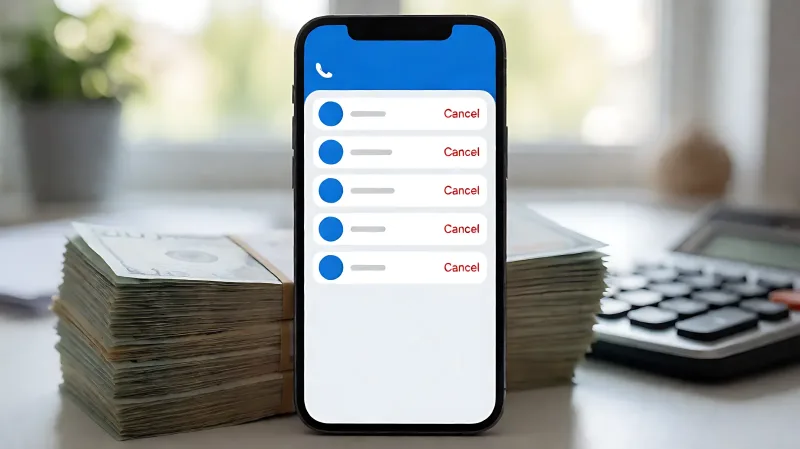
Fixed incomes are squeezed by small, recurring charges. This guide shows how to audit your phone, web accounts, and bank statements to identify and eliminate unused services in 2026.
Draining your pocket? Identify and cancel unused digital subscriptions on your phone and web accounts by auditing settings and bank statements to recover significant monthly savings without cutting essential services.
For many retirees, the quiet drain on a fixed income does not come from one large bill, but from dozens of small, recurring charges that accumulate unnoticed. In 2026, the financial landscape for seniors is defined by specific pressures. The Social Security Administration recently set the cost-of-living adjustment at 2.8%, a modest bump that often gets swallowed by rising healthcare costs. Simultaneously, the Centers for Medicare & Medicaid Services established the standard Medicare Part B premium at $202.90 per month. When these essential costs rise, there is little room left for unused streaming apps or forgotten gym memberships.
You have the tools to fight back. While the Federal Trade Commission's new "click to cancel" rule aims to make ending subscriptions easier, it is not yet in full effect. You do not have to wait for government action. You can reclaim your budget today by systematically auditing your digital life. This process is less about frugality and more about control. It ensures that every dollar of your retirement income works for you, not for a service you stopped using months ago.
How do you find hidden subscriptions on your phone?
The most common place for "zombie" subscriptions to hide is on your mobile devices. Whether you use an iPhone or an Android phone, your phone stores a record of every app you have ever paid for. The good news is that both systems make this list easy to find.
How do I cancel a subscription on an iPhone?
If you use an Apple device, start by opening the Settings application. Tap your name at the top of the screen, which will open your Apple ID menu. Select "Subscriptions." This page provides a comprehensive list of everything you are currently paying for, as well as items that have expired. Look for the "Active" section. Each entry will show the app name, a brief description, the next billing date, and the cost. To stop the charge, tap the subscription, select the red "Cancel Subscription" button at the bottom, and confirm your choice. Most services will remain available until the end of the current billing cycle, giving you time to download any content you might want to keep before access is lost.
How do I cancel a subscription on an Android phone?
Android users should open the Google Play Store app. Tap your profile picture in the top right corner, then select "Payments & subscriptions" followed by "Subscriptions." This section displays all your active recurring charges. To cancel, tap on the service you wish to remove. The interface may present several prompts asking you to choose a cheaper tier or explain why you are leaving. You can skip these suggestions and select the final "Cancel subscription" button. The service will stay active until your next payment date, after which it will stop charging your account.
Which digital services are draining your wallet the most?
Once you have identified your subscriptions, you need to decide what to keep and what to cut. For a fixed income, every dollar counts, so the goal is to eliminate "quiet leaks." These are services that auto-renew and provide very little value for the cost. Start with streaming services. It is common to sign up for a trial of one platform and another, then lose track of them. Rotate your services rather than keeping all of them at once. You can also check your phone plan. Many seniors pay for data packages that far exceed their actual usage. Contact your carrier to ask about senior pricing or lower-data plans that might better fit your lifestyle.
Do not forget about app-based services that often come with hidden fees. Premium news apps, cloud storage for photos you may not look at, and mobile security suites are frequent targets for cost-cutting. If you have not opened a specific app in 30 to 60 days, it is a strong candidate for cancellation. Remember that if you are part of a "family plan" for services like Spotify or Amazon, you may need to coordinate with the plan manager to remove your specific account from the billing cycle.
How do you spot junk fees on your bank statement?
Your phone only shows what was bought through your app store or digital wallet. Many other recurring charges are pulled directly from your bank account or credit card. This is where you must get physical with paper. Print out your last three months of statements. Use a highlighter to mark every recurring charge. Look for bank maintenance fees, which are a common waste for those holding high-balance accounts that no longer apply. Also, watch for credit card annual fees. If the rewards you are earning do not exceed the yearly cost of the card, it is time to switch to a no-fee option.
Be wary of "convenience" fees in your everyday spending. Food delivery services, premium grocery memberships, and digital entertainment platforms all add service charges that can add up to hundreds of dollars a year. Consider picking up your groceries yourself or saving restaurant visits for special occasions rather than paying a 20% service charge for delivery.
What is the safe order for cutting costs?
Cutting spending on a fixed income requires a strategy that protects your essential needs first. You want to save money without creating financial holes that are harder to repair. Use this hierarchy to guide your decisions:
- Unused Digital Subscriptions: The easiest cuts with zero risk to your lifestyle. Eliminate anything you have not used in the last month.
- Household Bill Consolidation: Call your internet and phone providers. Ask to bundle services or switch to a prepaid model to save on monthly rates.
- Insurance and Warranties: Review extended warranties and protection plans. Often, you already have coverage through your homeowner's or auto insurance, making the add-on plans redundant.
- Convenience Spending: Replace expensive delivery and convenience items with time-saving batch cooking and shopping.
- Essential Healthcare and Housing: These should be the last things you cut. Do not try to save money on prescriptions or home maintenance. Your health and safety must come first.
Remember the 30% rule. Federal standards suggest you should not spend more than 30 percent of your gross income on housing. If you are paying more than that, every other dollar of expense becomes harder to manage. If you are on a tight budget, consider downsizing or moving to a smaller home to free up the 28% to 36% guideline that mortgage lenders use.
How do you prevent these fees from coming back?
Once you have cleaned up your budget, you need a system to keep it clean. The Federal Trade Commission has announced new rules to force companies to offer a simple, one-click cancellation method, but until then, you must be the gatekeeper of your own money. Set a recurring monthly reminder on your phone to check your bank account for new, unfamiliar charges.
Consider setting up direct debits for all your essential bills so they are automatic, but keep your digital subscriptions on a manual check-and-pay system. This forces you to consciously decide to renew a service each month. It sounds like a lot of work, but taking fifteen minutes every month can save you hundreds of dollars a year. For a senior on a fixed income, that recovered money is not just a number; it is the difference between managing your bills comfortably and having to choose between groceries and entertainment.
Frequently Asked Questions
What is the Federal Trade Commission "click to cancel" rule?
The Federal Trade Commission has proposed a rule that would require companies to provide a simple cancellation method that mirrors the ease with which a customer signed up. For example, if you signed up via text, you should be able to cancel via text. This rule is currently pending and not yet in full effect, so you should not rely on it to solve your current subscription issues today.
Can I cancel a subscription if I no longer have the original card?
Yes. If a subscription is linked to a credit card you no longer have, you should first try to log in to the service and update your payment method to a new card. Alternatively, you can simply cancel the service through their website or app. You do not need the old card to terminate the service; you just need access to your account credentials.
Is it safe to stop paying for a subscription without canceling it?
No. Simply stopping your card without officially canceling the subscription can lead to negative consequences. The company may charge a different card you have on file, report the failure to a credit agency, or lock you out of your account. Always use the official cancellation process to ensure the service is properly terminated and your credit report remains clean.
How often should I review my bills?
Experts recommend a full audit of your recurring charges every quarter. You should also check your bank statements every month for at least ten minutes to catch any fraudulent charges or forgotten renewals. This routine helps keep your budget aligned with your current lifestyle and prevents small leaks from becoming large financial problems.