Headless CMS Security Best Practices for 2026
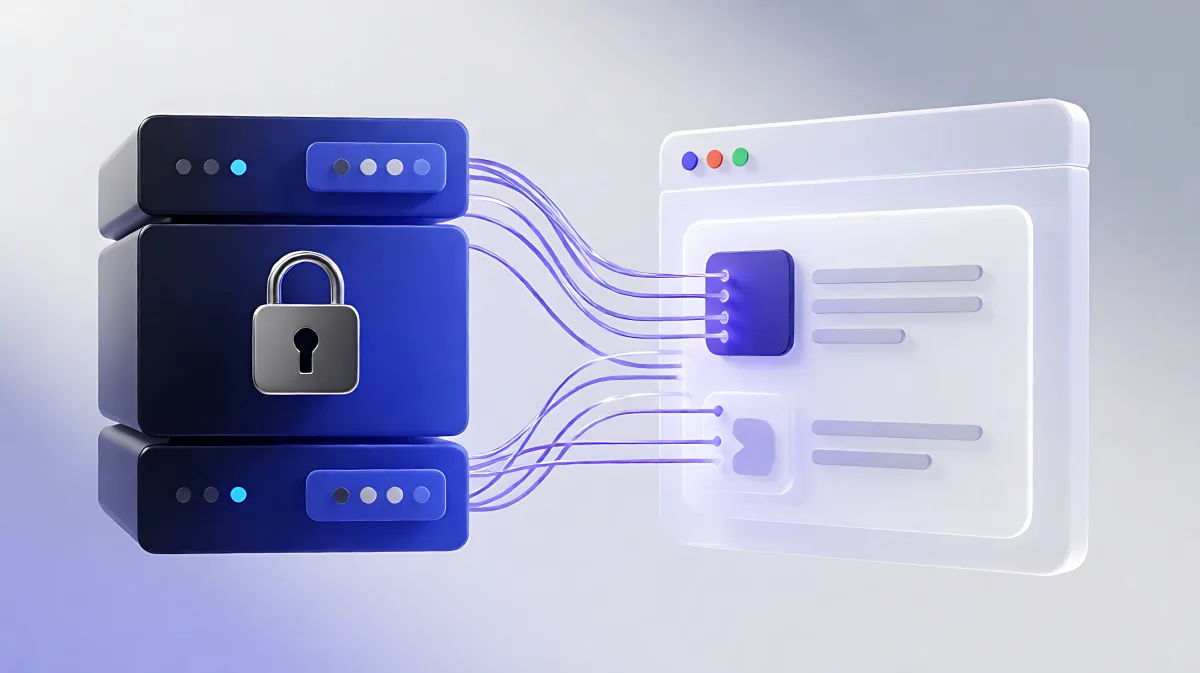
Headless CMS architecture isolates your backend, but new risks emerge in API connections. This guide explains how to secure your content delivery layer using strict token scoping, encryption, and monitoring to protect your digital assets.
Headless CMS security in 2026 relies on strictly isolating your content backend from the public internet while rigorously controlling API access. Unlike traditional systems, the main risks lie in exposed credentials, unvalidated webhooks, and cache leaks rather than database injections. To protect your site, you must enforce least-privilege token scoping, enable multi-factor authentication for all admin users, and use content delivery networks to filter malicious traffic before it reaches your servers.
Why Headless Architecture Changes the Security Game
When you decouple the frontend from the backend, you eliminate many traditional vulnerabilities like plugin exploits and server-side script injection. Your content repository becomes invisible to the public; it is only accessible via specific, controlled API endpoints. According to research by Gartner, this API-first approach makes external exposure easier to manage because security teams can monitor defined entry points rather than a sprawling, integrated system. However, this isolation creates a new set of trust boundaries. The connection between your content source and your website is now the critical failure point. If that connection is not secured, an attacker does not need to break into your database; they simply need to intercept or forge a valid API request.
What Are the Primary Threats to Decoupled Content?
While the backend is hidden, the frontend and the APIs connecting them are exposed. The most significant risks identified in 2026 include:
- Token Scoping Errors: Developers often use a high-privilege management token in the browser for convenience. If this token leaks, an attacker gains write access to your entire content model, allowing them to delete or alter published material.
- Webhook Forgery: Webhooks allow your CMS to trigger updates on your site when content changes. If these requests are not signed and verified, attackers can send fake signals to disrupt your site or inject malicious content.
- Cache Poisoning: Content delivery networks cache responses to speed up delivery. If not configured correctly, a response meant for an authenticated user could be served to a public visitor, leaking sensitive data.
- Volume-Based Attacks: As noted by Akamai, web application attacks have risen sharply, with API endpoints becoming primary targets for denial-of-service storms due to their predictable request patterns.
How to Secure Your API Endpoints
API security is the heart of a headless setup. You must treat every API key as a secret that determines the level of access and authority. The golden rule is least privilege: grant only the permissions necessary for a specific task.
What Is Least-Privilege Token Scoping?
Most headless platforms issue different types of credentials. A read-only token should be used for fetching published content on the frontend. A preview token, which allows viewing drafts, should only be used on the server side, never in the browser. A management token, which allows creating or deleting content, must be stored securely in your build pipeline or server environment and never exposed to the client. According to industry standards from OWASP, failing to restrict resource consumption and object-level authorization is a top vulnerability. By scoping tokens tightly, you limit the damage if one credential is compromised.
Consider this practical example:
| Token Type | Permissions | Location |
|---|---|---|
| Read-Only | Fetch public content | Frontend JavaScript |
| Preview | Fetch unpublished drafts | Server-side rendering only |
| Management | Create, update, delete | Admin panel and CI/CD pipelines |
If a management token is found in your public codebase or browser network tab, you must rotate it immediately. This is the highest-severity risk in headless deployments.
How to Harden Your Infrastructure and Data
Securing the code is not enough; you must protect the infrastructure and the data in transit.
Why Is Encryption and Monitoring Critical?
All data moving between your CMS and your website must be encrypted using TLS 1.3. Data at rest should be encrypted with AES-256 standards, as mandated by compliance frameworks like SOC 2 and GDPR. However, encryption alone does not prevent abuse. You need continuous monitoring. Implement rate limiting on your API gateways to stop brute-force attacks and query exhaustion. For GraphQL setups, specifically, you must limit query complexity to prevent attackers from overloading your database with nested requests.
Additionally, use a Web Application Firewall (WAF) in front of your API endpoints. A WAF can filter out malicious traffic and block common attack signatures before they reach your server. When using a CDN, ensure that you configure cache headers correctly. For private or personalized content, use no-store directives to prevent that data from being cached publicly. For public content, caching is safe and recommended for performance, provided the content is not user-specific.
What Are the Best Practices for Access Control?
Human error is a major vector for security breaches. You must enforce strict access controls for your editorial team and developers.
- Multi-Factor Authentication (MFA): Require MFA for all users who access the CMS admin panel. This prevents attackers from gaining access even if they steal a password.
- Role-Based Access Control (RBAC): Define clear roles. An editor should not have the same permissions as a system administrator. Review these roles quarterly to ensure that departing employees are removed and that no user has excessive privileges.
- Webhook Verification: Use HMAC signatures to verify that incoming webhooks actually come from your CMS. This stops attackers from spoofing update requests.
Frequently Asked Questions
Is a headless CMS safer than a traditional one?
Generally, yes. Headless architecture reduces the attack surface by hiding the backend database and admin interface from the public internet. However, it introduces new risks related to API token management and third-party integrations. If managed correctly, the isolated backend is easier to secure than a monolithic system with many plugins.
How often should I rotate my API keys?
Industry best practices recommend rotating API keys at least quarterly. You should also rotate keys immediately after any security incident, when a developer leaves the team, or if you suspect a key has been exposed. Regular rotation limits the window of opportunity for an attacker who may have stolen a credential.
What is the main difference between a preview token and a read-only token?
A read-only token allows access to published content that is visible to everyone. A preview token allows access to unpublished drafts and changes. Because preview content is sensitive, this token must only be used on the server side and never sent to the public browser, as it could leak embargoed or internal information.
Do I need a WAF if I am using a CDN?
Yes. While many CDNs include basic DDoS protection and some WAF features, configuring a dedicated WAF layer ensures more granular control over security rules. It allows you to specifically target API abuse patterns, such as excessive rate limits or malformed requests, that might not be blocked by default CDN settings.