Ergonomic Home Office Setup for Older Workers
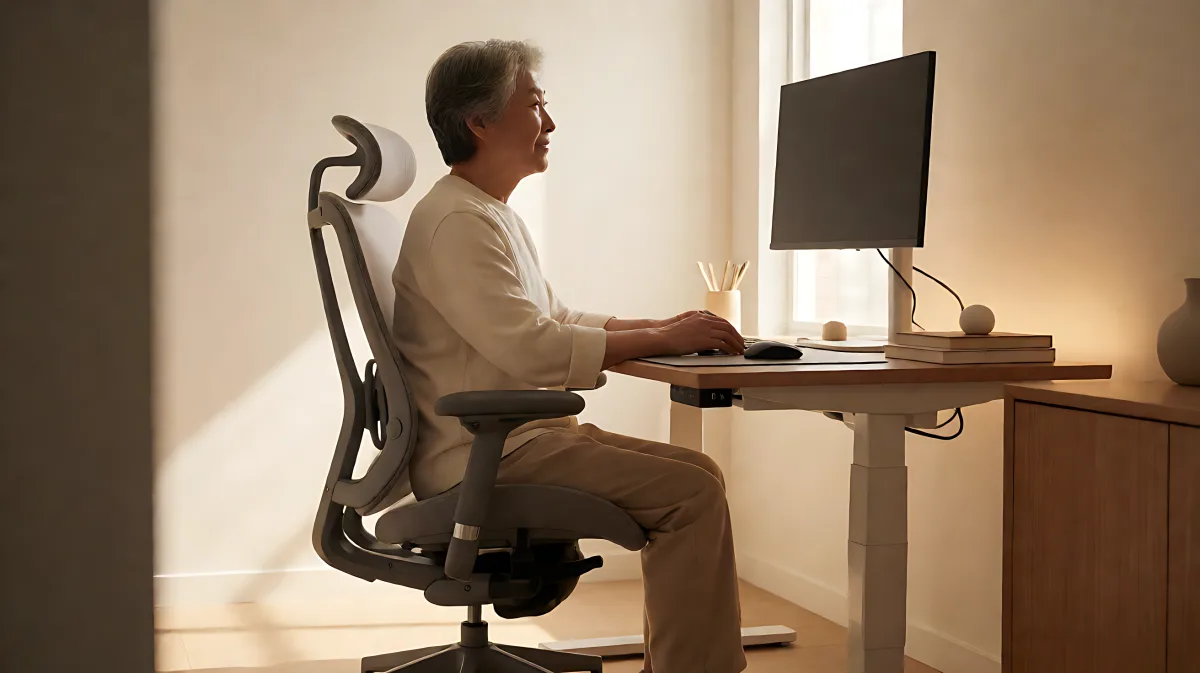
Discover how to set up an ergonomic home office specifically for older remote workers. From chair adjustments to movement breaks, prevent neck pain and boost comfort.
Building an ergonomic home office for older workers reduces neck pain and improves circulation by aligning the workspace with age-related physical changes. Key adjustments include setting desk height to elbow level, maintaining a neutral monitor position, and incorporating short movement breaks every 30 minutes. These specific setup changes prevent chronic strain and support sustained productivity throughout the remote workday.
Why do bodies over 55 require different workspace setups?
Many families assume that a standard office chair and kitchen table are sufficient for remote work, but in fact, the natural loss of bone density and spinal cushioning fluid after age 55 makes these makeshift setups harmful. According to the Bureau of Labor Statistics, the number of workers aged 55 to 64 in remote and freelance roles has grown significantly, increasing the physical cost of poorly designed home offices. A study published in the Journal of Occupational Health found that adults over 55 who made just three ergonomic adjustments to their workstations reported a 40% reduction in daily musculoskeletal discomfort within 30 days.
How should you choose and adjust your office chair?
Your chair is the foundation of your physical comfort. It should support the natural S-curve of your spine without forcing you to slouch. Look for a task chair with adjustable armrests that align with your desk surface, preventing shoulder tension. For the seat height, your feet must rest completely flat on the floor or a stable footrest. This maintains healthy circulation to the lower legs, which becomes more critical as vascular efficiency decreases with age.
If you cannot afford a premium chair from brands like Herman Miller or Steelcase, a high-quality lumbar cushion costing between $25 and $40 can provide essential lower back support. Avoid gaming chairs, as they are designed for short bursts of intense focus rather than sustained working hours and often lack the necessary lumbar support for older bodies.
What is the ideal desk and monitor position to stop neck pain?
Neck pain, often called "tech neck," occurs when the head tilts forward to look down at a screen. To prevent this, the top of your monitor should align with your eye level or sit slightly below it. Keep the screen about an arm's length away to reduce eye strain. For laptop users, a stand paired with an external keyboard and mouse is essential to maintain neutral wrist and neck positions.
Determine your ideal desk height by sitting with correct posture and letting your arms hang naturally. Your elbows should bend at 90 degrees, and the desk surface should match that elbow height. For most adults, this measurement falls between 28 and 30 inches, though shorter individuals may require a surface at 26 to 28 inches. This alignment ensures your shoulders remain relaxed rather than rising toward your ears during typing.
Are standing desks or walking pads worth the investment?
If you work more than three hours a day at a desk, a height-adjustable sit-stand desk is a valuable investment. However, recent research from the University of Sydney involving over 83,000 participants suggests that prolonged standing does not automatically improve heart health and may increase circulatory risks. The key is not to stand all day, but to shift positions regularly.
The recommended rhythm is to alternate between sitting and standing every 30 to 45 minutes, aiming for roughly 60% sitting and 40% standing. Walking pads can be useful for light tasks, but they are not practical for every workspace. The most effective strategy is combining height changes with actual physical movement, such as walking during phone calls or taking a 10-minute walk before starting your workday to warm up the spine.
What daily habits prevent long-term strain and discomfort?
Hydration is a critical but often overlooked ergonomic factor. Intervertebral discs are largely water-based and require consistent hydration to maintain their shock-absorbing function. After 60, the sensation of thirst becomes less reliable, so older workers should drink water consistently throughout the workday rather than waiting for physical cues.
Additionally, manage your eye health by using blue-light blocking glasses, especially during evening screen use, as the eye's natural filtering capability decreases with age. Keep your workspace organized to avoid awkward reaching. Frequently used items like your keyboard and mouse should be within easy reach, while rarely used items should be stored away to prevent unnecessary twisting and stretching.
What are the quick-start steps for a safe setup?
Implement these immediate changes to create a safer, more comfortable remote work environment:
- Ensure your feet are flat on the floor or on a footrest to support circulation.
- Position a lumbar support cushion at the small of your back, just above your belt line.
- Align the top of your monitor with your eye level and keep it an arm's length away.
- Set your desk height so your elbows are bent at 90 degrees and your wrists remain straight.
- Schedule a 10-minute walk before starting your workday to prepare your joints.
- Set a timer to move, stretch, or stand up every 30 to 40 minutes.
Frequently Asked Questions
How often should I change my posture during the workday?
It is recommended to shift between sitting and standing every 30 to 45 minutes. For older adults, shorter intervals of 30 minutes are often better to prevent joint stiffness from static sitting. Include simple movements like neck stretches or a short walk during each break.
Is a standing desk necessary if I already have a good chair?
A standing desk is not strictly necessary, but it is highly beneficial if you sit for more than three hours daily. The primary goal is to reduce sedentary behavior. If you do not have a standing desk, you can achieve similar benefits by taking regular movement breaks and using a footrest to encourage circulation while seated.
What lighting is best for eye comfort in a home office?
Use balanced ambient lighting to avoid sharp contrasts between your screen and the room. Warmer color temperatures around 3000K are generally easier on the eyes during long work sessions. Position your monitor perpendicular to windows to minimize glare, and use a desk lamp directed away from the screen to provide focused task lighting.