How to Add Automated Accessibility Checks to CI Pipelines
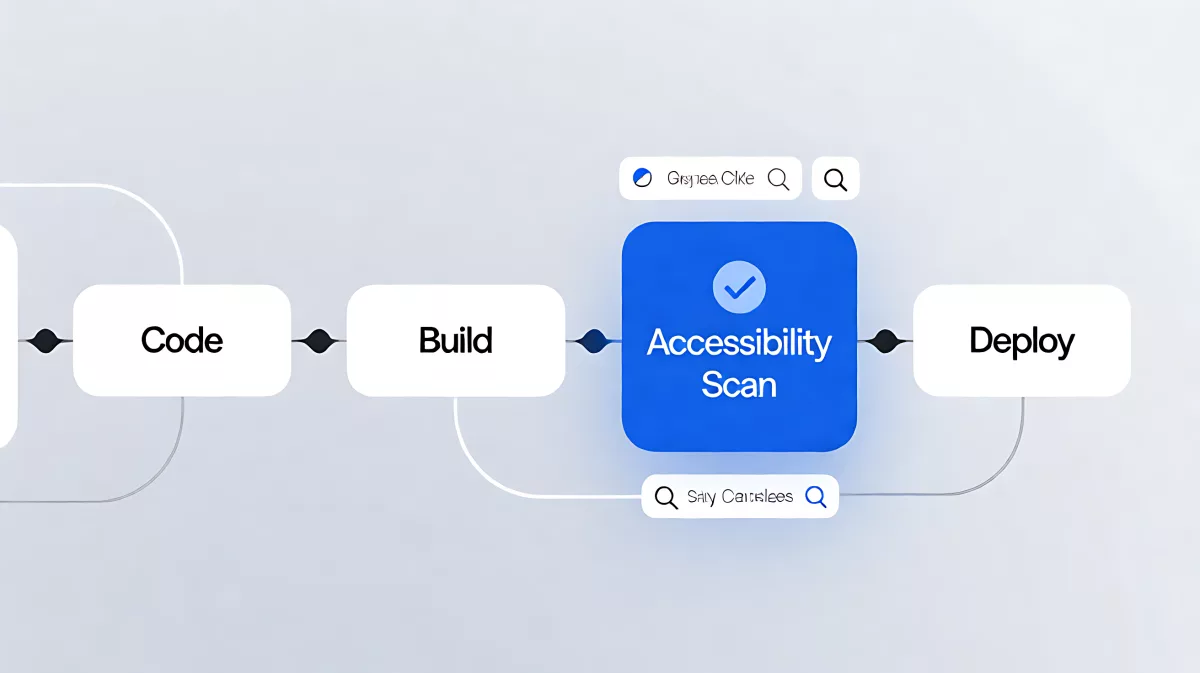
Integrating automated accessibility checks into CI/CD pipelines reduces late-stage fixes and ensures consistent WCAG compliance. Here is how to implement it effectively.
Implementing automated accessibility testing in your CI/CD pipeline means embedding Web Content Accessibility Guidelines (WCAG) checks into every stage of your build process. By running scans on pull requests and pre-deployment builds, you catch issues early, reducing remediation costs by up to 30x compared to post-release fixes. This approach ensures that accessibility becomes a standard quality gate, preventing new violations from reaching production.
Why Accessibility Belongs in Your Pipeline
Most development teams treat accessibility as an afterthought, addressing it only after user complaints or legal notices arrive. This reactive approach is expensive and disruptive. In 2026, as digital inclusion regulations tighten and user expectations rise, a proactive stance is critical. Research from the National Institute of Standards and Technology (NIST) indicates that defect remediation costs increase dramatically as software moves through the development lifecycle. Fixing an issue in the IDE is nearly free, while fixing it in production can cost dozens of times more.
Continuous integration and continuous delivery (CI/CD) pipelines already handle unit tests, security scans, and performance benchmarks. Accessibility is a quality concern that fits seamlessly into this existing structure. By treating accessibility defects like security vulnerabilities, you create a predictable, auditable path from development to deployment.
What Are the Core Benefits of Automation?
Automated testing offers speed, scale, and consistency that manual audits cannot match. Scanners can review hundreds of pages per minute, checking for missing alt text, poor color contrast, and improper form labels. This consistency removes human bias and allows you to monitor large-scale applications without exhausting your QA resources. It also provides continuous monitoring, ensuring that new content or feature deployments do not introduce regressions.
How to Integrate Checks at Each Stage
Effective integration requires placing checks at specific points in the pipeline. Each stage catches a different class of issue, creating a layered defense against accessibility failures.
1. Catching Issues in the IDE
The first line of defense is the integrated development environment (IDE). Linters and plugins flag problems as code is written. For example, a developer might use a div element where a button is required, or apply ARIA roles to an element that already has implicit semantics. Fixing these issues immediately prevents them from entering the codebase. With the rise of AI-enabled coding agents in 2026, many tools now use the Model Context Protocol (MCP) to embed accessibility guidance directly into AI assistants, allowing both developers and agents to resolve issues in real-time without context-switching.
2. Using Delta Scans on Pull Requests
When a pull request opens, run a delta scan rather than a full-site scan. A delta scan targets only the code changed in that specific request. This is crucial for large or legacy codebases where a full scan would generate thousands of pre-existing errors, burying the new issues. By focusing on the delta, you keep feedback actionable and prevent developers from feeling overwhelmed by legacy debt.
3. Enforcing Quality Gates Before Merge
Quality gates enforce project standards before code merges into the main branch. You can configure severity thresholds to balance compliance with development velocity. For instance, critical violations such as missing form labels can block the merge entirely, while lower-severity issues like suboptimal contrast ratios can generate warnings. Most teams start with advisory-only gates and progressively tighten the rules as the codebase improves and the team builds trust in the tooling.
4. Scanning the Built Application
After merging, run broader scans against the rendered application during the build or integration test stage. This stage is vital for catching issues that only appear after user interaction, such as inaccessible modal dialogs, hidden menu items, or broken focus traps in multi-step forms. These state-dependent issues are often missed by static code analysis and require a live environment to detect.
5. Final Checks in Staging
Pre-deployment scans against the staging environment catch integration-level issues that only surface when the full system is assembled. This includes inaccessible third-party widgets, CMS templates that strip accessibility attributes, and configuration errors specific to the production-like environment. For teams with robust earlier stages, this final scan acts as a safety net and a source of reporting data. For teams without earlier integration, it will likely reveal a high volume of findings, potentially holding up releases until critical issues are resolved.
What Can and Cannot Automation Detect?
While automated testing is powerful, it is not a magic bullet. It excels at detecting structural defects but often misses contextual nuances. Understanding this limitation helps you design a hybrid testing strategy.
| Issue Type | WCAG Criterion | Detection Method |
|---|---|---|
| Missing alt text | 1.1.1 | Automated |
| Poor color contrast | 1.4.3 | Automated |
| Unlabeled form fields | 1.3.1 | Automated |
| Meaningless alt text | 1.1.1 | Manual |
| Incorrect reading order | 1.3.2 | Manual |
| Confusing error messages | 3.3.1 | Manual |
Automated tools reliably catch missing labels, empty links, and contrast failures. However, they cannot determine if alt text is meaningful in context, if reading order is logical for screen reader users, or if error messages are clear. Therefore, a mature accessibility program pairs pipeline automation with periodic manual evaluations by experts and testing with people who use assistive technologies.
Choosing the Right Tooling
The market offers several categories of tools: browser extensions for quick spot checks, developer SDKs and CI/CD integrations for automated workflows, and monitoring dashboards for continuous oversight. In 2026, leading platforms increasingly offer AI-powered analysis that can triage failures and suggest specific code fixes. Look for tools that integrate with your existing CI/CD provider (such as GitHub Actions, GitLab, or Jenkins) and support your specific frontend framework.
How to Start Implementing
Do not try to fix everything at once. Start by adding a linter to your IDE and a delta scan to your pull request workflow. Set advisory thresholds for your quality gates so developers are informed without being blocked. As your team adapts, tighten the gates to block critical violations. Finally, schedule regular manual audits to validate the automation and address contextual issues that machines miss.
Frequently Asked Questions
Does automated testing replace manual accessibility audits?
No. Automated testing detects a significant portion of structural WCAG violations but cannot assess contextual issues like reading order or the quality of alt text. Manual evaluation by experts and users with disabilities is essential to validate compliance and ensure usability.
What is the difference between a full scan and a delta scan?
A full scan tests the entire codebase or site, which can produce thousands of pre-existing errors in legacy systems. A delta scan tests only the code changed in a specific pull request, providing focused, actionable feedback that helps teams fix new issues without being overwhelmed by old debt.
Can AI agents help with accessibility in 2026?
Yes. Many AI-enabled IDEs now use protocols like the Model Context Protocol (MCP) to embed accessibility rules directly into coding agents. This allows AI to suggest fixes for ARIA misuse or contrast issues in real-time, shifting left the detection process and reducing developer friction.
How often should we run accessibility scans?
Run automated scans on every pull request and again during the pre-deployment build. For production environments, use continuous monitoring to catch regressions caused by CMS updates or third-party script changes. This combination ensures proactive prevention and reactive safety netting.