How to Use Bank of America App for Seniors
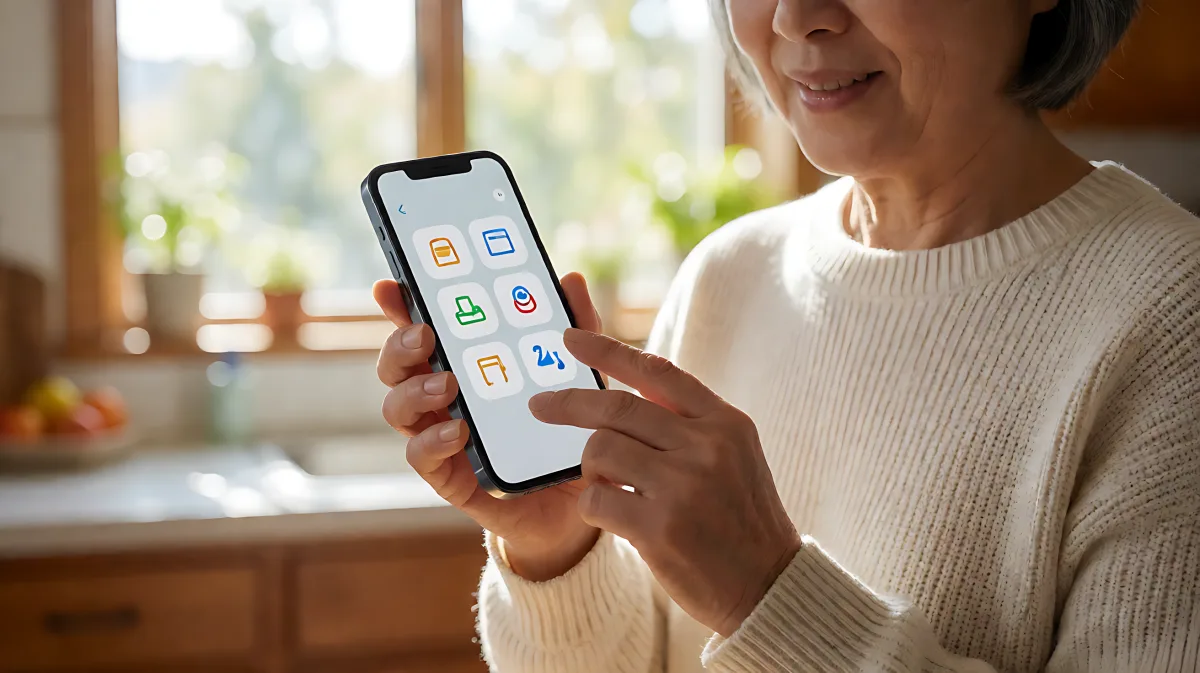
Navigating digital banking can be overwhelming. This guide breaks down how seniors can securely use the Bank of America app for daily transactions and financial planning.
The Bank of America Mobile Banking app allows seniors to securely check balances, pay bills, deposit checks via photo, and access customer support like Erica, providing essential digital banking tools directly on their smartphones or tablets.
How Do I Download and Install the App?
Getting started is the first step to mastering mobile banking. The Bank of America app is available for both iPhone and Android devices. It is one of the most widely used banking applications in the United States, with over 50 million downloads and a strong 4.6-star rating from more than 1.2 million users on the Google Play Store. For iOS users, it is available through the App Store.
Download the app by searching for "Bank of America" in your device’s app store. Once installed, you will need to enroll in online banking if you have not already done so. This process verifies your identity and sets up your user ID. The bank emphasizes that app stores have their own privacy practices, so it is good practice to review those policies before installing any new software. If you are using a tablet, the same app generally supports both phone and tablet interfaces, though features may vary slightly based on screen size.
What Security Features Protect My Account?
Security is the top priority for seniors managing their retirement savings. The Bank of America app offers multiple layers of protection. You can enable Touch ID or Face ID on compatible devices, which allows you to unlock the app using your fingerprint or facial recognition. This is a faster and often more secure alternative to typing a password every time.
If you prefer passwords, the system requires robust credentials. Passwords must be between 8 and 20 characters long and include at least one uppercase letter, one lowercase letter, and one number. You cannot repeat a number or letter more than three times consecutively, and spaces are not allowed. Additionally, you may be asked to answer personal challenge questions when logging in from a new device. These questions help confirm your identity and protect your account if your password is compromised.
The app also includes a Mobile Banking Security Guarantee. This means you are not liable for fraudulent mobile transactions if you notify the bank within 60 days of the transaction first appearing on your statement and you have complied with your security responsibilities. The app will send you alerts if it detects suspicious activity on your cards, helping you catch potential fraud early.
How Do I Manage Daily Transactions Like Bill Pay and Transfers?
One of the biggest benefits of the mobile app is the ability to handle everyday banking without visiting a branch. You can view all your checking, savings, credit card, and loan accounts in one place. You can also set up alerts to notify you when your balance is low or when a large transaction occurs, which is helpful for budgeting in retirement.
For sending money, the app integrates Zelle, a service that lets you securely send and receive money using a U.S. mobile number or email address. Zelle is a convenient way to split costs with friends or family. However, be aware that recipients have only 14 days to register to receive the money, or the transfer will be canceled. Also, dollar and frequency limits apply to Zelle transactions, so it is best for moderate amounts rather than large transfers.
Paying bills is also streamlined. You can schedule recurring payments for utilities and rent. Some users have noted that the bill pay interface can be slightly complex, with a "recipients" screen appearing before the main bill pay page, but once familiar with the layout, it becomes straightforward. You can also activate or replace credit and debit cards directly from the app if they are lost or compromised.
Can I Deposit Checks Digitally?
Digital check deposits are a favorite feature for seniors who want to avoid the hassle of banking hours. You can take photos of your checks to deposit them into your checking or savings account. The app guides you through the process: you select the check, snap the front and back, and confirm the amount. You will receive immediate confirmation that the check is being processed. However, the funds may not be available for withdrawal immediately. Deposits are subject to verification and hold restrictions. It is important to write "For Deposit Only" on the back of the check and keep the physical check in a safe place for up to 60 days until the funds are fully cleared. In the meantime, you are liable for any outstanding balances if the check bounces.
How Can the App Help with My Long-Term Financial Planning?
The Bank of America app is more than just a transaction tool; it includes features for financial health. You can easily check your FICO credit score within the app, along with the key factors affecting your score. This helps you monitor your financial standing and plan for loans or credit needs.
If you have a Merrill Lynch investment account, you can manage it directly through the Bank of America app. You can trade stocks, ETFs, and mutual funds, view market data, and even send secure messages to your financial advisor. This integration allows you to keep your entire financial picture in one place. The app also offers budgeting tools where you can track spending by category and set savings goals, which is useful for planning for upcoming medical expenses or travel.
Erica, the bank’s virtual financial assistant, is available within the app. You can tap the microphone to ask Erica to find transactions, pay bills, or answer common banking questions. Erica speaks in English and can provide alerts and insights. While Erica is helpful for quick questions, it does not provide investment advice. For complex financial decisions, you should still consult with a professional advisor.
What Should I Do if I Forget My Password?
Life happens, and forgetting passwords is common. If you are locked out, select "Forgot Password" on the login screen. You will need to verify your identity, usually by having an authorization code sent to your phone. You will then be prompted to create a new password. Remember the password rules: 8-20 characters, mixed case letters, numbers, and no repeated sequences. If you cannot log in and need to reset your personal challenge questions, you may need to contact customer service for assistance.
Is the App Accessible for Users with Visual or Motor Impairments?
Some users have reported that the app lacks an "eye" icon to show the password being typed, which can be frustrating for those with tremors or visual impairments. While the app supports standard accessibility features of Android and iOS operating systems, such as screen readers and zoom functions, the interface is not specifically designed for large-print mode. If you find the text too small, you can adjust your phone’s system-wide font size settings. For those with mobility challenges, Touch ID and Face ID offer a faster way to log in than typing complex passwords. If the app becomes difficult to use, you can always access your accounts through the Bank of America website on a computer, where you might find the interface easier to navigate.
What If I Need Help with the App?
Customer support is available 24/7 through the app. You can chat with a representative or schedule a call. It is always a good idea to keep your phone charged and to have your user ID and password handy when contacting support. Be cautious of anyone asking for your password or one-time codes; Bank of America will never ask for these details in unsolicited emails or calls. If you suspect fraud, use the app’s security center to report the issue immediately.
Frequently Asked Questions
Is the Bank of America app safe for seniors to use?
Yes. The app uses bank-grade encryption, supports biometric security like Face ID and Touch ID, and offers a Mobile Banking Security Guarantee. As long as you download the app from official app stores and do not share your login credentials with others, your account is protected. You are also not liable for fraudulent transactions if you report them within 60 days.
Do I need a high-speed internet connection to use the app?
The app works best on Wi-Fi or 4G/5G connections. While some basic features may load on slower networks, features like digital check deposits and real-time balance checks require a stable internet connection to process quickly. Data limits may apply on mobile networks.
Can I access my investments through the Bank of America app?
Yes. If you have a Merrill Lynch account, it is linked directly to the Bank of America app. You can view your portfolio, trade stocks and ETFs, check market news, and send secure messages to your advisor without logging into a separate investment platform.
What are the limits on Zelle transfers?
Zelle has dollar and frequency limits that vary by user level. The specific limits are not always public, but they are designed to prevent fraud. Recipients must claim funds within 14 days or the transfer is voided. For large amounts of money, it is often safer and more practical to use a bank check or a wired transfer through the bank’s secure messaging system.
How can I make the app easier to read?
You can increase the font size by adjusting your phone’s system settings for display and text size. The app will usually adapt to these changes. Additionally, using a tablet may provide a larger screen for easier viewing. If you have specific accessibility needs, contact Bank of America customer service for tailored assistance or resources on accessible banking options.